
A recent promotion can look like a good reason to contact a candidate. The new title shows they’re doing well, and it gives you an easy first line.
But a message sent a few weeks after the promotion asks someone who has only just won a new job to think about leaving it. That’s where outreach to recently promoted candidates goes wrong.
This guide covers when to write to a recently promoted candidate and what to say first. The rule I follow is to hold the first message for six months from the day they started the new title, and to write down when the hold ends and who will send it. The exception is a role that’s a clear step up from the new title, such as the next level or a team of their own.
Whenever you do write, open with the new title, so the candidate can see you know about the promotion.
You’ll learn how to check when the title started, what to record during a hold, how to tell whether your role is a step up, and what to put in your first line. The guide ends with four checks to run before your next messages go out.
Outreach to recently promoted candidates starts with the promotion date.
Before you decide whether to write, find out when the candidate’s current title started. This section shows where to find that date, why a recent date means holding your first message, and what to record while you wait.
Find the date the new title started.
For this guide, a recently promoted candidate is someone whose current title, at their current employer, started within the last six months. On their profile, the start date sits beside the current title, in the experience section.
Check this date while you review the candidates you’ve found for a role, before anyone adds them to an email sequence.
Hold for six months.
The candidate has just been given a new title, and colleagues backed them for it. A message now asks them to weigh the new job and those colleagues against a pitch from a recruiter they’ve never met.
So my default is to hold for six months from the start date. By then they’ve worked two quarters at the new level and can tell whether it’s the job they wanted.
Keep a record of every hold.
A hold only works if the person who’ll send the first message can find it when the hold ends. Keep it wherever your team tracks candidates who asked to be contacted later, and record four details for each hold:
- The date the new title started.
- The date the hold ends.
- Who will send the first message.
- The kind of role that would be a big enough step up to write before the hold ends.
Write sooner only when your role is a clear step up.
Some roles are a big enough step up to write before the six months are up. To see whether yours is one, compare its level and scope with the candidate’s new title in the table below.
A candidate a few months into a promotion has good reasons to stay where they are. Your message gives them a reason to move only when the role offers something the new title doesn’t, such as the next level up or more scope at the same level.
Find the row that matches the role you’re filling:
| What your role offers them | What to do | Why |
|---|---|---|
| The level they were promoted out of | Leave them off this search | Your message would offer them the job they’ve just left, and a hold won’t change that |
| The same level as the new title, with similar scope | Hold | They’d give up a promotion they earned this year for a title they already have |
| The next level above the new title | Write now | It gives them a reason to move that their new title doesn’t |
| The same level with more scope, such as a team or a market of their own | Write now, once the hiring manager confirms the scope | The extra scope is the step up, so it has to be real before a message mentions it |
Confirm the step up with the hiring manager before you put it in a message. If the role can’t deliver the step up your message promised, the candidate finds out at the offer stage, and that’s a much harder conversation than checking with the hiring manager now.
Name the new title in your first line.
Whether you write now or after a hold, your first line should name the title the candidate holds today. This section explains why, and gives an example of a first line that does it.
If you built your list of candidates before the promotion, or your email template fills in the title from out-of-date profile details, your first line names a job the person no longer has. They’ll read the rest of the message as a template written for the job they used to have.
So open with today’s title, and use your second sentence to say what your role offers beyond it. It’s tempting to open with congratulations and then ask whether they’re open to a move. Keep the congratulations, but skip the question. It asks a promoted candidate to judge their new job before you’ve told them what your role offers.
Don’t send a congratulations note on its own while a hold is running. From a recruiter they’ve never met, it reads as the first email of a sequence, and it uses up the congratulations you’ll want to open with when the hold ends.
When they say not yet, keep what they told you.
Some candidates you write to early will reply that the timing is wrong. This section covers how to turn that reply into a short call and a record, so your next message starts from what they told you.
A reply like that still gives you more to work with than silence, so suggest a short catch-up call to keep the conversation open.
After the call, put the candidate on hold until the date they asked you to come back, and keep your notes with that hold record. When the date comes, whoever will send the next message can open those notes and write from what the candidate said about the new role.
Where Metaview fits.
You can keep holds and call notes in whatever tool your team already uses. Two parts of Metaview help with the steps in this guide: keeping a candidate on hold out of your email sequences, and taking notes on a call with a candidate who said not yet.
Outreach, Metaview’s automated email sequences, only sends to candidates a recruiter adds. Leave a candidate on hold out of the sequence, and add them on the day the hold ends.
If a candidate agrees to have the catch-up call recorded, the Metaview Notetaker captures every spoken word and turns the conversation into structured notes.
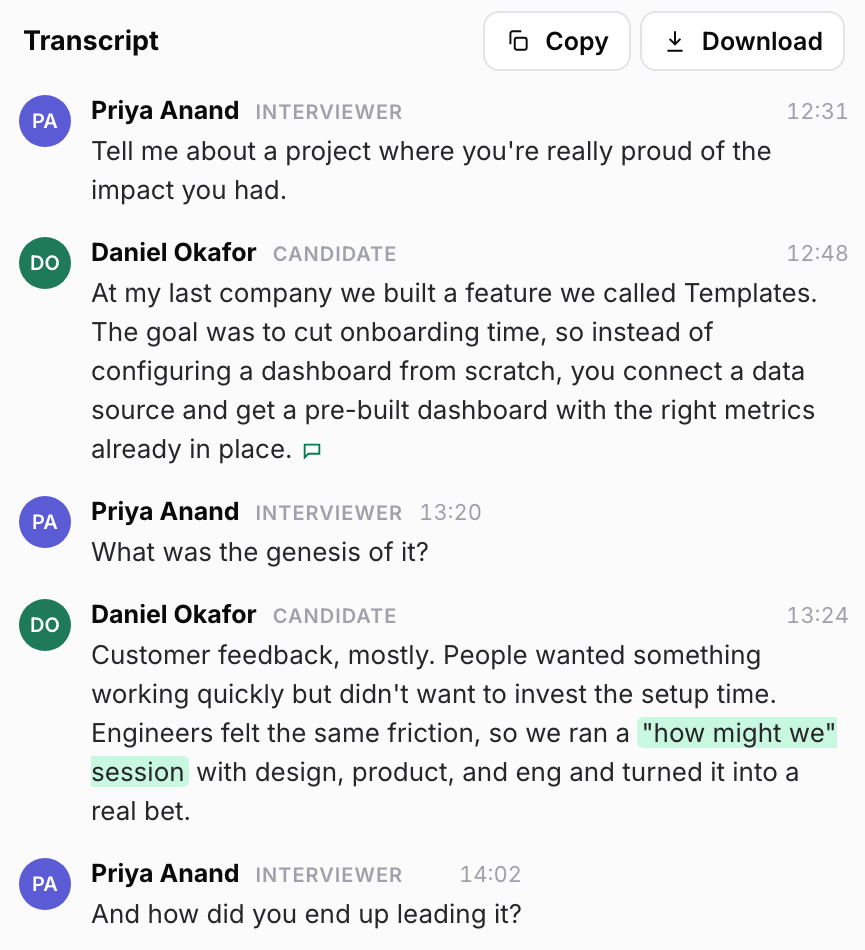
Brex, a finance platform for corporate cards and expenses, uses Metaview on more than interviews. Brandon Miles, its head of executive recruiting, says the team uses it “whether it’s doing a catch-up call with a candidate, super informal, checking in with a hiring manager, or trying to close a candidate.”
Treat your call with a promoted candidate who said not yet as one of those informal calls, and record it the same way. The candidate’s reasons for waiting are then on file when the hold ends.
Run four checks before your next messages go out.
Here are four checks to run on the candidates you plan to email this week. Each one comes with the fix to make if it fails:
- Have you checked when each candidate’s current title started? Start with the candidates you added to your list most recently, because they’re the next to get a message.
- Does every candidate on hold have an end date and a named person to send the first message? Add whatever is missing.
- For each message you’re sending early, can you tell the hiring manager in one sentence why the role is a step up? If you can’t, move that candidate back to a hold.
- Does every message to a promoted candidate name today’s title in its first line? If one doesn’t, rewrite its first line before it goes out.
When you’ve run the checks, every candidate whose title started in the last six months should have one of two things. Either they’re on hold, with an end date and the name of who will send the first message, or your role is a step up and their first message opens with their new title.
Send the first message after the date check.
See how Metaview’s Outreach runs email sequences from an AI Sourcing list.
Frequently asked.
What if the promotion is a new title for the same job?
Read the description under the new title. If the scope and the team look the same as before, treat it as a title change and write as normal, naming the new title in your first line.
What if a candidate I’m holding applies for an open role in the meantime?
Answer them like any other applicant. The hold only covers your team’s first message, and a candidate who applies has decided the timing for themselves.
What if a competitor reaches them first during the hold?
Some will. I’d guess someone early in a promotion is rarely in another company’s hiring process yet, so writing first gains you very little. A message sent when the hold ends reaches them once they’ve had time to judge the new job.
Does the hold apply to someone who recently changed companies?
I’d use the same six months, because they’ve just made the kind of move your message would ask them to make again.
What if the profile shows no start date for the new title?
Write as normal and name the title as it reads now. If they reply that it’s new and the timing is wrong, suggest a short catch-up call and agree when to come back.
