
Before you spend endless hours trying to make sense of translated outreach, I recommend reviewing the template first. When translated outreach goes wrong, the problem can be a mistake by whoever wrote it, an AI translation no one checked, or both.
That outreach also goes out under the recruiter’s name, even when the recruiter can’t read a word of what the candidate receives.
If you send recruiting outreach in other languages, let the job, not the candidate’s first language, decide which language you write in, and have a native speaker check the template before it goes out.
How do you send recruiting outreach in other languages?
In four steps: find out at intake which language the job runs in, write to candidates in it, get a native speaker’s approval before anything is sent, and stay in that language for follow-ups and the screening call.
By the candidate’s working language I mean the language they’d use for most of their week in this job, both spoken and written. The job decides it, so outreach in another language starts with what the job needs.
It may be the candidate’s first language, or it may not. A Spanish speaker in Berlin may work in English every day, and an engineer at a Munich manufacturer may write every ticket in German.
Settle the job’s language at intake.
The hiring manager knows which language the job runs in, so ask them before the search opens. Ask two questions, and write both answers into the job brief.
Which language does the team work in day to day?
The hiring manager’s answer sets the language of the first message, as the table shows. In the table, “the local language” means the main language where the job is based, and “both” means the team speaks the local language and English every working day.
| The job runs in | Language of the first message | What the message says about language |
|---|---|---|
| The local language | That language | One line saying what the role uses English for, if anything |
| English | English | One line saying the team works in English |
| Both, day to day | The local language | One line saying the team works in both, and the level of English the role needs |
| No one has said | Hold the message | Nothing yet: ask the hiring manager first |
Don’t skip the last row: if no one knows the job’s language, I recommend you hold the first message until someone does. If you send anyway, the easy choice is one English message to everyone. Then, if replies are thin, no one can tell whether the role or the language put candidates off.
What does the job need in any other language?
A brief that says “fluent English” doesn’t answer that, because it doesn’t say whether the hire will read, write, or speak English, or how often.
Ask which conversations the hire will have in the second language each week and who they’re with. Then ask whether those conversations are written or spoken.
Write down the level the work needs, skill by skill. Reading English documentation is a different requirement from presenting to an English-speaking board, and the first message has to say which one this role needs. If the role uses English only now and then, say how often, so a candidate who rarely uses English doesn’t rule themselves out.
To name the level, use the Common European Framework of Reference for Languages (CEFR), the Council of Europe’s scale for how well someone uses a language. It has six levels, A1 to C2, in three bands: basic user (A1 and A2), independent user (B1 and B2), and proficient user (C1 and C2). Each level is described by what the person can do, and the descriptions aren’t written for any one language, so the same scale works for English, German, or French.
The CEFR also has separate scales for listening, reading, spoken interaction, spoken production, and writing, which is what lets you match the level to the work. Two examples from the Council of Europe’s descriptions:
- B2 covers understanding the main ideas of complex text, including technical discussions in the person’s own field. That fits a hire who reads documentation in their specialty.
- C1 in spoken production covers presenting clear, detailed descriptions of complex subjects and rounding them off with a conclusion. That fits a hire who presents to a board.
In the brief, list each skill the job uses with its level, and note the skills it doesn’t use. In the first message, describe the work in plain words instead, because not every candidate knows the scale.
Write the first message in the candidate’s working language.
Now write the message itself. Three choices shape it: how you produce the draft, where the language requirement goes, and how the line you tailor to each candidate gets checked.
How do you produce the draft?
Machine translation or an AI tool can give you a first draft from your English notes, but don’t send that draft until a native speaker who knows the job has approved the final version. That person is your reviewer in the next step. The tool saves you time, and the reviewer catches what the tool can’t judge, such as whether the message reads like a local recruiter wrote it.
One part of tone you can set before the reviewer sees the draft is the form of address. Your English notes use one word for “you,” so a tool can’t tell from them which form to use. DeepL, a machine translation tool, has a formality menu that lets you choose. It needs a DeepL Pro plan and works for languages including German, French, Spanish, Italian, Dutch, Polish, and Portuguese. Ask your reviewer which form to use before you translate, then set it in DeepL’s web translator:
- Sign in with your DeepL Pro account, because the formality menu is a Pro feature.
- Pick the language pair, English into the language the job runs in, and paste your English notes. The formality menu only works when you translate into a language that has it.
- Open the formality menu, which is set to “Automatic” by default. “Automatic” copies the tone of your English text, which doesn’t mark which form you want.
- Choose “Formal” or “Informal,” whichever the reviewer picked. DeepL applies it to the whole translation, including the pronouns and the words that go with them.
- Copy the translation into your template and send it to the reviewer, so their edits start from the form of address they chose.
Where does the language requirement go?
Put the language requirement in the second sentence, right after the sentence about the role. For example: “The team works in German, and you’ll read technical documentation in English.” Candidates who can’t work that way can rule themselves out before you spend a call on them.
When the job runs in English, write in English and say so in that same second sentence. If someone on the recruiting team reads the local language, add that a reply in it is welcome too, so a candidate who’s less confident writing English can still reply. You then judge their English in the screen, both spoken and written.
How do you check the tailored line?
The riskiest line is the one you tailor to each candidate, because you write it after the reviewer has checked the template. Ask the reviewer to approve one sentence with a gap in it, such as a sentence that means “I saw your work on [project] at [company],” and fill in only the gap. Put names in the gap, such as a project, a product, or a company, because names don’t need translating. If the detail you want to mention needs a phrase rather than a name, write the line and have the reviewer check it before it goes out.
Have a native speaker check the template before it goes out.
Here’s who can be your reviewer, what to ask them to check, and when the template goes back to them.
Your reviewer can be the hiring manager, a colleague in the country where the job is based, or a freelance translator you pay. Whoever you pick should be a native speaker. If they don’t work on the hiring team, send them the job brief from intake first, so they know the title, the team’s working language, and the level of any second language before they read the message. Record the approval on the template, with the reviewer’s name and the date, so anyone who sends it later can see it was checked and when.
Ask them to check more than grammar. Give them these four points to look at:
- The job title, written the way local job ads write it. Ask the reviewer to compare it with current local ads for the same role, because a word-for-word translation of an English title may not be what candidates there call the job.
- The form of address. German and French each have a formal and an informal form of “you,” and the wrong one can put a candidate off before they’ve read about the role.
- How the pay range and any dates are written: whether local candidates expect pay per year or per month, before or after tax, and whether a date written as 03/11 will be read as the day you mean.
- Whether the greeting and the sign-off are the ones a local recruiter would use with someone they haven’t met.
The reviewer owns the wording that gets sent, and you own the facts in it. If the role changes after they approve the template, their approval no longer covers it, so send it back to them.
Ask for the review before the search opens. Sourcing can turn up candidates before the template is approved, and then you’re stuck choosing between making them wait and sending a version no one has checked.
Keep follow-ups and the screening call in the first message’s language.
A first message in the candidate’s working language sets up a conversation in it. If the follow-ups or the screening call switch to English without warning, the candidate may doubt that the team really works in that language.
Before the first message goes out, choose who answers replies: someone who speaks the language and can respond within a day or two. Otherwise replies sit unanswered while the team works out who can read them. Write every follow-up email in the same language as the first message, and have the reviewer approve the follow-ups along with the template. If a candidate replies in a different language, answer in theirs where someone on the recruiting team can.
Screen in the same language.
Hold the screening call in the working language too. Then check the candidate’s English, or whatever second language the job brief names, against the skills and level the brief records, and don’t mark them down for their accent.
If the job only needs them to read English documentation, send a short passage from a real document with one question to answer in writing. If it needs spoken English, such as weekly calls with a team abroad, switch to English for the last ten minutes of the call and ask them to walk you through a piece of their current work, the way they’d explain it to that team.
If part of the process has to run in English, such as an interview with a team abroad, tell the candidate before it happens rather than on the day.
A worked example: a backend engineer in Munich.
This example follows one role through every step: a backend engineer on a team in Munich.
At intake, the hiring manager says the team works in German day to day, writes its technical documentation in English, and doesn’t present in English. That puts the job in the table’s first row, so you send the first message in German, and its second sentence says the documentation is in English. In the brief, you record English reading and writing at B2, because the hire reads and writes documentation in their own field, and no presenting in English.
An engineer on the team who is a native German speaker reviews the template. They choose the formal form of address, because the candidate hasn’t met you, and they write the pay as an annual range in euros.
When candidates reply, the same engineer or a recruiter who speaks German answers, and the follow-up emails are in German too. The screening call runs in German, and the English check is a short written question about a piece of documentation, because that’s the English the job uses.
Where Metaview fits in multilingual outreach.
Once the language decisions are made, an email sequencing tool can send the approved wording to every candidate. Make the decisions first, because the tool sends only the wording you give it.
Send each language as its own sequence.
Metaview Outreach sends your templates to candidates as automated email sequences. Each language’s version of a template can be a separate sequence, follow-ups included, so a candidate who heard from you in German gets German follow-ups too.
Outreach reports results by sequence step, so you can see how each language version performs.
Read the screening call in the candidate’s words.
Where your process has the candidate’s consent to record, Metaview’s Notetaker can join the screening call as a visible participant and record it. Metaview supports many languages besides English, including German, French, and Spanish.
The Notetaker captures every spoken word, so the hiring manager can read the candidate’s exact answers instead of relying on someone’s memory of the call.
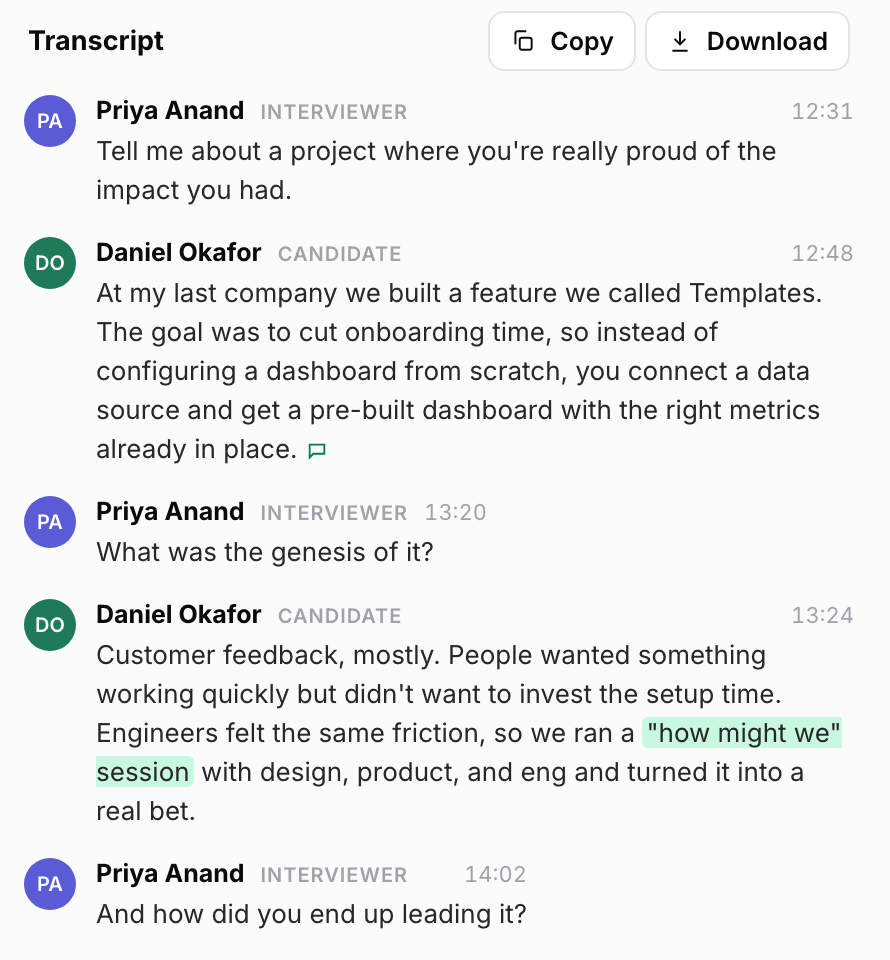
Reading back a candidate’s exact words only helps if the transcript is accurate. Here’s Metaview’s co-founder and chief technology officer, Shahriar Tajbakhsh, on why transcription comes first:
At Metaview, transcription is the first mile of our AI product: if names, roles, companies, and context are wrong, everything downstream gets harder.”

Read the replies to see whether the language is right.
Replies can show whether the first message picked the right language and stated the requirement clearly. Here’s what to look for, what it may mean, and what to change:
| What you see | What it may mean | What to change |
|---|---|---|
| Replies ask whether the job is in English | The line on language is missing or buried | Move it into the second sentence |
| Replies come back in a language the message didn’t invite | The candidate prefers to write in that language | Answer in it if someone on the recruiting team can, and change the template only if the hiring manager confirms the job runs in that language |
| Replies question the job title or ask what the role is | The title or the wording of the role doesn’t read the way local job ads write it | Ask the reviewer to check the job title and how the role is described |
Whatever you change, send the edited template back to the reviewer before the next message goes out.
Reach each candidate in the language of the job.
See how Metaview Outreach keeps a separate email sequence for each language version of your template.
Frequently asked.
What if no one on the recruiting team speaks the candidate’s language?
Check with the hiring manager that the job really runs in that language. If it does, the hire will work beside someone who speaks it, so find that person early and ask them to answer replies. A reviewer you pay can approve the template, but they won’t be there to read what candidates send back.
Should a recruiting message use the formal or informal “you”?
Ask the reviewer what a recruiter at a company like yours would use in the country where the job is based. Where they aren’t sure, I’d start formal, because a formal message that reads as stiff costs less than an informal one that reads as presumptuous.
Can I send one email in two languages?
I wouldn’t, unless your reviewer says two-language messages are normal where the job is based. Two versions stacked in one email double its length, make the candidate scroll to find theirs, and suggest you weren’t sure which language the job needs. If you do send one, keep the follow-ups and the screening call in the language the job runs in.
Should I test an English version against a local-language one?
Only when the team works in both languages day to day. For those jobs the intake table says to send the first message in the local language, and a test shows whether that was the right call. Send both versions to similar candidates over the same weeks. Compare how many from each version reply and how many pass the screen. With small groups a few replies can swing the result, so pool results across similar roles before you decide.
