

What is recruitment intelligence, and where do you find it? Recruitment intelligence is what you know about the market for a role: what candidates expect to be paid, where they want to work, what would make them move, and why they turn offers down. Some of it comes from published pay data and other outside sources, and much of the rest sits in the interviews your team has already run. This guide shows how to use those interviews to answer the market questions a hiring manager asks.
They sound like this. Is the salary range high enough? Will people come into the office three days a week? Why did the last two finalists say no? Recruiters often answer from memory of the last few candidates, or from what they’ve read about a different market, and neither tells the hiring manager how far the answer can be trusted.
I recommend answering from your own interviews first, saying how many candidates each answer rests on, and then checking anything you plan to act on against outside data.
This guide is for recruiters and talent leaders who get those questions. It covers what your interviews can and can’t tell you about the market, how to turn a hiring manager’s question into an answer from them, how to rule out changes in your own process before calling something a trend, and where outside data fits. Then it covers how to tell whether your recruitment intelligence is holding up.
What your interviews can tell you about the market for a role.
Your interviews answer some market questions well and others poorly, depending on whether the answer lies with the people you spoke to or with people you never met. Here are four questions a hiring manager might ask, what your interviews hold for each, and what to check somewhere else:
| The question | What your interviews show | What to check somewhere else |
|---|---|---|
| Is our salary range high enough? | What the candidates you interviewed said they expected, and how many of them expected more than the top of the range | A salary survey or compensation data for the role and location, which covers people who never applied |
| Will candidates accept our location or office policy? | What candidates said about location, remote work, and relocation, and who withdrew after hearing the policy | Where people with the skills live and work, from a map of the market for that location |
| What would make candidates move? | The reasons candidates gave for looking, and the other offers or processes they mentioned | What other employers advertise for the same role, in their job posts and published pay ranges |
| Why are candidates withdrawing or declining? | The reasons candidates gave, at the stage where they gave them | A short follow-up with candidates who withdrew, since some reasons only come out after the decision |
Before you use any of it, be clear about who’s in your interviews. Every candidate passed through the same filters on the way in. Your sourcing or your job post reached them, they applied or answered your outreach, they stayed in the process until the stage where the subject came up, and, if you work from recordings, they agreed to be recorded. Together, those filters mean your interviews describe your own pipeline. They’re the best evidence you have about the people you competed for, and weak evidence about anyone who never applied. That holds however many interviews you have.
How to answer a hiring manager’s market question from your interviews.
This section shows how to turn a hiring manager’s market question into an answer you can stand behind. Work through these steps for one question they keep asking:
- Narrow the question to one role, one location, and one period. “Are we paying enough?” becomes “What did candidates for the senior backend role in Berlin say they expected this quarter?” A narrow question tells you which interviews to pull.
- Pull every interview for that role at the stage where the subject comes up. If your team asks about pay in the recruiter screen, pull the screens; if you want reasons for declining, pull the later stages too. Leaving out candidates who withdrew or were screened out early tilts the answer toward the candidates who stayed.
- Count the conversations, including the ones where the subject wasn’t discussed. A count of candidates who raised remote work tells you little on its own. You also need the total number of conversations for the role, and the number that covered remote work at all, whoever brought it up.
- Read what each candidate said in context before you summarize it. A candidate who won’t move for less than a figure has given you a minimum, and one who would like that figure has given you a target. A candidate who expects more to cover a relocation is also a different case from one who expects more for the job itself. Note too whether the candidate heard your range before giving a figure, since many candidates anchor to it.
- Write the answer and state the count behind it: how many people, over what period, at which stage, and what you still don’t know. For example, “Seven of the ten candidates we screened for this role since August expected more than the top of the range. We haven’t heard from people who saw the range in the job post and didn’t apply.”
An answer with its count and its limits holds up when the hiring manager asks a follow-up question. If the count is small, say so, and treat the answer as a reason to look further before anyone changes the range.
The smallest case is a single candidate whose expectation is above the range. That raises a question about that candidate’s offer, and tells you little about the market. The guide to salary expectations above the range covers that case.
Check your own process before you call a change a trend.
When an answer changes from one quarter to the next, the market is only one possible reason. Check these five changes in your own process first, because each can move the answer even when candidates want what they wanted before:
| What changed | How it moves the answer | How to check |
|---|---|---|
| The roles you opened | A quarter with more senior roles makes expected pay look higher | Compare the same role and level in both periods |
| Your sourcing | A new agency, region, or job board changes who applies, and so does adding the pay range to the job post | Split the count by source, and compare before and after any change to the job post |
| Who ran the interviews | Interviewers ask about different things, so a subject comes up more with some of them | Split the count by interviewer |
| The questions you ask | Adding a pay question to the screen makes pay come up more often | Find the date the question changed and compare each side of it |
| How many interviews were recorded | Fewer recordings means lower counts with no change in what candidates want | Compare the number of recorded interviews in each period |
If a change survives all five checks, take it to the hiring manager as a possible trend, with the count for each period.
Where outside data fits.
Outside data answers the questions your interviews can’t, because it covers people who never applied to you. Use it alongside your interviews at these points:
- Before you change a salary range, check the role against a salary survey or compensation data for the location. Your interviews tell you what your candidates expect, and the survey tells you what people in that role are paid.
- Before you open a role in a new location, map the market there: where the people with the skills work, and how many of them there are. The guide to talent mapping covers that work.
- When your interviews and the outside data disagree, find the reason before you decide which to trust. A gap often means your sourcing reaches a different group from the one the survey covers, and that’s worth knowing for the next search.
Where Metaview fits.
Answering a market question from your interviews depends on two things: a record of what each candidate said, and a way to count it across every interview for a role. Memory keeps the last few candidates clearest, and notes and scorecards hold only what each interviewer chose to write down.
Metaview is the Agentic Recruiting Platform. Where consent has been given, the Metaview Notetaker records and transcribes an interview, then turns the conversation into structured notes. The recording captures every spoken word, so what a candidate said about pay, location, or another offer is in the record whether or not the interviewer wrote it down.
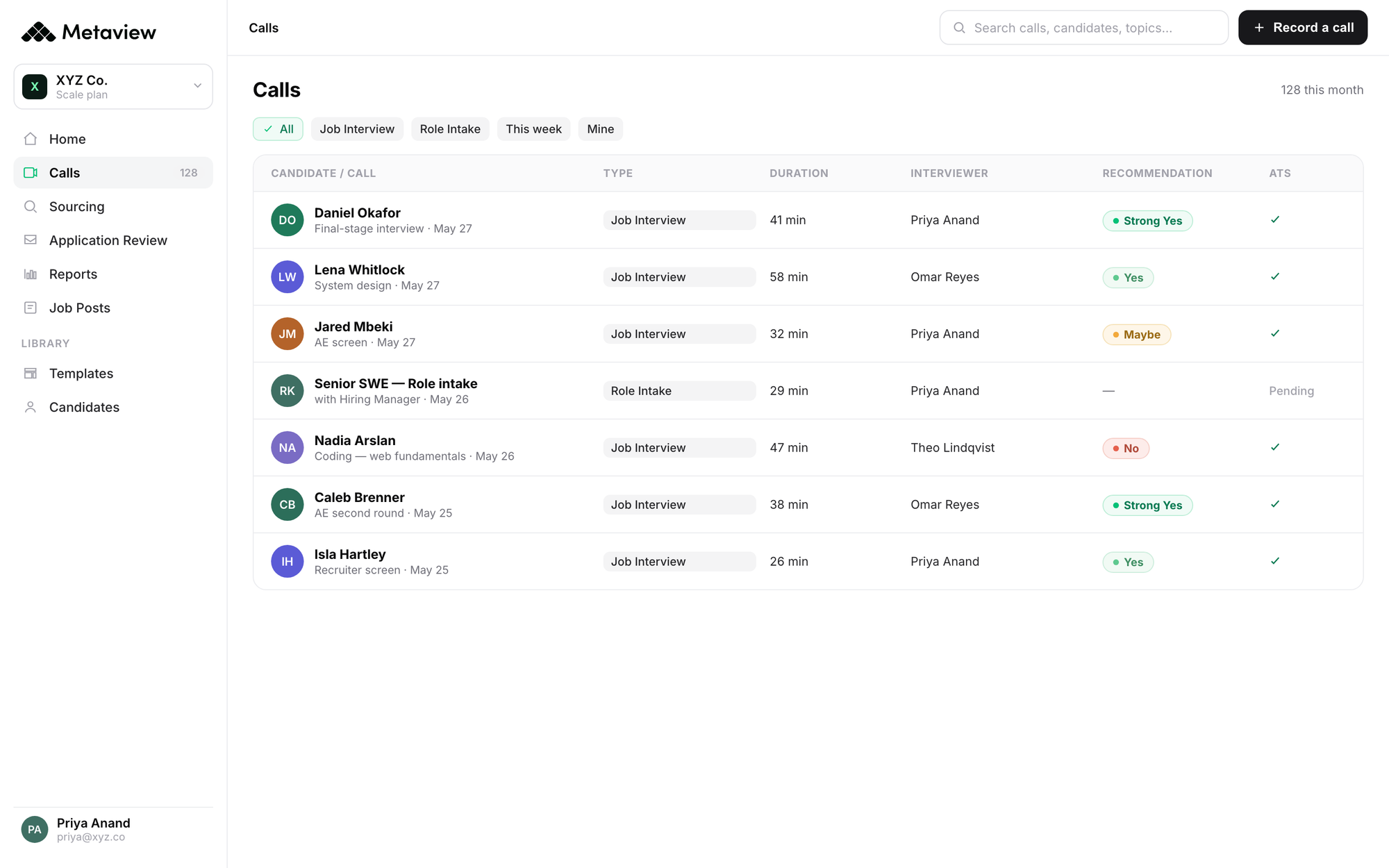
Metaview Reports runs reports on your organization’s own interview data. You can build a report in the product. You can also connect Reports to an artificial intelligence (AI) assistant of your own through Metaview’s Model Context Protocol (MCP) connector, and ask questions about your interview data in plain language. Either way, Metaview Reports can show how many conversations for a role touched on a subject, and what candidates said about it, so the count comes from every recorded interview instead of the ones you remember.
Catawiki, a Metaview customer, faced this kind of question when it opened an office in Lisbon. Its Amsterdam-based recruiting team had a limited picture of what candidates there expected to be paid and where they wanted to work. The team had some ideas about what to offer, but Lead Tech Recruiter Justin den Hamer said that talking to candidates and running reports helped, and described how: “If we spoke to 20 backend engineers, we could just ask the AI assistant to build a report based on the average salary expectations discussed in those calls.” A report from the conversations about one role gives a recruiter something specific to bring to the hiring manager, with the number of conversations behind it.
Reports finds and counts what candidates said. You and the hiring manager decide what it means for the range, the location policy, or the role.
Without a record of what candidates said, you’re back to answering from memory or from what you’ve read about a different market, with less to go on than the conversations your team already had. Siadhal Magos, Metaview’s co-founder and chief executive officer, has put it this way:
I don’t think the answer to an information problem is making decisions with even less information.”

For a market question about one role, the interviews you ran are the most direct information you have about the candidates for it.
How to tell your recruitment intelligence is holding up.
Once you’ve answered a few market questions from your interviews, look back at those answers and run these five checks:
- Did every answer say how many people it rested on, over what period, and at which stage? If any didn’t, include the count in your next answer, and add it to the earlier one if the hiring manager is still acting on it.
- Did each answer use every interview for that role and stage? If some were left out, find out why, and pull the full set before you answer that question again.
- When an answer changed between periods, did you check the five process changes first? If not, run those checks before you call the next change a trend.
- Did the hiring manager act on an answer without an outside check? If so, check that decision against a salary survey or market data now, before the next role opens.
- Where your interviews and the outside data disagreed, did you find the reason? If it’s still unknown, look at your sourcing first, since it decides who’s in your interviews.
When every answer carries its count, rests on the full set of interviews, and survives the checks on your own process, your recruitment intelligence holds up to questions. You can answer a hiring manager’s market questions from your own interviews, and you’ll both know how far each answer can be trusted.
Answer market questions with what candidates told you.
See how Metaview Reports counts what candidates said across your interviews, recorded by the Metaview Notetaker where consent has been given.
Frequently asked.
Can my own interviews replace a salary survey?
They can’t, because a salary survey estimates what people in a role are paid across a market, including people who never applied to you. Your interviews record what the candidates you spoke to said they expected. Use your interviews for questions about your candidates, and the survey for questions about the market.
How many conversations do I need before I answer?
There’s no fixed number. Say how many you have, and let the hiring manager weigh it. A handful of conversations can raise a question worth checking against outside data, and is too few to change a salary range on its own.
Should I add market questions to the screen?
Only if you need the answer for every candidate for the role. Once you add a question, the subject comes up more often, so compare the periods before and after the change separately. Keep the question short, so the screen stays about the candidate.
Do candidates need to know their interviews are recorded?
Tell candidates before you record, and record only with their consent, in line with local law and your own candidate privacy commitments. An interview where the candidate declines recording goes ahead as normal and stays out of the record, which is one more reason to say how many interviews an answer rests on.
Is recruitment intelligence the same as talent intelligence?
Talent intelligence usually covers the wider market for skills and people, often from outside data and dedicated tools. Recruitment intelligence, as this guide uses it, is the part you can answer for a specific role, from your own interviews first and outside data second.
