
Four November features chain into one tighter sourcing loop. Research the market. Codify what you know. Push your shortlist straight to the ATS. Then search across what candidates actually said in interviews, not just what fits on a CV.

All four sit inside our AI Sourcing agent. Each one earns its place in the loop on its own; together, they sharpen each pass.

Here's how the loop closes, feature by feature.

Sharper market sense

Two updates made the agent smarter about the market your team is sourcing in, and about the rules your team already runs by.

Research mode is now open to everyone

Research mode was previously gated behind an internal toggle while we iterated on the prompts. As of November, every AI Sourcing user gets it.

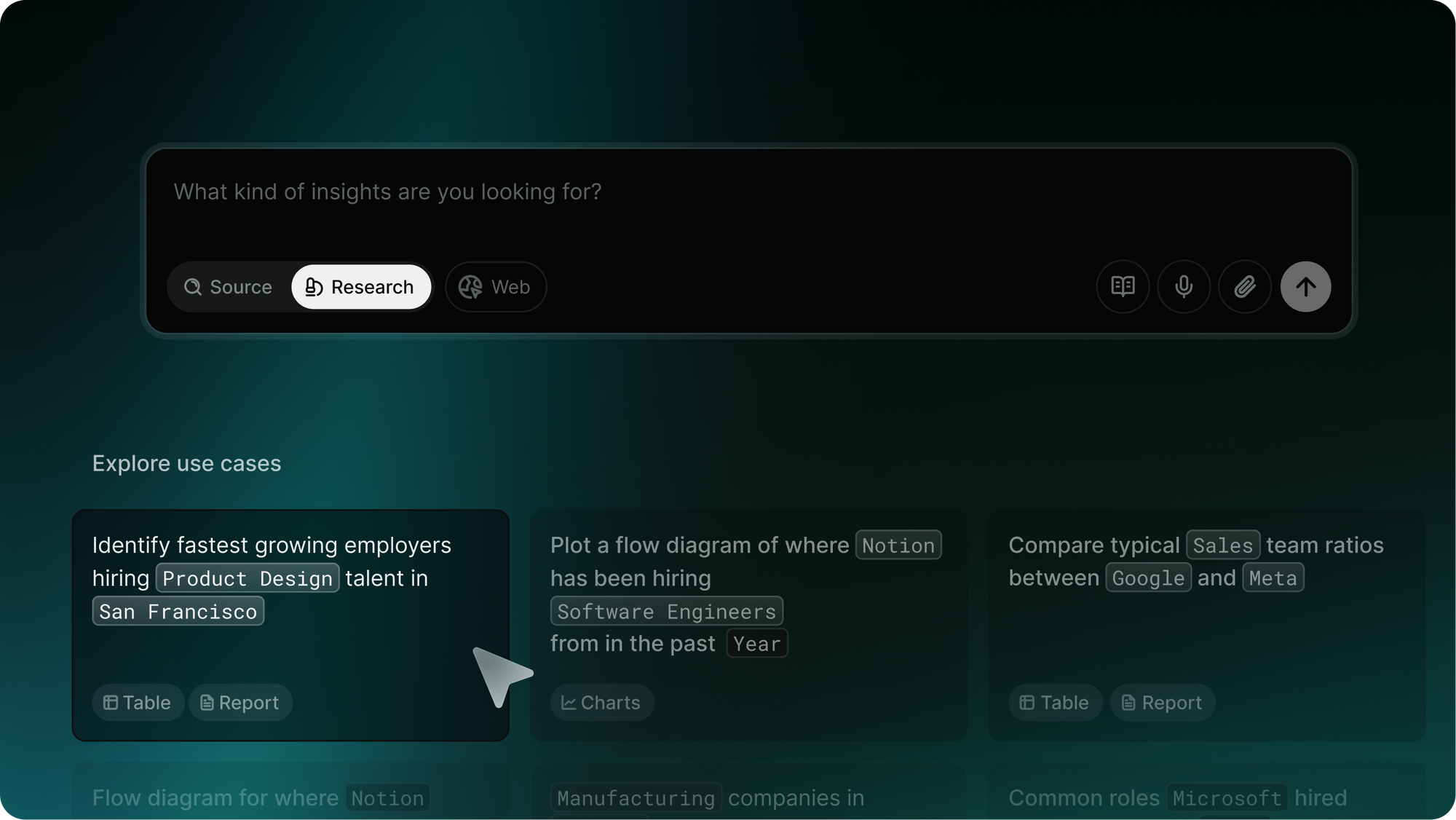
Turn it on, pick one of nine template prompts, and the research agent runs a structured market analysis for you. Hiring flows. Role trends. Employer growth in a region.

Each query returns tables, charts, profiles, or short reports, so you can get to an answer without stitching together half a dozen LinkedIn tabs.

Think of it as a junior talent researcher embedded directly in your workflow. Always on, always structured, and always ready to take a new angle on the same role.

Metaview AI Sourcing research mode showing structured market-analysis prompts and the agent's hiring-flow and role-trend output

The prompts work as starting points. You'll get the most out of research mode by iterating on them as the agent surfaces what's actually in the market.

Workspace knowledge lives in app

Sourcing has always relied on tacit team knowledge. The schools your hiring manager favors. The companies you've already saturated. The locations that are open vs. closed.

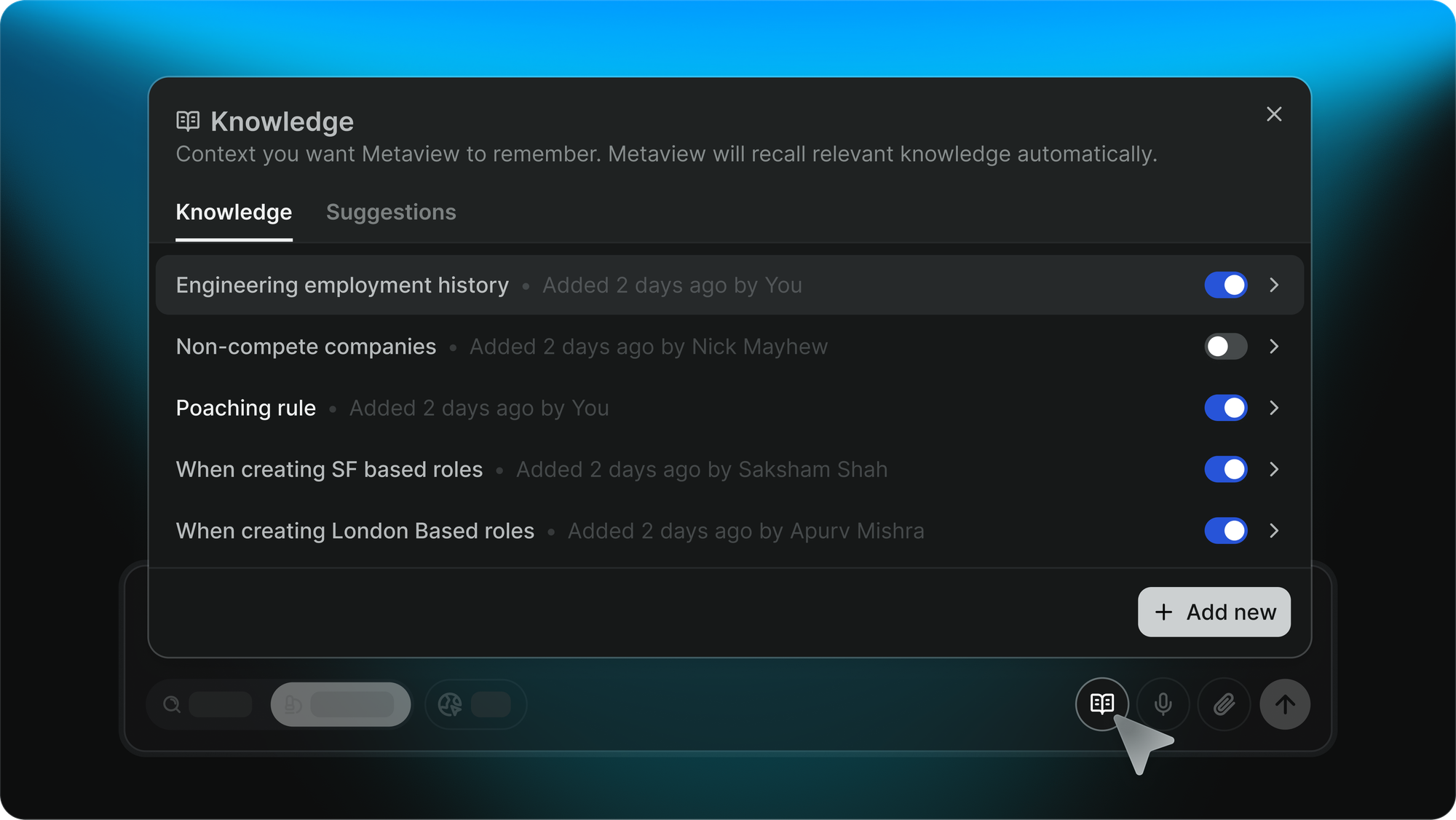
Until November, that knowledge stayed in heads and Slack threads. Now it lives in app, on the sourcing page, where any user can see it, add to it, or edit it.

Metaview AI Sourcing workspace-knowledge panel where teams add and edit shared sourcing preferences directly from the sourcing page

The agent uses workspace knowledge on every search, automatically. So if your team has agreed to exclude a list of companies you've already drained, every search applies that filter without anyone having to remember it.

As the agent notices patterns in how your team is searching, it'll suggest new knowledge items inline. Accept or reject.

Workspace knowledge is org-level: anyone with sourcing access can update it, and it applies to every search the team runs. A per-user knowledge layer is on our near-term roadmap, so each recruiter will be able to layer their own search nuances on top of the team's shared rules.

Want this set up on your interviews?
Connect Metaview to your ATS in under 10 minutes.
See it live

Tighter ATS loop

Two more updates closed the loop with the system the rest of your hiring team already lives in.

Push sourced candidates straight to your ATS

You'd shortlisted the candidates. Then you exported a CSV. Then you copy-pasted into the ATS. Then you tagged the stage. That whole stretch was the friction Sourcers paid to keep recruiters and hiring managers in the loop.

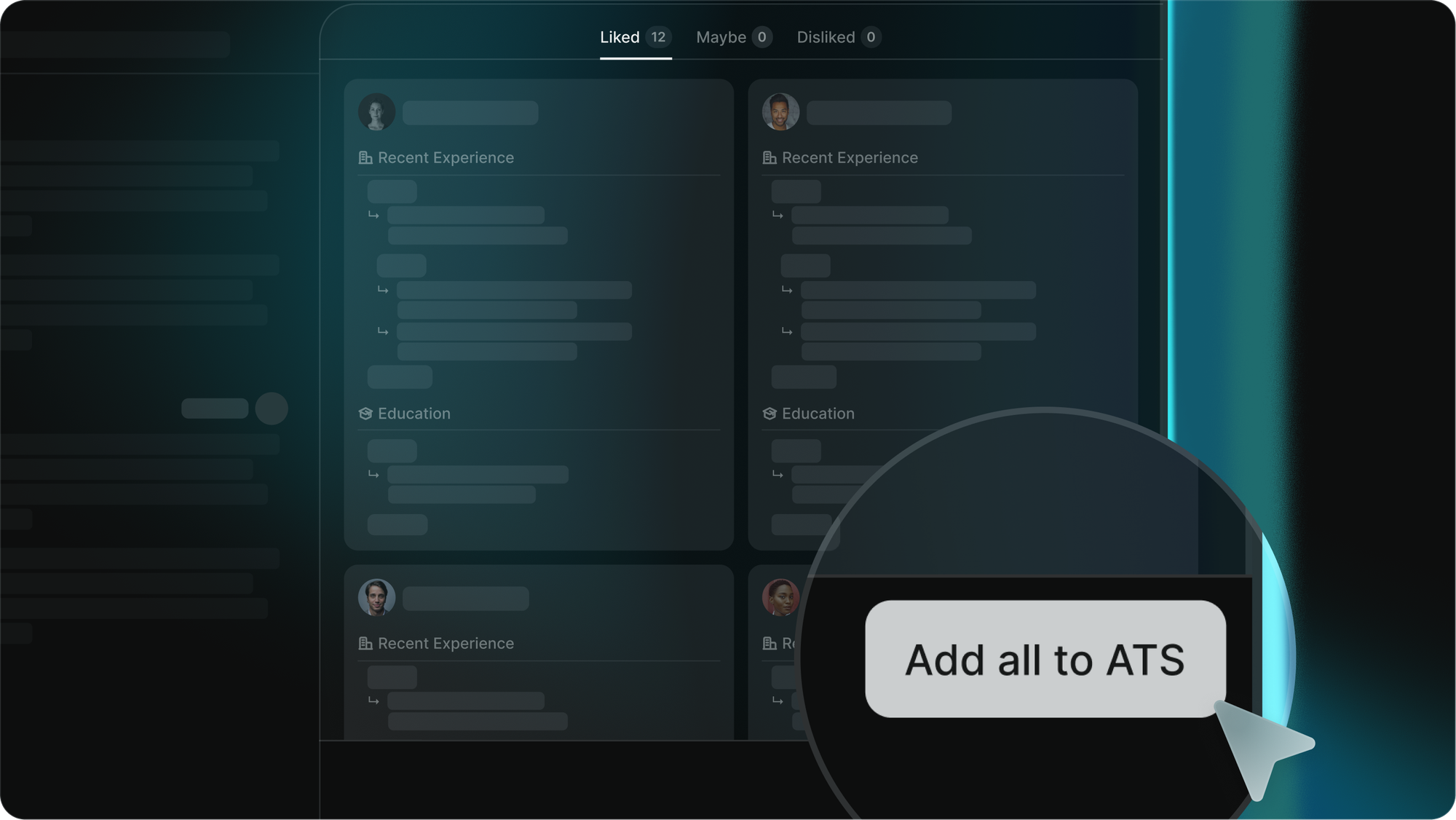
In November, we added one-click push from the sourcing agent into the ATS, live for Greenhouse, Ashby, Loxo, and Gem. Pick the pipeline stage on the way in, and the candidate lands where the rest of the team expects to find them.

Each push carries:

  • Name
  • Email
  • LinkedIn URL
  • Phone
  • Job role
  • Location

Education attributes follow in the next iteration.

Metaview AI Sourcing candidate-push dialog with pipeline-stage selection for Greenhouse, Ashby, Loxo, and Gem

Sourcers stay in the agent and keep finding great people. Recruiters and hiring managers see the candidates in their normal review surface, the moment the push completes. No more export, copy, tag.

Search across what candidates actually said

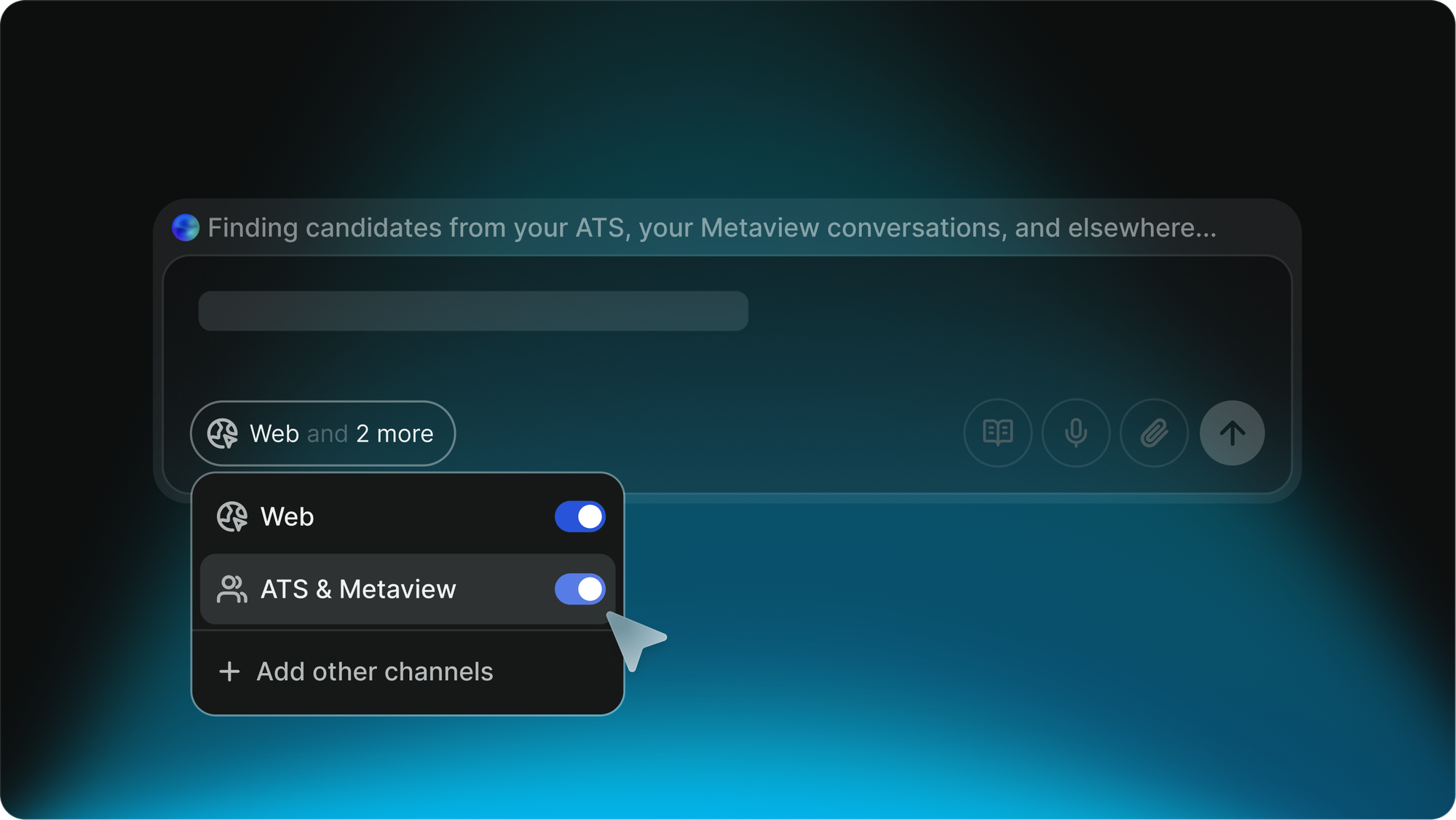
This is November's centerpiece. When you turn on ATS as a source, we now enrich every search with the captured Metaview interviews tied to the candidates in your ATS.

That means your search runs across what candidates said in their interviews, not just what they wrote on their CV.

This is the search that surfaces a candidate who isn't on paper a fit but who said in their last screen, six months ago, that they were quietly looking for a smaller team and a flatter org. Or one who flagged a domain interest during a debrief that the recruiter forgot to write down.

The agent can answer questions like "who in our ATS has mentioned wanting to work somewhere with more autonomy?" and pull candidates with the evidence attached, linking back to the underlying Metaview Report.

Metaview AI Sourcing search using ATS plus Metaview interviews as a combined source, matching on conversational signals beyond keyword resume search

What this looks like in practice

The four features are linked by intent: every part of the sourcing loop should compound on what your team already knows about the role, the candidate, and the way you hire.

It frees up time for us recruiters to focus on higher value activities like sourcing and engaging with candidates. Rather than spending most of our time on manual screening."
JD Johnny Drexhage Senior Recruiter · Workleap

Johnny's point about higher-value sourcing work is the through-line for November.

Research mode handles the market scan. Workspace knowledge keeps your team's shared rules running on every search. The ATS push removes the export-copy-tag stretch.

Conversational search surfaces the people you already have a relationship with, before you go cold-outreach somewhere else. The four together pull the recruiter's time back from the parts of the job that don't compound, and into the parts that do.

The work compounds.

What's next

All four are built on top of a quieter architecture change we shipped late in the month. The sourcing agent now runs a manager-worker pattern under the hood, with sub-agents for:

  • ATS search
  • Web search
  • Research mode
  • General orchestration

That's the foundation for searches that combine all three sources in parallel, the direction we'll keep pushing through Q1 2026.

All four are live across every Metaview workspace today. The chain runs the moment you turn them on.

Take the loop for a spin. Sign up for free, or book a demo below if your team wants a walk-through first.

Frequently asked

Is research mode included in the free plan?

Yes. Free-plan users get research mode on the same cap as the rest of AI Sourcing: five searches per month shared across research mode and standard sourcing. Paid plans get higher caps.

Can workspace knowledge be set by individual users, or is it admin-only?

Anyone with sourcing access can see, edit, and add workspace knowledge from the sourcing page. It applies to every search the team runs across web and ATS sources. A per-user knowledge layer is on our near-term roadmap for the moments when individual recruiters want to layer their own search nuances on top of the team's shared rules.

Which ATSes can I push sourced candidates to today?

Greenhouse, Ashby, Loxo, and Gem at launch. The Greenhouse path needs your API key updated to include the Candidate-Post: Add Candidate permission. The live list on our integrations page is the source of truth as we expand the supported ATSes.

Does Metaview-as-source work for web search, or only when I'm searching my ATS?

Only when you've selected ATS as your source. To enable it, toggle ATS on as a source when starting a search and the conversational enrichment runs automatically alongside it. Bringing the same enrichment to web search is on our list, but it's a deeper architectural lift.

What's coming next for AI Sourcing in Q1 2026?

The sub-agents architecture we shipped late November is the foundation for searches that run ATS, web, and research mode in parallel inside the same query. Paid users will see candidate-pack limits step up. We're also working on surfacing the agent's reasoning earlier in the search flow, so you can see why a candidate was picked before you commit to messaging them.

See it in action

Bring Metaview into your hiring stack.

Live notes, structured scorecards, and ATS sync - set up in under 10 minutes.