
It's 4:42 on a Friday. You ran four phone screens this week, and three of the four interviewers still owe you scorecards.
You message Slack. You DM. You send the link. You do the math on the candidate experience and decide to chase one more time.
By Monday morning, two of the three will have submitted. One will still need a nudge.
That chase used to be the slowest part of every Greenhouse hire. Today, it isn't.
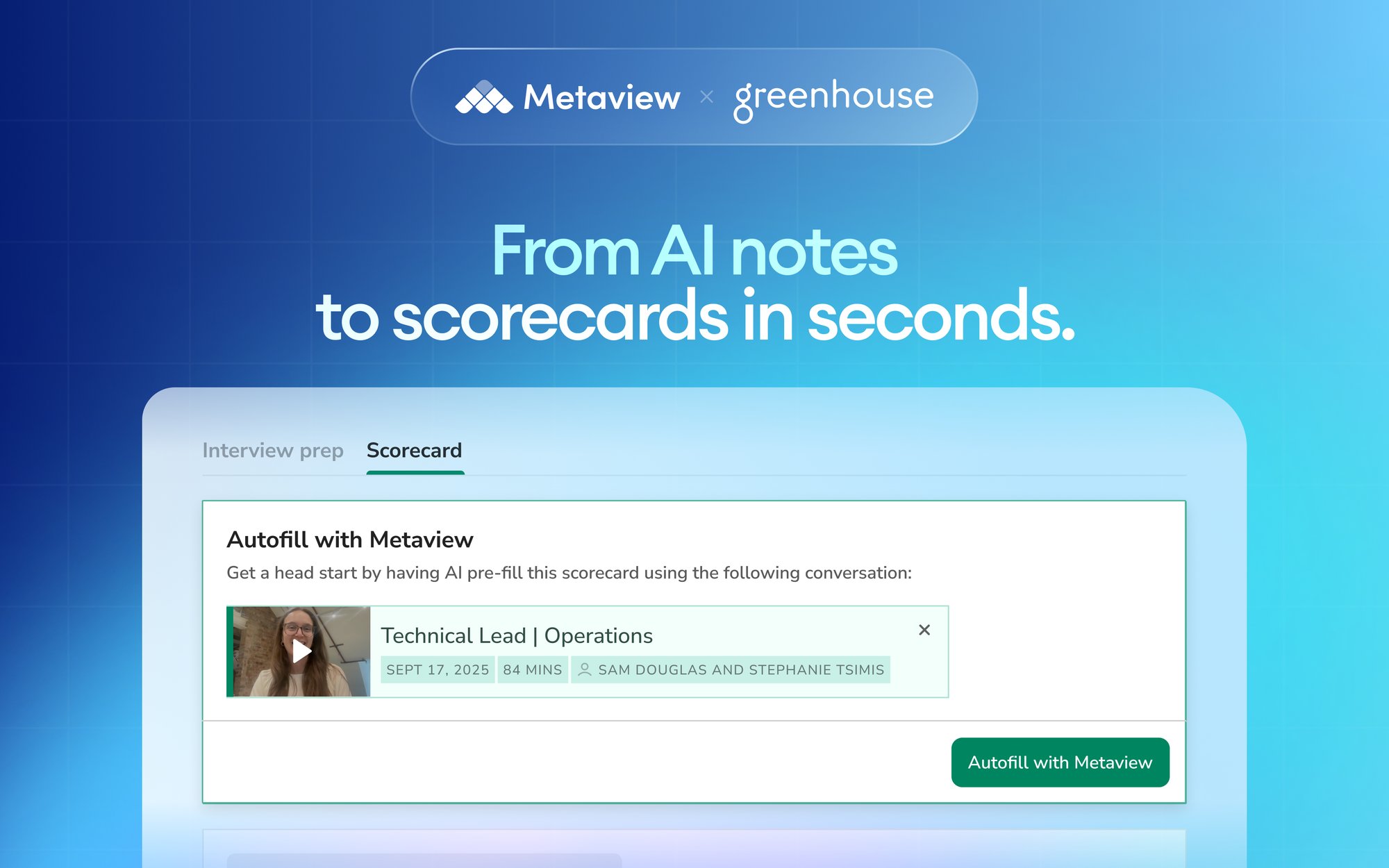
We shipped Greenhouse scorecard autofill. The Chrome extension pulls structured fields from the interview itself, straight into the scorecard the interviewer was about to start from scratch.
Here's what changes Monday morning. Interviewers open the scorecard, click Autofill, review, and submit.
The blank-page tax goes away. The chase goes away.
What's left is a scorecard sourced from the actual conversation, consistent across the panel, ready before the next interview starts.
How autofill works in practice
Every interview Notetaker captures becomes a structured set of AI Notes, organized by competency, ready to be referenced by the next interviewer or by the recruiter writing the offer.
Autofill takes that output and maps it field by field into the matching Greenhouse scorecard. Open-ended feedback sections, attribute ratings, and the custom fields your template uses all pull from the conversation that already happened.
The interviewer never starts from a blank form. They open the scorecard, see the autofilled draft, and do the part only they can do.
Add the judgment. Make the gut call. Surface the instinct that says this candidate would change how our team runs standups, the part that doesn't live in the transcript.
We do the structured-fact part. They do the structured-opinion part.

What changes when your scorecards write themselves
- Interviewer wraps the call and owes the recruiter a scorecard that doesn't exist yet
- Recruiter chases for two or three days; some submissions land days after the candidate has moved on in competing processes
- Late scorecards land thin, written from memory; the panel debrief leans on whoever remembers best, not on the actual evidence
- Scorecard arrives autofilled, structured against the template, sourced from the interview itself
- Interviewer reviews, edits, and submits in the same session, often within minutes of the call ending
- Debrief opens with consistent evidence across interviewers; the conversation moves from "what did they say" to "what should we do"
The behavior change runs both ways. Interviewers stop carrying scorecard debt into next week. Recruiters stop carrying chase admin into next week.
The same Slack thread that used to ask "any update on the scorecard?" becomes a debrief link.
What customers see when they switch this on
In the first weeks of using autofill, customers all describe the same shift. The time-back compounds, and Automattic put a number on it.
The most clear impact is the time saved. Recruiters save 20 minutes per interview from wrangling notes and submitting scorecards. Per month, that's 53 hours saved in total.”
53 hours back is one team's number. The shape of the shift carries across the customer base.
The minutes that used to vanish into scorecard reconstruction become minutes recruiters spend pushing candidates toward an offer. The structured artifact isn't only faster, it's also more consistent across the panel.
The debrief feels like a hiring decision rather than a memory contest.
How to turn it on
Three steps, one Chrome session:
- Install the extension. Add the Metaview Chrome extension from the Chrome Web Store. One install per interviewer.
- Open your Greenhouse scorecard. Navigate to the candidate, open the scorecard for the interview you just ran. The extension detects the page automatically.
- Click Autofill with Metaview. The extension pulls the matching AI Notes into the scorecard fields. Review, edit, and submit.
What ships next in this thread
Once scorecards land on time and structured, the next question is who's actually submitting, and how fast.
We shipped a Scorecard Submission Time filter and column in Reports for ATSes that support scorecard takeaways. Per role and per interviewer, you can see how autofill changes the lag between interview and submitted feedback.
The chase admin doesn't just go away. It becomes something you can compare against the benchmarks in our 2026 Alignment Report.
Frequently asked
Which ATSes does autofill support today?
Greenhouse and Ashby ship on the same Chrome extension. Other ATS connections live in Settings > Integrations; autofill rolls out to additional ATSes as the integration depth supports it.
Does it work on scorecards I've partially filled in already?
Yes. Autofill fills the empty fields and leaves whatever you've written alone. You can also clear fields and re-autofill if you want a fresh draft to edit from.
What does it pull in, verbatim quotes or structured summaries?
Structured summaries from the AI Notes, mapped to the scorecard's template fields. Verbatim quotes live in the underlying Notetaker recording if you need to reference a specific moment. The autofill stays at the structured layer so scorecards read consistently across interviewers.
Where does the subjective-judgment boundary sit?
We autofill on objective facts from the conversation: what the candidate said, which competencies were covered, what evidence was given. We don't autofill the recommendation or the strength rating. Those are the interviewer's call, every time.
Greenhouse scorecard autofill is live in every Metaview workspace today, on the free tier and on every paid plan.
Existing customers see the Autofill button as soon as the Chrome extension is installed. New teams can start a free trial to switch it on per interview.
Bring Metaview into your hiring stack.
Live notes, structured scorecards, and ATS sync - set up in under 10 minutes.