
Most evaluations of an artificial intelligence (AI) screening tool end the same way. The vendor ticks every box on a long feature checklist, the demo runs on a role it has seen before, and the buying team still can’t say whether the AI screening tool’s judgment would hold up on their own applicants. A feature checklist rewards whoever built the most features. It can’t tell you whether the ratings agree with your recruiters.
Whether the ratings agree with your recruiters is a question with an answer you can ask for. In Metaview’s aggregate data on AI-rated applications, applicants rated “Great” advance at 17.2% and applicants rated “Poor” at 5.6%, counting only applicants a recruiter went on to progress or reject. Ratings and recruiter decisions move together, and recruiters still advance some people from the bottom band, so the rating doesn’t settle the decision on its own.
We’d score what a vendor can prove and let a set of non-negotiables end an evaluation before anyone averages anything. This guide gives you 30 questions across six areas, what a strong answer looks like for each, the evidence to ask for, a 1 to 5 scale, and the rule for when to stop. It works whether the tool reads applications, runs screening calls, or does both.
Evaluate an AI screening tool on what it can prove.
An AI screening tool is software that reads applications, holds screening conversations with candidates, or both, and gives your recruiters a rating with a reason for each person. Evaluating one comes down to three questions: does it fit the way your team screens, can you trust its judgment, and can you live with it once it’s running? The 30 questions below cover all three across six areas.
Run the evaluation the same way for every vendor. Shortlist three tools at most, give each one the same roles and the same past applicants, and record a score, a note on the evidence, and where that evidence came from for every question. Bring a recruiter, someone from your people or legal team, and the person who owns your applicant tracking system (ATS), because each of them will spot gaps the others miss.
Four rules keep the scores honest:
- Keep claims and evidence apart. Write down what the vendor said and what you saw in separate columns.
- Don’t score a feature because it exists. Score how well it works, what it takes to adopt, and what controls sit around it.
- Mark your non-negotiables before the first demo, so a polished pitch can’t move them.
- Pilot your top choice on real roles, with the kinds of candidates you see and the way your recruiters work, before you sign.
How it fits the way your team screens.
This area checks whether the tool does the daily work of screening the way your team needs it done: set up per role, reading what candidates send, applying your rules, and handing recruiters a queue they can work.
| Question | What a strong answer looks like | Evidence to ask for |
|---|---|---|
| 1. Can your recruiters set up a role’s criteria and questions themselves, and change them later? | A recruiter configures a new role and edits a requirement without opening a ticket with the vendor | Your own recruiter sets up a role and changes one rule during the demo |
| 2. Does it read resumes and application answers accurately? | Experience, dates, and answers come through correctly from every common file type, including unusual layouts | A set of your own past applications run through it, messy ones included |
| 3. Can you see every eligibility rule, and does a person decide who leaves the pipeline? | Rules are written in plain language in one place, and no candidate is rejected until a person acts | The full rule list for a live role, and a straight answer on whether any setting rejects candidates without a person |
| 4. Does the screening format suit the role? | Chat, voice, video, or written questions, matched to the role, with a candidate experience that runs cleanly from invitation to finish | The whole process, completed by you as a candidate |
| 5. Does it cut reading time without hiding anyone? | The queue is prioritized and summarized, and every applicant stays one click away | A recruiter working a real queue, including the bottom of it |
Question 3 is the only non-negotiable in this area, and it’s the one we’d raise first in any demo. Ask it plainly: is there any configuration in which the tool rejects a candidate without a person pressing a button? A tool that can act on its own is a different purchase, with a different approval path and different people who need to sign it off. We looked at how this works in practice in how AI reads every inbound application before a human decides.
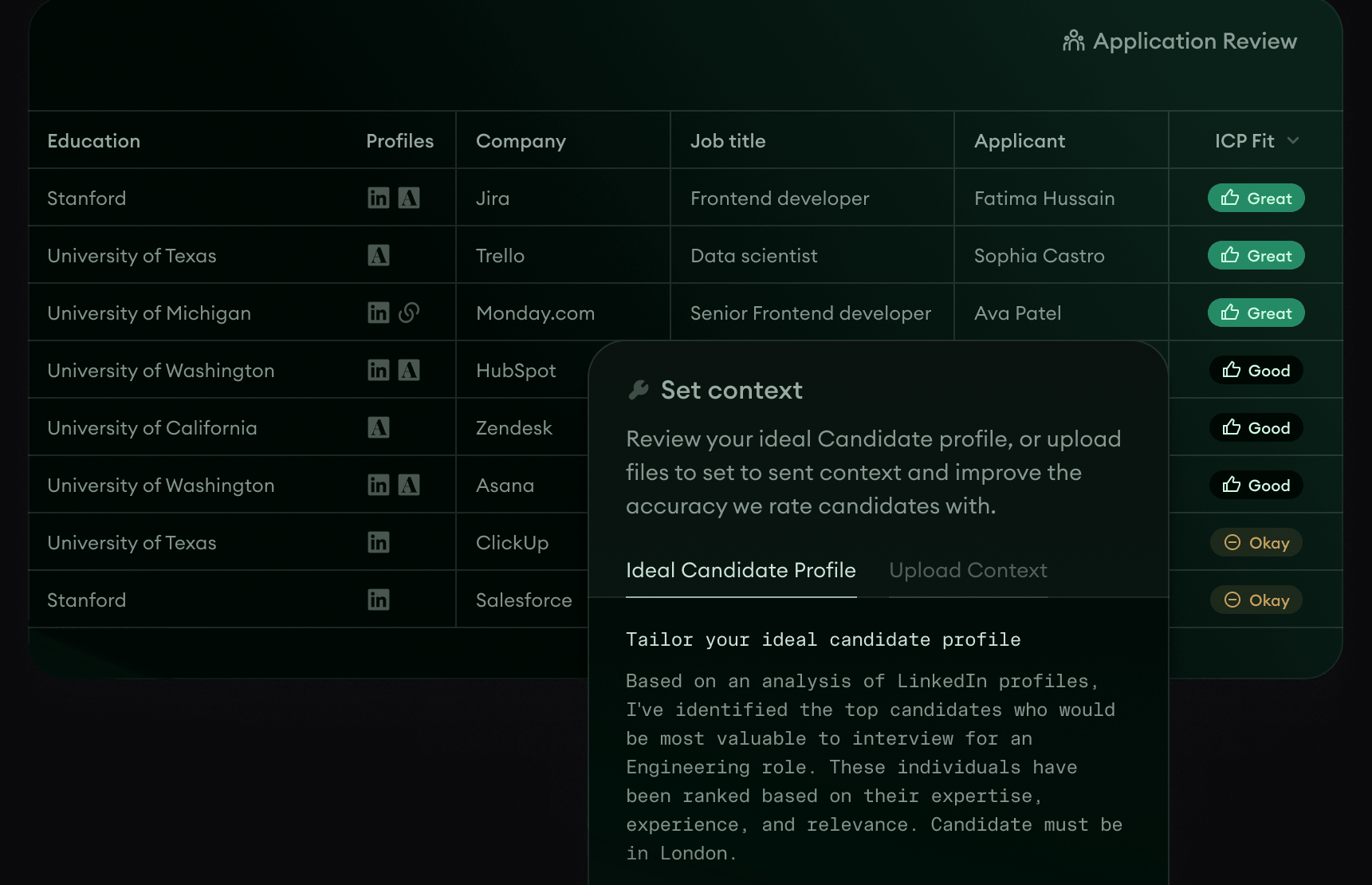
For question 1, look for criteria you can read. In Metaview’s Application Review, which reads and rates every inbound application, each role has an Ideal Candidate Profile built from the job description, and a person reviews and approves it before evaluation starts.
On question 2, also ask how the tool treats text written to game it. We looked at what the research says in whether candidates can prompt-inject a resume.
Question 5 is where high-volume tools earn or lose trust. Siadhal Magos, Metaview’s co-founder and chief executive, has described what goes wrong when people read every application by hand:
When a human recruiter decides to review applications, they appear chronologically. Once they’ve gotten through enough and reached out to enough, they don’t look at the rest. That’s unfair to the people who didn’t get seen.”

Whether its judgment holds up.
This is the area where a demo tells you least, because the demo runs on candidates the vendor chose. Five questions test whether the ratings are relevant, consistent, monitored, explained, and open to challenge.
| Question | What a strong answer looks like | Evidence to ask for |
|---|---|---|
| 6. Do its ratings agree with your recruiters on applicants you already know? | On past applicants scored blind, the tool’s ratings line up with the calls your best reviewers made | A blind test on your own historical applicants, compared with expert reviewers |
| 7. Does it give the same answer twice? | Equivalent applications get the same rating, whichever recruiter or team runs them | Identical and near-identical applications resubmitted, with any difference recorded |
| 8. How does the vendor catch the tool being too harsh or too generous? | The vendor watches for both, and for anyone being excluded by accident, and can show you what it tracks | The monitoring reports, the thresholds, and how often someone reviews them |
| 9. Can a recruiter see why each candidate got their rating, and rebuild it months later? | A written reason for every applicant, tied to what they wrote or said, with a timestamped history | A record from months ago, opened with the version of the criteria that produced it |
| 10. Can a recruiter overrule a rating easily, and is the change recorded? | One action, room for a note, and a record of who changed what | A rating overruled during the demo, followed through to what happens next |
Every question here except 7 is a non-negotiable. Question 6 is the one most vendors answer with a slide, so ask for the numbers instead. Metaview’s aggregate data shows the shape of answer to look for, where advance rates track the rating:
The middle bands sit where you’d expect, at 12.1% for “Good” and 7.8% for “Okay”, so every step down the rating is a step down in how often recruiters advance someone. Read it carefully, though. Recruiters could see the rating when they decided, so this shows the two moving together and leaves open whether the rating is right. Question 6 asks for a blind test on your own applicants for exactly that reason, and numbers like these start the conversation with a vendor rather than end it. We looked at the overrides in more detail in what happens when recruiters override the AI’s application score.
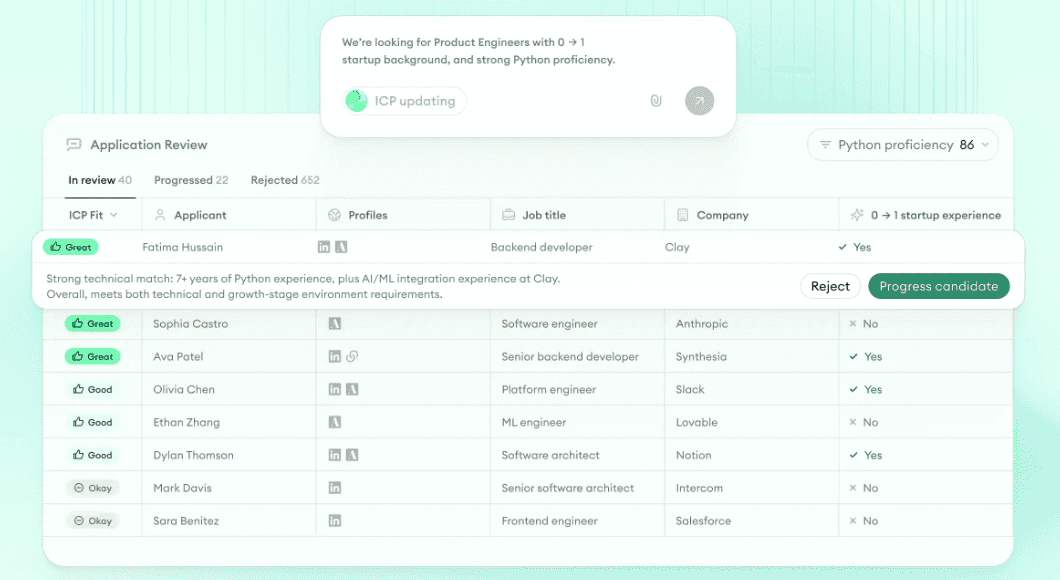
Questions 9 and 10 are easier to test, because you can see them. Pick an applicant yourself, read the reason, and overrule it.
How it connects to your stack and rolls out.
Here the questions move to the work around the tool: the systems it has to talk to, the effort to get it running, and who looks after it once it’s live.
| Question | What a strong answer looks like | Evidence to ask for |
|---|---|---|
| 11. Does it connect to your ATS in both directions? | Candidates flow in and decisions flow back for your ATS specifically, with the fields mapped | One candidate traced from your ATS, through the tool, and back again |
| 12. Can you get your data out? | A documented application programming interface (API), webhooks, and a full export that includes the reasons | The API documentation, its rate limits, and a real export file |
| 13. Is the setup effort worth what you get? | A realistic plan for setup, testing, recruiter training, and getting the team to work a new way | A written plan with named owners on both sides and an estimate of your team’s time |
| 14. Can your own admins run it? | Your team manages permissions, criteria, prompts, and workflows without vendor tickets | A few common admin changes, made by you in a sandbox |
| 15. Can you test safely and roll out in stages? | A sandbox, a staged rollout, a way back, and agreed acceptance criteria | The rollout plan, and how the vendor tells customers about product changes |
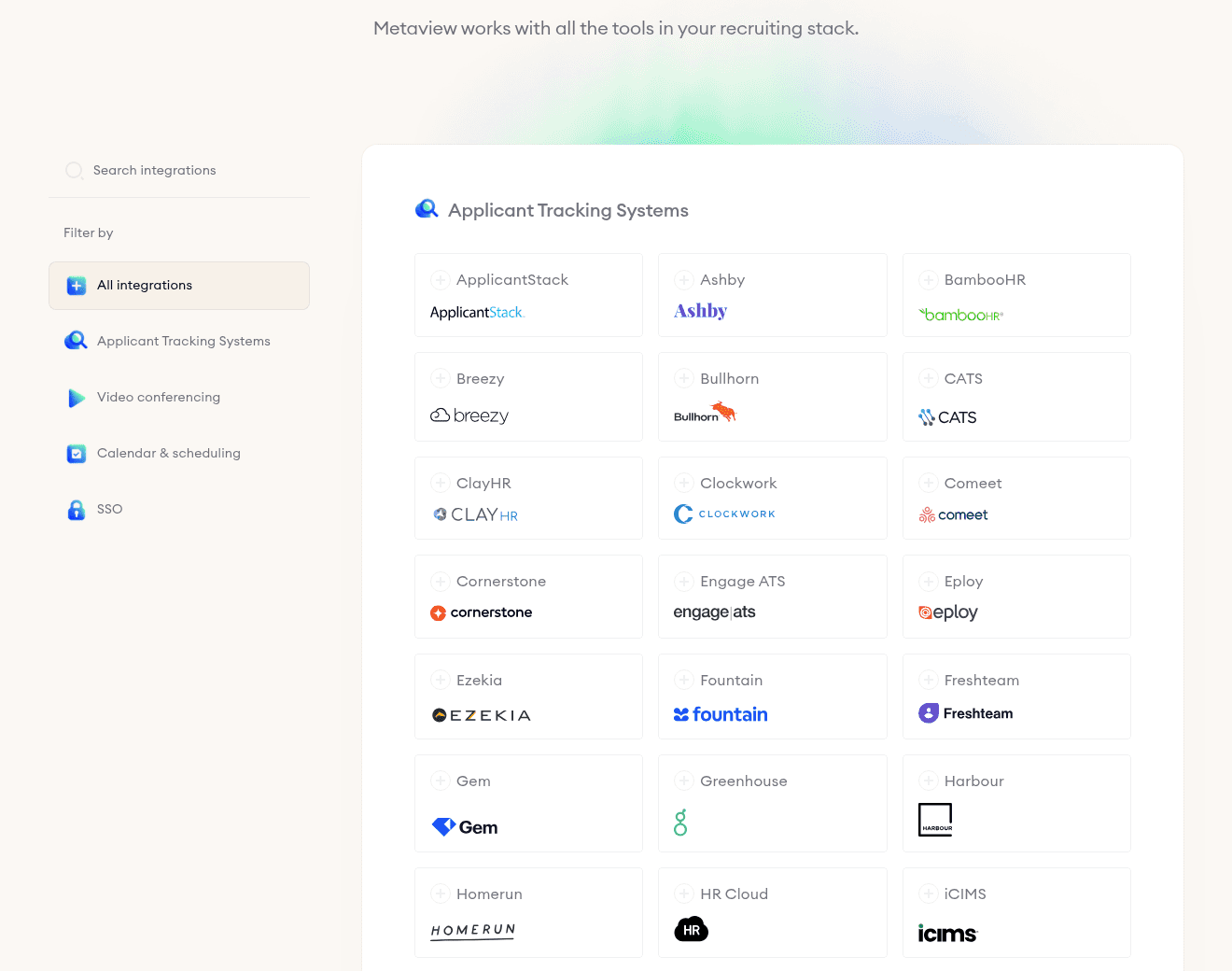
Question 11 is the non-negotiable here, and it’s where vague answers hide. “We integrate with your ATS” can mean candidates come in, decisions go back, or both, and the answer often differs from one ATS to the next. Ask for your system by name, and trace one real candidate end to end before you score it.
What happens to candidate data.
Every question in this area is a non-negotiable, and most of the answers live in documents rather than demos. Send the requests in your first week, so legal and security review can run alongside the product evaluation instead of after it.
| Question | What a strong answer looks like | Evidence to ask for |
|---|---|---|
| 16. Is it clear who controls candidate data, how long it’s kept, and how it’s deleted? | A data processing agreement (DPA), retention you can set, deletion on request, and support for candidates’ data rights | The DPA, the retention settings, and a walk through the deletion process |
| 17. Where is the data hosted, and who else handles it? | Named hosting regions and a published list of subprocessors, with notice before it changes | The subprocessor list, the hosting regions, and the change-notice terms |
| 18. Does access control match your company’s rules? | Single sign-on (SSO), role-based permissions, least-privilege access, and clean handling when people join, move, or leave | A test of SSO and of two or three role profiles |
| 19. Is the data protected, and what happens if something goes wrong? | Encryption at rest and in transit, an independent certification, and a written promise on breach notification | The security pack, current certificates, and the incident-response terms |
| 20. Has the vendor tested for adverse impact and written down where the tool is weaker? | A testing method you can read, documented limitations, and support for your own governance | The bias-testing method, the limitations, and any governance material |
Question 20 deserves the most patience. Ask to read the method behind any fairness claim: what population the testing used, what it compared, and how often it runs. A vendor that has done the work will have it written down. We set out how bias gets into screening, with or without software, in our guide to catching and reducing candidate screening bias.
What candidates and recruiters have to live with.
A screening tool sits in front of every applicant and every recruiter, so small frictions add up fast. This area checks the experience on both sides.
| Question | What a strong answer looks like | Evidence to ask for |
|---|---|---|
| 21. Can every candidate complete it? | It works on a phone, with a screen reader, by keyboard alone, and in the languages you hire in | The process, completed by you on a phone and with assistive technology |
| 22. Does the candidate know what’s happening? | Clear instructions, consent, expected time, and next steps, with a reasonable amount asked of them | Your own run as a candidate, on a laptop and on a phone |
| 23. Can recruiters use it with little training? | Finding, comparing, and acting on candidates is quick from the first day | A few routine recruiter tasks, timed, and the recruiters’ own view of what slowed them down |
| 24. Do you control invitations, reminders, and updates? | Templates, timing, opt-outs, and recruiter notifications you can change yourself | The message templates and the notification settings |
| 25. Can a candidate reach a person? | A clear route for questions, accommodations, and appeals, with an owner on your side | The candidate support and escalation process, followed end to end |
Questions 21 and 25 are the non-negotiables here, and both protect candidates who would otherwise drop out for reasons unrelated to whether they could do the job. Completion rate is the number vendors reach for in this area. It’s worth having, but it can’t answer these questions alone. We covered what it can and can’t tell you in our piece on screening completion rate, and where the screen should sit in your process in where to put AI screening in your hiring process.
This episode of 10x Recruiting, Metaview’s podcast, covers why being human is still an edge in hiring, which is the thinking behind question 25.
What it costs, and who stands behind it.
The last area checks whether the tool will still be the right choice in its third year: the full cost, the volume it can carry, the reporting you’ll get, the support behind it, and the vendor itself.
| Question | What a strong answer looks like | Evidence to ask for |
|---|---|---|
| 26. Do you know the full cost? | Every cost written down, from license and usage to setup, integrations, support, and what renewal will look like | A three-year total cost of ownership, with the assumptions behind it |
| 27. Will it hold up at your volume? | It handles your peak hiring volume, locations, and languages without slowing down | Capacity limits, service levels, and performance evidence at volumes like yours |
| 28. Will it show you whether it’s working? | Reporting on how candidates move through, how good the ratings are, fairness across groups, hours saved, and whether recruiters use it | The dashboards, an export, and how each metric is defined |
| 29. What happens when you need help? | Named support contacts, written response-time and uptime commitments, onboarding for your team, and a route to escalate | The service-level agreement (SLA), the support plan, and the onboarding plan |
| 30. Will the vendor be around, and will it listen? | References from teams like yours, a stable product, and a roadmap you can follow | Calls with references, ideally one who compared tools before buying |
Question 26 is the non-negotiable here. Question 30 is the easiest to skip and one of the most useful, because a reference who compared several tools before buying can tell you what the demos didn’t.
Workleap is one example of that kind of buyer. Its recruiters were reviewing 200 to 300 candidates per role by hand, each taking 30 to 45 seconds, and senior recruiter Johnny Drexhage tested quite a few tools before the team settled on Metaview’s Application Review. He said that “what immediately stood out to me is how intuitive and effective it was from the very start,” and he reported that “It’s reduced my screening time by up to 50%.” The full story is in the Workleap case study.
How to score it, and when to stop.
Score every question from 1 to 5. The scale only works if you hold one line: claims top out at 3. Anything higher has to be seen working off script, or proven in writing.
| Score | What it means | What earns it |
|---|---|---|
| 1 | Unacceptable | It’s missing, or the risk is one you can’t accept |
| 2 | Weak | It’s partly there, with real limits or manual workarounds |
| 3 | Adequate | It meets the basic need, on the vendor’s word, a slide, or a scripted demo |
| 4 | Strong | You saw it working off script, or read the document that proves it, with small gaps you’ve written down |
| 5 | Excellent | You saw it work on your own roles and applicants, with evidence you could hand to an auditor |
Then work it out in this order:
- Leave anything you couldn’t assess blank rather than giving it a 1, and note how many questions each tool was scored on. A tool scored on 20 questions can’t be compared with one scored on 30.
- Check the non-negotiables first: questions 3, 6, 8, 9, 10, 11, 16 to 21, 25, and 26. Any of them below 4 is a reason to stop, whatever the average says, because a non-negotiable needs evidence rather than a claim. A blank non-negotiable stops you too, until it’s assessed.
- Average each of the six areas, then all 30. Read the area averages before the overall one, because a strong total can hide a weak area.
- Use the overall average to decide the next step. Four or above: take it to a pilot and start on commercial terms. From three up to four: pilot it only with conditions, and write down each gap, its fix, and how the pilot will test it. Below three: drop it unless there’s a strong strategic reason and a plan to close the gaps.
Where Metaview lands on the non-negotiables.
Here’s how Metaview answers several of the non-negotiables. Ask us for the evidence behind each one, and put the rest of the questions to us in the demo, the same as you would with any vendor.
- Who decides (question 3): Application Review never auto-rejects, and a recruiter makes every accept and reject call.
- Reasons (question 9): Application Review rates each applicant’s fit, from “Great” to “Poor”, and shows the reasoning. Screening, Metaview’s voice-led screening agent, returns a fit rating with a documented reason, plus the recording and a transcript mapped question by question. For the screening calls your recruiters still run themselves, Metaview’s Notetaker captures every spoken word where consent has been given, so the reason for a decision sits next to what was said.
- Candidate data (questions 16 to 19): Metaview is System and Organization Controls (SOC) 2 Type II certified and compliant with the General Data Protection Regulation (GDPR) and the California Consumer Privacy Act (CCPA), with 256-bit encryption and SSO. Interview data is hosted in the Amazon Web Services environment in the United Kingdom, retention can match your company’s policy, and you can delete recordings at any time.
- Fairness (question 20): Screening adheres to the European Union’s AI Act, New York City Local Law 144, and guidelines for bias and adverse-impact testing.
- Your ATS (question 11): Metaview’s integrations list covers more than 100 applicant tracking systems, and which way data flows differs by system and by product. Ask us about yours and trace a candidate through it, the same test we’d tell you to run on anyone.
Run it on your own roles.
Take the 30 questions into your next vendor call and score them live, while someone else drives the product. Anything you end up scoring from memory afterward was probably a 3 at best.
Then treat a strong result as a reason to run a pilot. Buy only after the pilot has shown the tool working on your own roles and applicants, with your recruiters deciding who moves forward.
Score Metaview against this rubric.
Bring a role you’re hiring for and these 30 questions, and see how Application Review and Screening answer them.
Frequently asked.
What should an AI screening tool evaluation include?
Six areas: how the tool fits your screening workflow, whether its judgment holds up, how it connects to your systems and rolls out, what happens to candidate data, what candidates and recruiters experience, and what it costs along with who stands behind it. This rubric gives each area five questions, 30 in all.
How do you score an AI screening tool?
Score each question from 1 to 5, and don’t let a vendor’s claim score above 3. A 4 needs a live demonstration off script, and a 5 needs proof on your own roles. Check the non-negotiables first, then average each area, then the whole rubric.
Should an AI screening tool make reject decisions?
No. A person should make every decision that removes a candidate from your process, with the tool’s rating and reasoning as evidence. In Metaview’s Application Review, a recruiter makes each accept or reject decision, and the product never auto-rejects.
How many AI screening tools should you compare at once?
Three at most. Give each the same roles and past applicants so the scores compare like with like, and save the pilot for the one that clears every non-negotiable.
Does the same rubric work for application review and screening calls?
Yes. The questions hold for any tool that stands between an applicant and a human decision, whether it reads a written application or holds a conversation. If you’re buying both, score them separately.
