
There’s a lot that goes into running a restaurant, and hiring shouldn’t keep your managers off the floor. Good restaurant hiring software can find applicants, screen them, and get the ones who fit ready for an interview with you.
Your best applicants are often working a shift somewhere else. If the screen needs a phone call during their shift, it waits until they’re off, and by then they may have taken another job. That makes the screen the step to get right.
Whether you’re already using something or shopping around, we’ve compared the options and put together what we believe are the seven best restaurant hiring software tools for screening shift workers. They work in different ways, from AI phone calls to text chats, so part of the choice is how your applicants like to answer.
Restaurant hiring software at a glance.
Here’s a quick overview of the seven tools and what each one is best for.
| Tool | Best for | How applicants take the screen | What you get back |
|---|---|---|---|
| Metaview Screening | Restaurants hiring crew at volume | A two-way voice conversation from a link, on a phone or a computer | An assessed fit with its reasons, the recording, and a transcript |
| Workstream | Multi-location restaurants that want one platform | Application questions, then an AI phone call | “Pass” or “Fail” on scored answers, a matching score, and the recording |
| Fountain | Large quick-service brands | An AI interview with Anna, by phone or in a browser | A 1-to-5 score with reasons, and a check on each qualification |
| HigherMe | Franchise operators | A mobile application with scored questions, plus an optional AI voice interview | An overall score out of 100 for each applicant, and interview summaries |
| Classet | Phoning applicants the moment they apply | An AI phone call from Joy, with text follow-ups | Must-haves marked “met” or “not met,” with the recording |
| PhoneScreen.AI | Single restaurants and small groups | A call the applicant starts from a link, or one the AI places | Scored answers, with flags to double-check |
| Sapia.ai | Large chains that want a written screen | A typed chat, untimed, on a phone | Applicants ranked, with a fit score and the answers behind it |
What good restaurant hiring software needs to do.
Restaurant hiring moves fast. Your applicants work shifts of their own, and one job post can bring in more applications than a manager has time to call back.
Whether it’s one tool or several, your hiring setup needs to:
- Post your jobs and take applications from people applying on their phone.
- Screen each applicant when they’re free, between their own shifts.
- Book interviews with the applicants who fit.
Some tools do all of this as a full applicant tracking system (ATS) built for restaurants, and some run the screen next to the system you already have.
If your crew speaks more than one language, the screen should too. A screen in the wrong language can lose an applicant who’d do the job well.
Judge any of these tools on the hours it gives back to your managers and the applicants it puts in front of them.
Four things every tool on this list does.
Each of the seven does all four:
- It handles the hourly hiring restaurants do.
- It lets applicants take the screen on a phone, at an hour that suits them.
- It shows your manager what the applicant said behind each result.
- It keeps a person in charge of who gets hired, unless your hiring team switches on rules that move or reject applicants automatically.
The 7 best restaurant hiring software tools in detail.
Three of these, Workstream, Fountain, and HigherMe, are full hiring platforms for hourly workers. The other four are built around the screen and work whether or not you already have an ATS.
1. Metaview Screening: Best for restaurants hiring crew at volume.
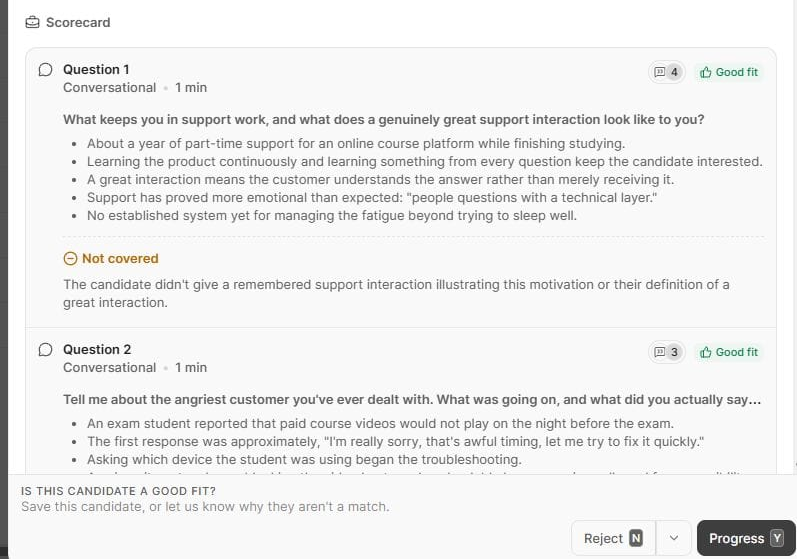
Metaview Screening holds a two-way voice conversation with each applicant your hiring team sends it to. Screening asks the questions you set and asks a follow-up when an answer is thin, and applicants can ask their own questions about the job.
We built it as a conversation rather than a list of canned questions. Siadhal Magos, our co-founder and chief executive officer, puts it this way:
Automating a mediocre interview doesn't help anyone.”

Screening suits crew hiring: lots of applicants, for jobs that look much the same from one location to the next. A cook or a server can start from a link, without creating an account, and take the screen whenever their shift allows.
Screening scores each applicant’s responses against your criteria. Your hiring team then sees the assessed fit and the reasoning behind it, alongside the recording and a transcript. On each completed call, the recruiter makes the progress or reject decision.
For front-of-house roles, Screening can run a role-play tailored to the job, playing a character and responding to what the applicant says. You hear how a server handles a guest before they meet one of yours.
Screening uses the same technology as our Notetaker, which records interviews and captures every spoken word, so the full recording of each call is there for your review. When an assessed fit surprises you, you can play back the answer behind it.
With fraud detection built in, Screening flags responses that look AI-assisted or fraudulent, so a recruiter can check them. It supports most major languages, Spanish among them. For a crew that speaks several languages, we’ve also put together advice on screening applicants who answer in different languages.
Screening adheres to two laws that cover AI in hiring: New York City’s Local Law 144 and the EU AI Act. You can also offer applicants the option to opt out.
Screening covers the screen itself. You book interviews in the tools you already have.
Key features
- Follow-up questions: Screening digs into short answers, and applicants can ask about the job.
- Reasons for every assessed fit: Your hiring team can check each reason against the call.
- No account to create: Applicants start from a link.
- Role-plays: Scenarios for guest-facing roles.
- Spanish and more: Most major languages supported.
Best for: High-volume restaurant hiring teams that want to hear every applicant they screen, on the applicant’s own time.
Pricing: Book a demo with our team, and we’ll go through what Screening would cost your restaurants.
2. Workstream: Best for multi-location restaurants that want one platform.
Workstream started in late 2017 in San Francisco as text-based recruiting for hourly workers. Its co-founder Desmond Lim told TechCrunch in 2022 that he used to run his own restaurant. It has since added human resources (HR) and payroll tools for multi-location restaurants, and in 2025 it added AI phone screens, called VoiceAI.
Applicants can apply by text or QR code and answer screening questions on the application. Then they take a VoiceAI call at any hour, in English, Spanish, Canadian French, or Chinese.
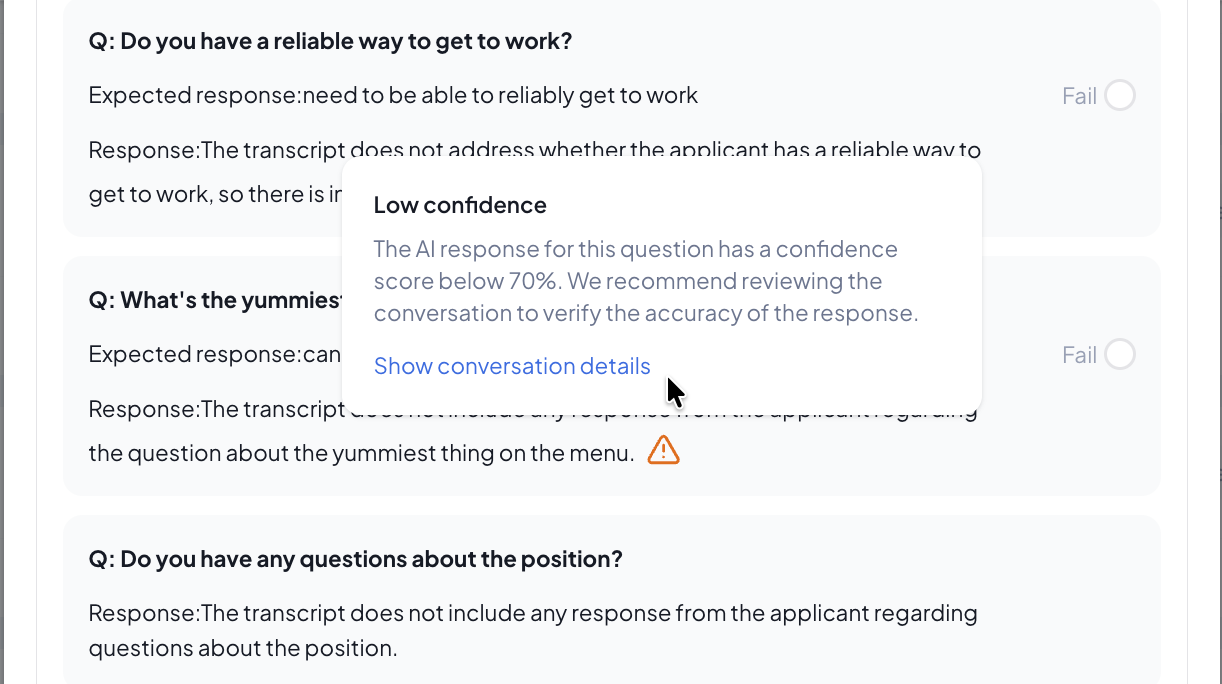
For each question, you can set the response you expect. After the call, each of those answers comes back marked “Pass” or “Fail,” alongside a matching score out of 100 and the recording. When the AI is unsure, it labels the answer “Low confidence” and suggests checking the conversation. That label is the most useful thing in the results, because it tells you which answers to hear for yourself.
If an applicant fails one of Workstream’s Smart screening questions on the application, Workstream rejects them automatically. Moving applicants on automatically after the AI call is optional, and it’s off by default.
In an r/ChickFilAWorkers thread asking how Workstream works, a self-described hiring manager at one store described the automatic rejection: “There are two questions on the application that if you answer wrong, will flag your application and automatically reject you.”
Key features
- VoiceAI phone screens: Any hour, in four languages.
- “Pass” or “Fail” per answer: Checked against the response you expect.
- Confidence flags: Unsure answers marked for a person to check.
- Text-to-apply: QR codes and posters for the store.
- Hiring to payroll: HR, scheduling, and payroll on the same platform.
Best for: Multi-location restaurant groups that want hiring, HR, and payroll in one place.
Pricing: Not published. Workstream quotes each plan on request, and VoiceAI comes in its AI-Assisted Hiring plan or as an add-on.
3. Fountain: Best for large quick-service brands.
Fountain has built hiring software for hourly workers since 2014, and quick-service brands like Bojangles are among its customers. Its AI interviewing agent, Anna, runs first interviews over the phone or in a web browser, at any hour.
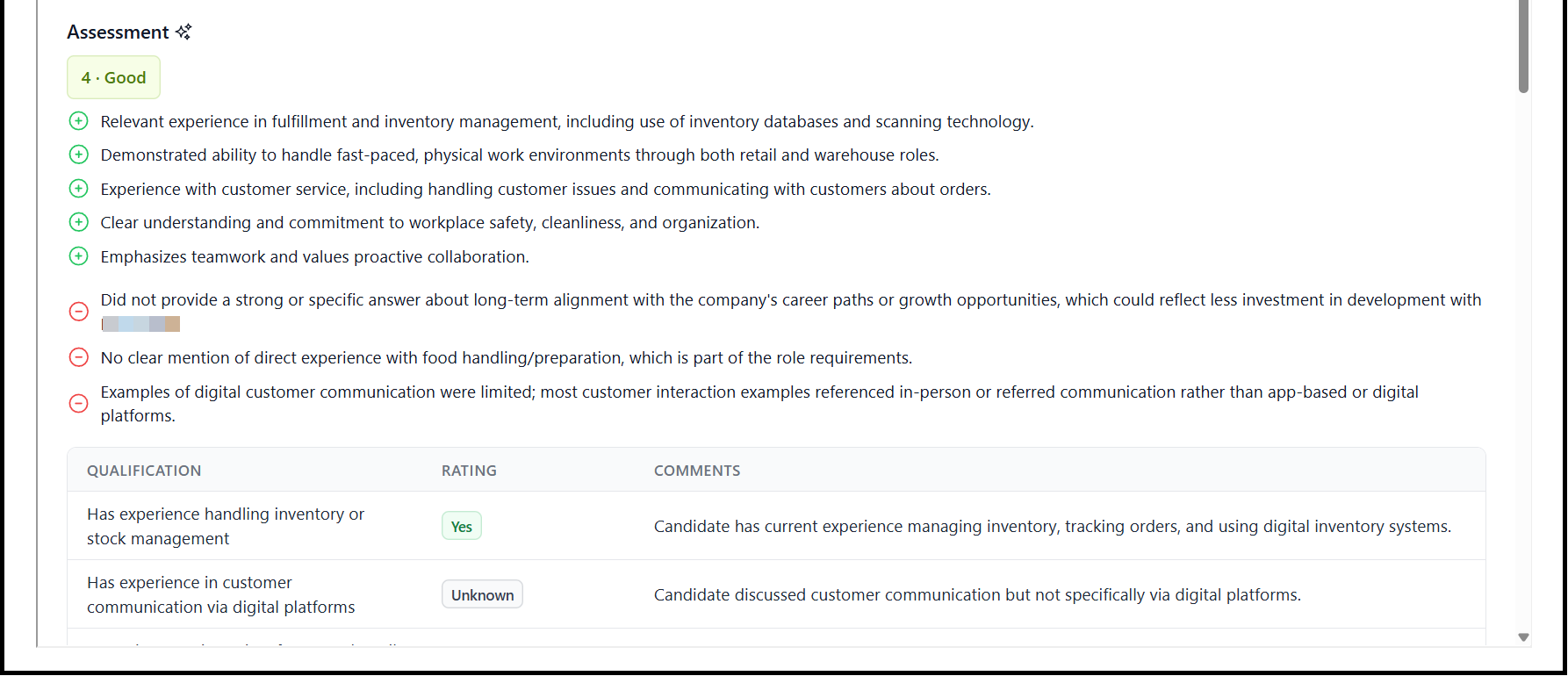
Anna’s interviews usually take about five minutes. If a call drops, the applicant can restart, and Anna tries to pick up where the call left off. You get a score from 1 to 5 with the reasons for and against it. Each qualification you set comes back “Yes,” “No,” or “Unknown,” with the transcript and recording alongside.
“Unknown” means the interview didn’t produce enough evidence either way, which is a useful nudge to read the transcript. Anna checks English proficiency automatically. If a role doesn’t need English, like a dishwasher or a prep cook in some kitchens, you can switch that check off.
You can build rules on Anna’s results that send high scorers, a 4 or a 5, straight to the next step without a reviewer. Applicants can then book their own interview time.
Fountain keeps its “Approved” and “Rejected” stages out of the rules you build on Anna’s results. Fountain’s other workflow rules can still disqualify applicants, though, and so can knockout questions, which disqualify anyone who gives a wrong answer.
In an r/recruiting thread asking about Fountain, one user wrote, “Pros: it handles high volume pretty well, the workflows are flexible enough for most things I need. Cons: reporting is kinda weak and the UI feels like it’s from 2015.”
Key features
- Anna’s first interviews: Phone or browser, any hour, about five minutes.
- For and against: The reasons behind each score, plus a check on each qualification.
- Fast-track rules: High scorers sent to the next step automatically.
- Self-scheduling: Applicants book their own interview time.
- English check: Automatic, and you can switch it off for roles that don’t need it.
Best for: Large quick-service brands hiring hourly crew across many locations.
Pricing: Not published. Anna is an add-on, priced through Fountain’s sales team.
4. HigherMe: Best for franchise operators.
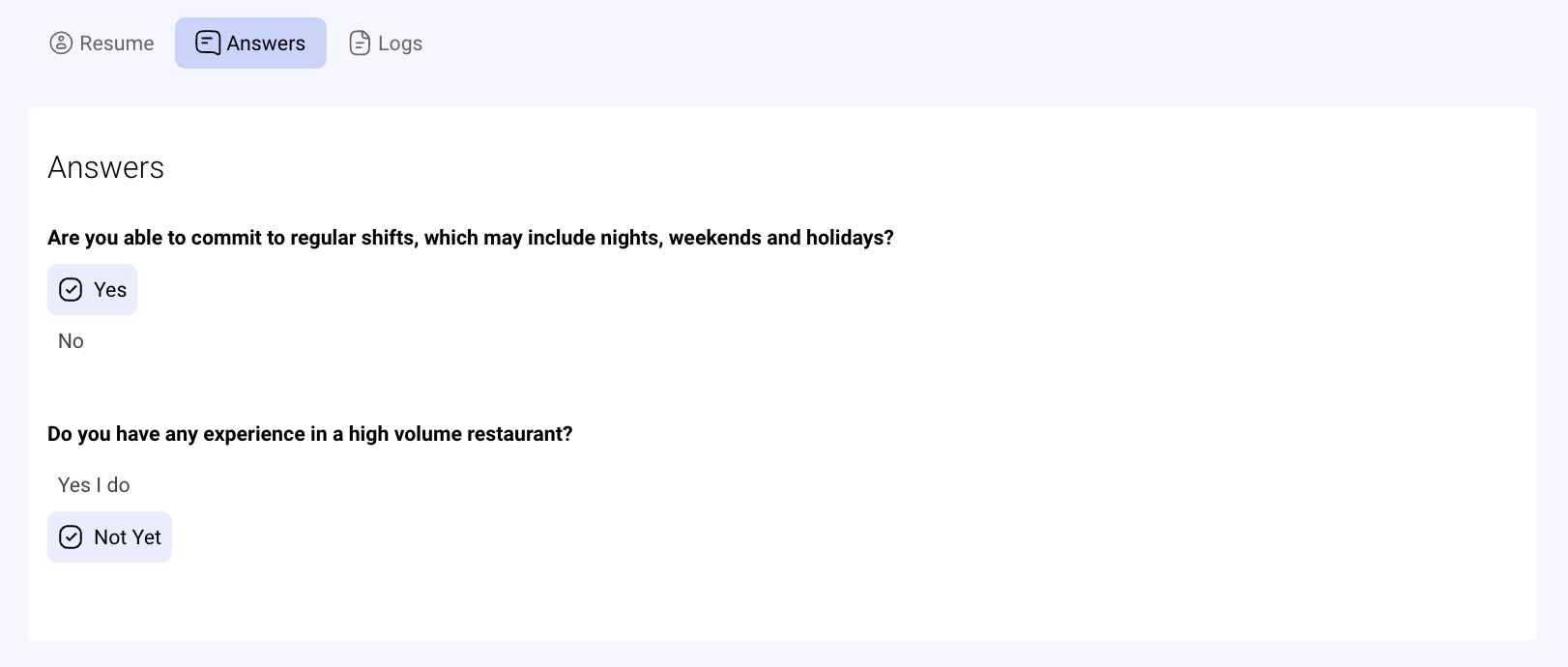
HigherMe was co-founded by Rob Hunter, who owned seven Marble Slab Creamery stores. It sells an ATS for restaurants and franchises, and it runs the official Tim Hortons careers page.
Applicants text a keyword or scan a QR code, which you can put on drive-thru window clings or to-go bags. They answer your screening questions on their phone. If you turn on “Score with AI,” HigherMe scores each written answer from 0 to 100 against the answer you’d want. Each applicant also gets a candidate score out of 100, built from availability, distance, screening answers, and experience.
For a first interview, NextMatch AI runs a short voice interview of up to 10 questions and 10 minutes. It can run during the application or from an email or text invite, and you get a summary by category, the responses, a transcript, and the recording.
Knockout questions reject automatically, so keep them to one or two. Automatic interview invitations are off by default, so a manager decides who gets one.
Applicants on Reddit have asked what statuses like “Contacted” mean. HigherMe sets that one when a manager copies the applicant’s contact details, so make sure your managers know what each status tells an applicant.
Key features
- Apply by text: A local number, a keyword, and a QR code.
- AI scoring: Written answers scored against the one you’d want, once you switch it on.
- NextMatch AI: Short voice interviews with a summary and recording.
- Candidate score: Availability, distance, answers, and experience combined.
- Booking links: Applicants pick and change interview times themselves.
Best for: Franchise operators who want a restaurant-focused ATS.
Pricing: Not published, apart from NextMatch AI, which costs $2 for each completed interview.
5. Classet: Best for phoning applicants the moment they apply.
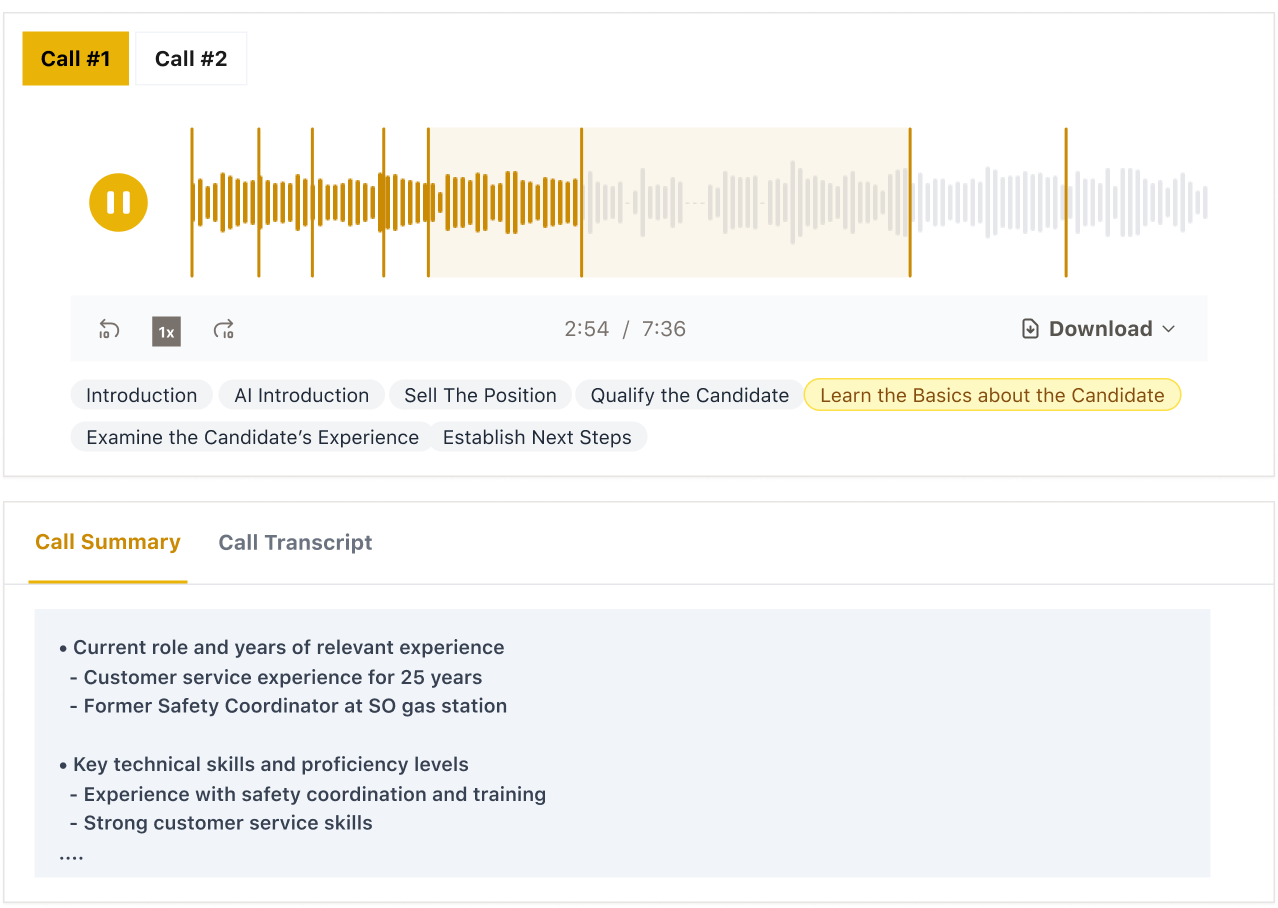
Classet was founded in Chicago in 2021. In 2022, it was selling recruiting and training software to skilled trades companies, and it has moved into restaurants since. Today its AI recruiter, Joy, runs phone interviews for hourly roles at employers such as restaurants and hotels.
Joy calls each new applicant right away, at any hour, and follows up by text and email. We like that the call lands while your job is still fresh in the applicant’s mind. An applicant who can’t take the call can call in later or start from a link.
Joy asks the questions you set. For a line cook, you’d ask which stations they’ve worked, whether they hold a food handler card, and whether they can work weekends. For a server, you’d add the point-of-sale systems they’ve used, like Toast, Aloha, or Micros.
Each must-have comes back marked “met” or “not met,” quoting the applicant’s own words, with the call recording and its transcript. If an applicant misses a must-have, Joy’s default is to tell them it’s a requirement and end the interview. You can also send applicants who miss a must-have to a stage you choose. Either way, a person on your hiring team makes the final decision.
Classet sells scheduling and extra languages as add-ons, and with the extra languages, Joy interviews in 25 or more. With scheduling on, applicants who clear your must-haves get a text with your open times, and the booking is saved in Classet and on your connected calendar.
Key features
- Calls on apply: A call goes out as soon as the application lands.
- Custom questions: Written by you, for each role.
- Must-haves checked: “Met” or “not met,” in the applicant’s own words.
- Extra languages: An add-on, with the applicant picking the language.
- Call-in option: Applicants can call in or start from a link.
Best for: Restaurants that want every applicant phoned right away, even after hours.
Pricing: Starter is $249 a month billed annually, or $349 billed monthly, for 50 completed interviews at one location. Scale is $999 a month billed annually, or $1,399 billed monthly, for 250. Enterprise runs inside your ATS and starts at $1,995 a month.
6. PhoneScreen.AI: Best for single restaurants and small groups.
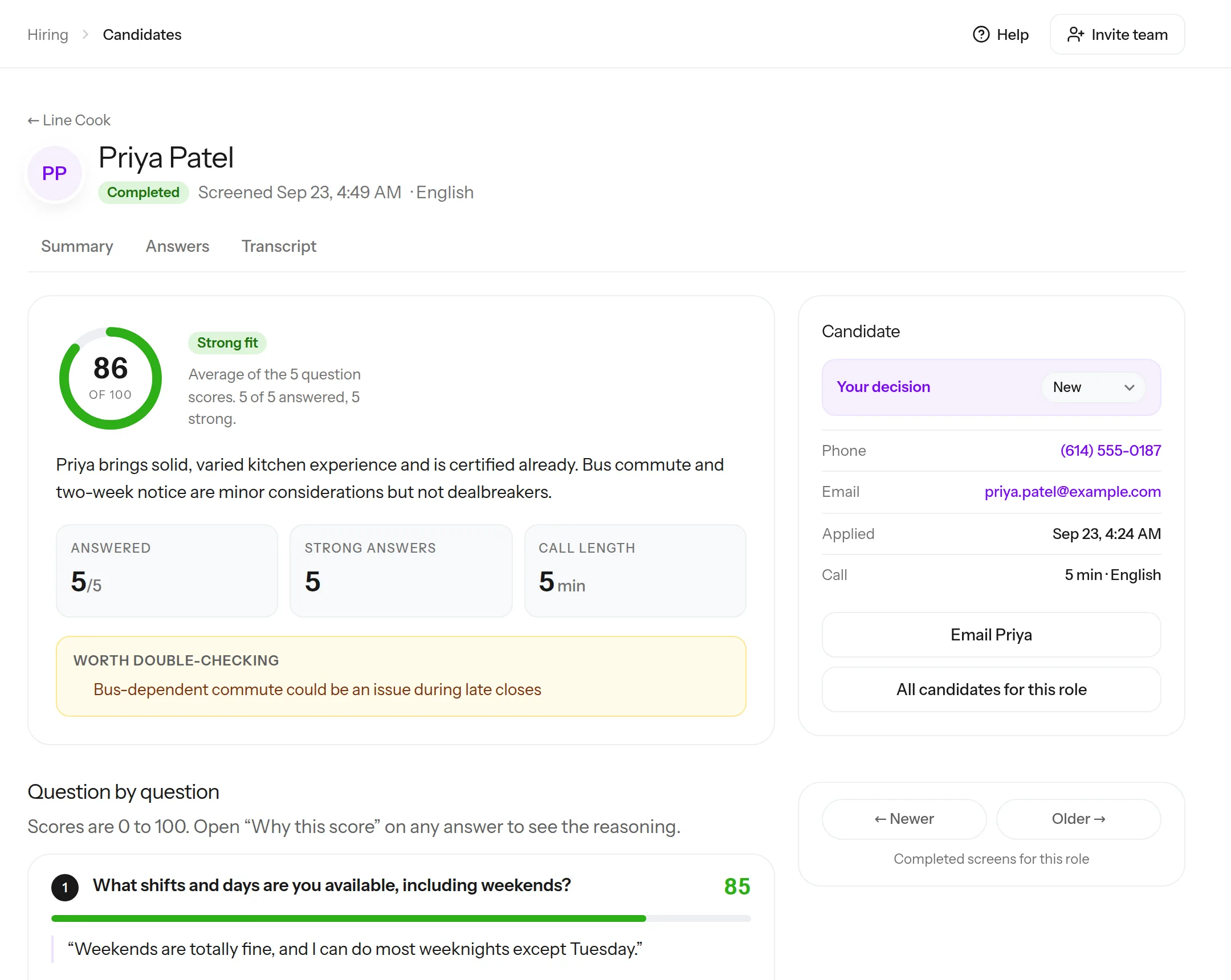
PhoneScreen.AI’s builder was sharing an early version on Reddit in March 2024, which makes it one of the newer tools here.
It comes with a restaurant template you can edit. Its questions cover:
- Shifts and weekend availability.
- The applicant’s most recent kitchen or front-of-house job.
- A food handler card.
- The commute.
- The earliest start date.
Those are the questions a kitchen manager would ask anyway, which makes it a quick place to start.
Applicants can call in from a link at a time that suits them, or let the AI call them. Invites go by text or email. Interviews run in 34 languages, and the results come back in English.
About a minute after the call, each answer the applicant gives in their own words comes back scored out of 100, with the reasoning. Yes-or-no questions come back as a yes or a no. You also get the recording, the transcript, and flags to double-check, and your hiring team makes every accept or reject decision.
Resume screening comes with every plan. Results can post back to your ATS. PhoneScreen.AI calls and texts US and Canadian numbers.
Key features
- A restaurant template: Ready-made questions you can edit.
- Call in any time: Applicants dial in from a link, or the AI calls them.
- Scored answers: Each spoken answer scored, with the reasoning.
- Knockouts as flags: Wrong answers flagged for your hiring team to check.
- Results in English: From interviews in 34 languages.
Best for: One restaurant, or a small group, hiring a few crew members a month.
Pricing: Basic is $99 a month for 25 phone screens, Pro is $249 for 100, and Enterprise is $1,999 for 1,000. Extra completed screens cost $4 each, and your first 10 completed screens are free, with no credit card needed. Pro and Enterprise also add reference checks.
7. Sapia.ai: Best for large chains that want a written screen.
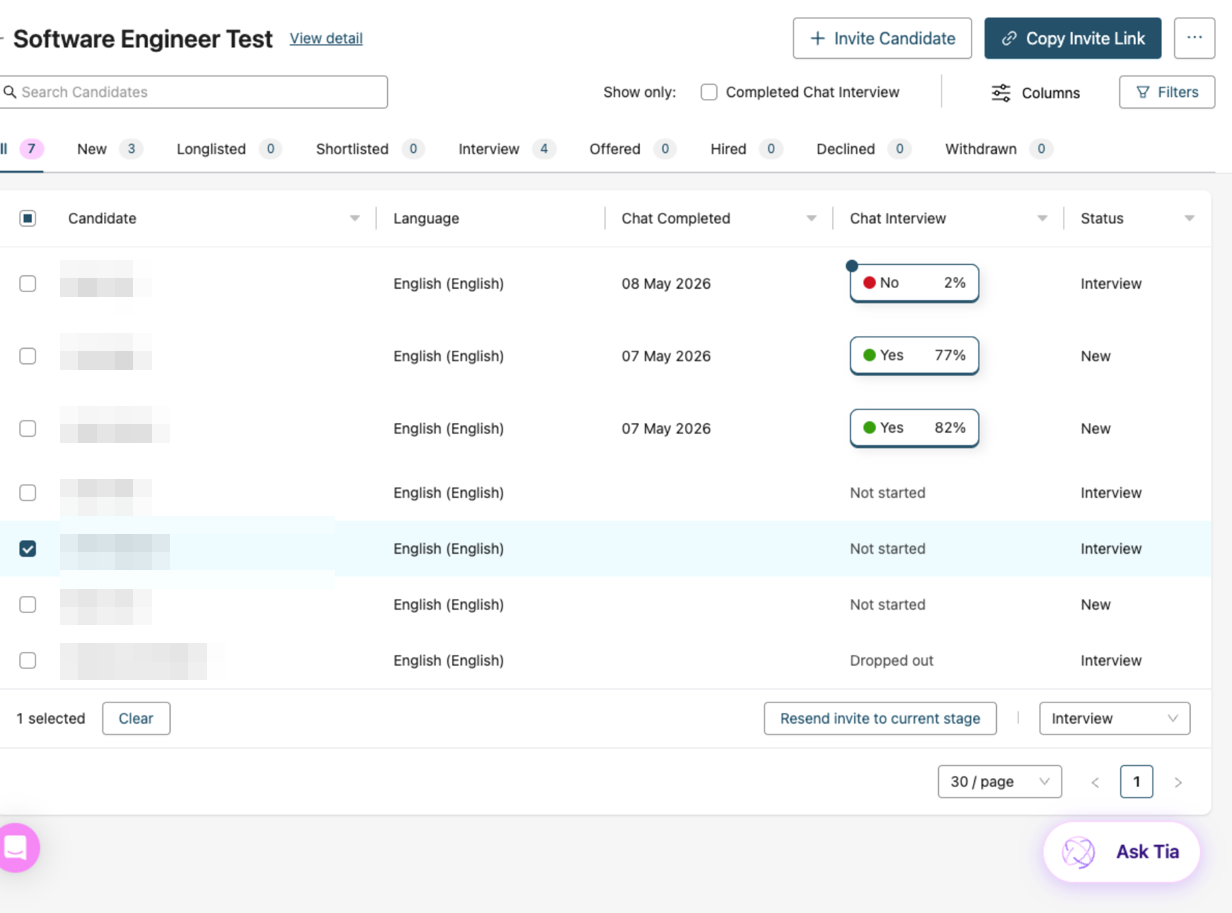
Sapia.ai started in Melbourne as PredictiveHire. In food service, it works with coffee and juice chains, like Starbucks Australia, Costa Coffee, and Joe & the Juice.
Applicants take an untimed text chat on their phone, whenever they like, answering five to seven questions in 50 to 150 words each. Its chat interview is text only by design, and every applicant gets personalized feedback afterward, with coaching tips they can use in other job searches.
Managers get a ranked shortlist with a fit score, a summary, and the evidence behind it. Your hiring team decides who moves on.
Plan for a longer screen, since Sapia.ai tells applicants to allow 20 to 30 minutes. In a September 2026 thread on Reddit’s r/ausjobs, one applicant said it took “significantly longer” than the 20 minutes they were told, and another had to redo it for every Kmart store they applied to.
A liquor store manager replied in that thread, “As someone that has to hire people through Sapia, trust me that we hate using it just as much.” In a 2024 thread about Woolworths, an applicant with autism said the text chat “opened a door” for them.
Key features
- Untimed text chat: Five to seven questions, answered on a phone.
- Ranked shortlist: A fit score and summary for every applicant.
- Feedback for everyone: Coaching tips each applicant can take to other job searches.
- Typed answers: No camera or voice needed for the chat.
- ATS connections: Including Workday, SAP SuccessFactors, and SmartRecruiters.
Best for: Large chains, with more than 500 hires a year, that want applicants to type their answers wherever they are.
Pricing: Not published. Sapia.ai bills per hire.
How do you choose restaurant hiring software?
The hiring work your managers lose the most hours to should decide the tool. Then try it on a role you know well before your applicants meet it.
Find the hiring work that pulls managers off the floor.
Some restaurants lose the most time to phone tag with applicants, and some to sorting a pile of applications after every job post. For phone tag, any of the voice tools here takes the first call off your managers. For the pile, HigherMe’s candidate score and Sapia.ai’s ranked shortlist put applicants in order, so a manager starts at the top of the list.
Write down what every shift needs.
Note what a shift needs from an applicant, like weekend availability, a food handler card, or the language your kitchen works in. Then check that each tool asks about those before you weigh anything else.
Test it with a role you just hired for.
If a tool has a free trial, put a role you hired for recently through it. Screen your best recent hires, two or three of them, and see whether the results match what you know about them. On a demo, ask the vendor to put your own questions through it.
Go through the first week of screens.
Default questions can miss what your roles need. Have one manager listen to or read a few screens from the first week, adjust the questions, and only then add more locations.
Talk through knockouts and fast-tracks first.
Some of these tools can act on an answer by themselves: a knockout question can reject an applicant, and a high score can send someone straight to the next step. Before you switch any of those on, decide with your hiring team which ones you’re comfortable letting run without a manager.
In this short clip, Siadhal lays out the order for bringing AI into a recruiting team: individual productivity first, then spotting trends and problems in your hiring, and only then using AI in your hiring decisions. His last step is AI that informs your decisions. A rule that rejects applicants on its own goes further than that, so leave rejection rules until last, if you switch them on at all.
Where we’d start for crew hiring.
We might be biased, but if your restaurants hire crew at volume and you want to hear how each applicant handles your questions, our pick is Metaview Screening. It follows up on thin answers, lets applicants ask about the job, and can role-play a guest for front-of-house roles.
If your restaurants look different, here’s where we’d point you:
- Consider Workstream if your managers juggle several systems and would rather have one.
- Consider Fountain if you want high scorers moved to the next step automatically, across many quick-service locations.
- Consider HigherMe if you run franchise locations and want applicants scored before anyone opens their application.
- Consider Classet if your roles hinge on a few must-haves and you want to see how each applicant answered on each one.
- Consider PhoneScreen.AI if you run one or two restaurants and want to try a phone screen before you enter a credit card.
- Consider Sapia.ai if you run a large chain and your applicants would rather type than talk.
Screen restaurant crew whenever their shift ends.
Watch an applicant take a Metaview Screening call, and see what your hiring team gets back afterward.
Frequently asked.
Do applicants need a camera to take a screen?
Not for most of these tools. Workstream’s VoiceAI, Fountain’s Anna, HigherMe’s NextMatch AI, Classet, and PhoneScreen.AI run by voice, and Sapia.ai’s chat is typed. With Metaview Screening, applicants only turn on video if your hiring team requires it. Workstream also offers VideoAI, for video interviews applicants record on their own time.
Should crew applicants take a voice screen or a text chat?
Use voice for roles where talking to guests is the job, like servers, hosts, and cashiers, because you hear how someone sounds with a little pressure on. A text chat lets applicants answer from places where they can’t talk out loud, like a break room or a bus.
Do I still need an ATS?
Not with Workstream, Fountain, or HigherMe, since each one is an ATS itself, and Classet can run on its own Hiring Hub. PhoneScreen.AI and Sapia.ai each keep their own list of applicants, and both can pass results to an ATS if you have one. Metaview Screening’s link can go to each applicant directly, with no ATS stage. Connected to an ATS stage, it syncs the call summary, the applicant’s information, and the recruiter’s decision to progress or reject.
Can Metaview Screening show your restaurant’s branding?
Yes. You can add your logo and branding, customize the invitation emails applicants receive, and record a welcome video introducing your restaurant or the role.
Is AI screening worth it for a single restaurant?
It can be, if calling applicants back eats into a manager’s shift. PhoneScreen.AI can start a screen for anyone who applies through Indeed, and Classet’s Starter plan runs on its Hiring Hub with your own Indeed account.
