
Patent search tools show you who invented a specific technology, which helps on hardware roles, where a job title rarely tells you who worked on what.
A patent has no job title, it’s published long after the work was done, and it names only some of the people who did that work. You can also search the wrong technology if you and the hiring manager mean different things by it. So agree on the technology first, using a patent classification code and its written definition.
Below are the five best patent search tools for recruiters, all of which you can open today. I cover how to use each one, where it falls short, and what it costs.
The best patent search tools for recruiters at a glance.
The table shows what each tool does, the search it suits, and what you get back.
| Tool | What it does | Best for | What you get back |
|---|---|---|---|
| Espacenet | Worldwide patent search from the European Patent Office (EPO) | Turning a technology into a code you and the hiring manager agree on | Classification codes, and filings from around the world with their dates |
| Google Patents | Full-text search across many patent offices | Searches that cross languages | Filings with their inventors and dates, and machine translations |
| The Lens | Patent and research paper search from an Australian non-profit | Searching patents and papers together | Patent records with owners and inventors, plus research papers |
| Patent Public Search | The U.S. Patent and Trademark Office’s (USPTO) search of U.S. patents | A first look at one company’s U.S. filings | U.S. patents and published applications, with inventor names and dates |
| Assignment Search | The USPTO’s record of patents changing hands | Following a patent after a company is bought | Recorded patent transfers, with who gave up the rights and who received them |
What a patent filing tells a recruiter.
A patent filing is what an inventor or company submits to a patent office to protect an invention. Most tools on this list search those filings, so it helps to know what a filing can and can’t tell you.
Most U.S. applications are published 18 months after they were first filed, or sooner if the applicant asks. So the work behind a result is usually at least that old.
In the United States, an inventor is someone who helped come up with the idea, so engineers who only built or tested it may not appear. You see part of a team, with no job titles to show how senior anyone was.
Many filings also name an assignee, the company that owns the patent or application. That points to where the work happened. It may not be the inventor’s employer, though, and the patent can change hands after filing.
Applicants often file the same invention in several countries, and patent offices group those filings into a patent family. Count one family as one invention when you judge how much someone has filed.
Agree on the classification code before you search.
Before you search, turn what the hiring manager told you into a classification code you can both check. A keyword search finds filings that use your words or close to them, and two inventors can describe the same work in different terms. Patent offices also sort filings into technical areas, each with a short code. The U.S. Patent and Trademark Office (USPTO) and the European Patent Office (EPO) share one system for this, the Cooperative Patent Classification (CPC).
Here’s an example. For silicon photonics modulators, one code to read is G02F 1/025. Its definition reads: “Using silicon as the electro-optical material for the waveguide.” In plain terms, it covers devices that control light in a silicon waveguide. You don’t need to follow every word, because the hiring manager will. The definition gives the two of you one written description of the work.
Not every code has a definition, and one technology can span several codes, so treat the first code you find as a starting point. Here’s how I’d agree on codes with the hiring manager:
- Open Espacenet’s classification search, look up the technology the hiring manager named, and work down to the narrower codes.
- If the hiring manager knows a patent or two in the area, open them in Google Patents and read the codes listed on each page. Google assigns those by computer, so check them against the definitions.
- Read the codes and their definitions together, and agree on the ones that match the role.
- Search on those codes, alongside the keywords the hiring manager uses.
When the names come back, you’re both judging them against work you have already agreed on. Skip this step, and the first sign of a mismatch may be a hiring manager rejecting your list.
How I chose these tools.
I kept only the tools that pass two tests:
- You can open it today, without a sales call or an intellectual property (IP) team.
- It helps with a step a recruiter takes: agreeing on the technology, finding who is named on the work, or following that work to another company.
That leaves out two groups. PatentsView, the USPTO’s research database, is out because its search features are interrupted by a move to a new portal. Paid platforms such as Derwent, Patsnap, and Orbit Intelligence are built for IP and research teams. If your company already licenses one, ask that team to run the search before you buy anything.
The 5 best patent search tools for recruiters in detail.
The first three search worldwide, and the last two are the USPTO’s own, for U.S. work. Each entry ends with who it suits and what it costs.
1. Espacenet: Best for agreeing on the technology with the hiring manager.
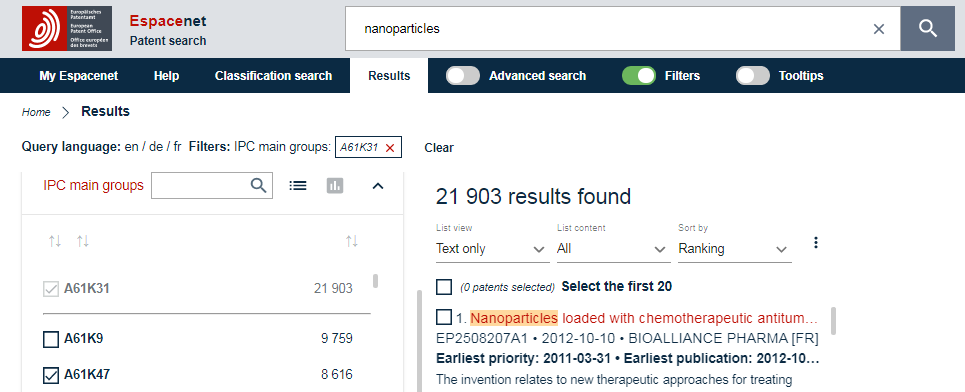
Espacenet is the EPO’s free patent search, covering filings from patent offices around the world.
Use its classification search to find the codes for a technology, then search on them. Each result shows when the invention was first filed and when it was first published, so you can see how old the work is before you read on.
Espacenet isn’t built for bulk downloads. Use it to read results, and Patent Public Search if you need a spreadsheet of U.S. filings.
Key features:
- Classification search: Work down from a broad technical area to a narrow code.
- Filters: Narrow your results by inventor, applicant, or code, with statistics for each.
Best for: Recruiters who want one free tool to agree on the technology and search worldwide.
Pricing: Free.
2. Google Patents: Best for reaching filings written in other languages.
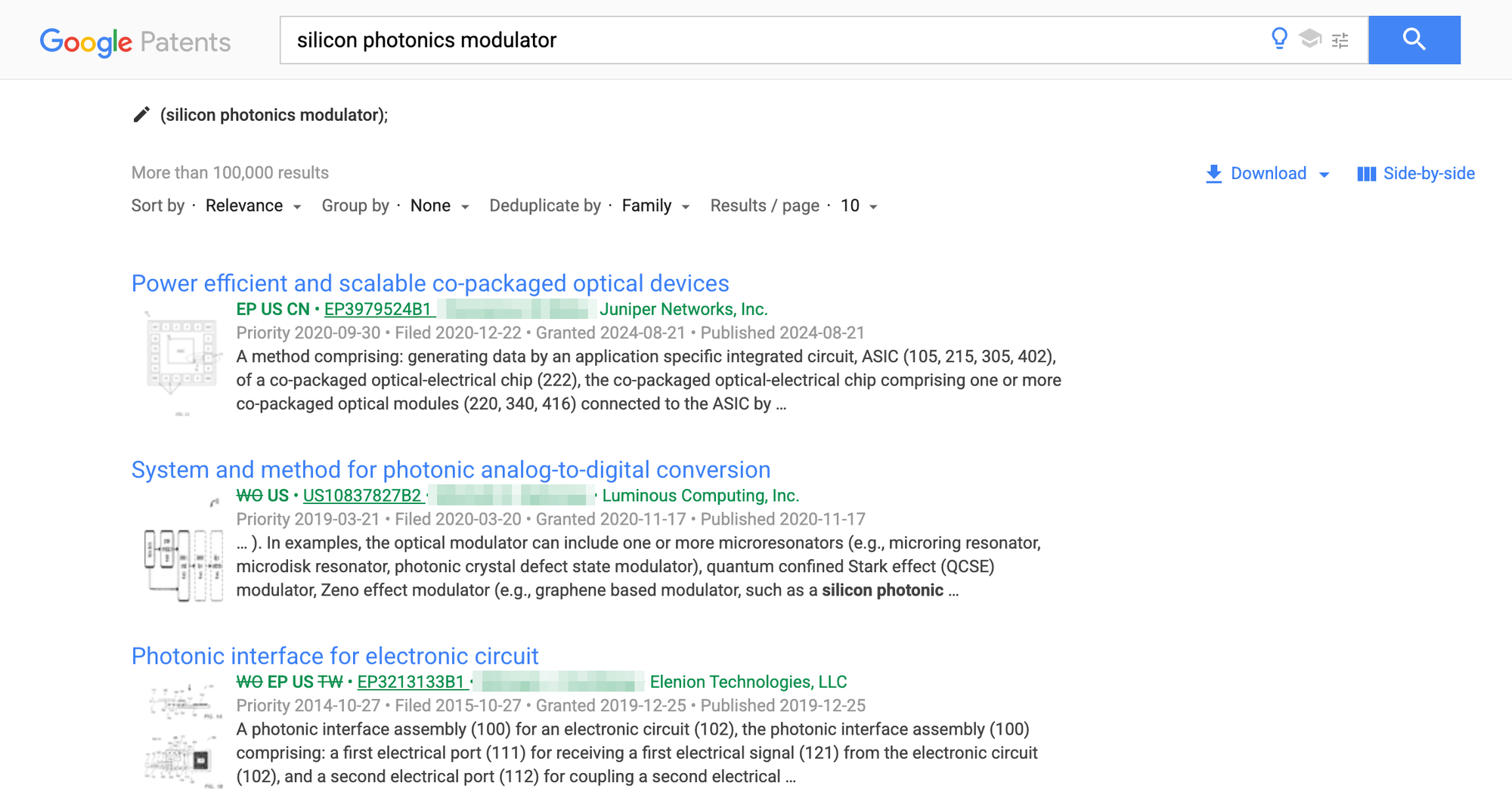
Google Patents searches the full text of filings from many patent offices, including those in China, Japan, and South Korea. Filings that exist only in another language are machine-translated into English, so an English search can reach them.
Search by keyword, or type a classification code with no spaces, such as G02F1/025. Leave “Deduplicate by” on “Family,” so one invention filed in several countries shows up once. Then open a patent to see its inventors, its classification codes, and a current assignee.
Treat that company as a lead, because Google warns that the listed assignees may be inaccurate. Read a translated result before you rely on it, too, since the match came from a machine translation. Inventor names can also come back in the local script. If they do, open the patent family and look for an English-language filing, which gives you a name you can search.
Key features:
- Suggested codes: Google suggests classification codes as you type your search.
- Search by name or date: Filter by inventor, assignee, or date.
Best for: Recruiters hiring engineers who may have filed outside the U.S.
Pricing: Free.
3. The Lens: Best for searching patents and research papers together.
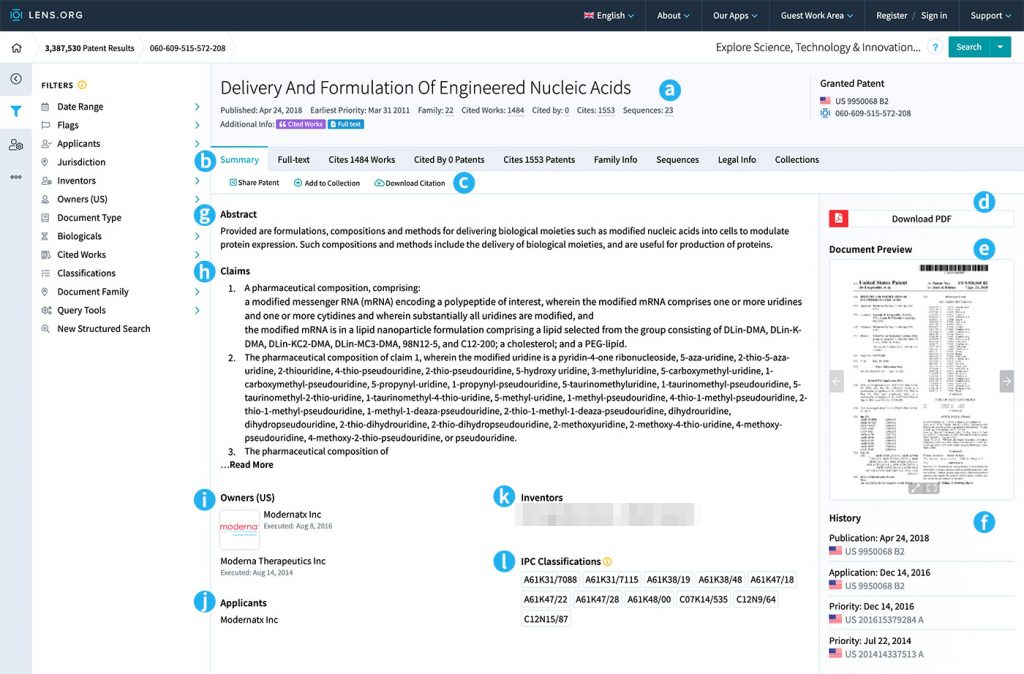
The Lens is a search tool from an Australian non-profit that covers patents from many countries and research papers. The authors on a paper can include engineers a patent leaves out.
Open a patent record to see its owners and inventors on one page. Hover over an inventor’s name to narrow your search to their filings, or to start a new search for every filing that lists them.
A name match doesn’t prove you have one person, so check the technology and the dates before you treat two filings as the same engineer. A record’s owners can include former owners, so read the dates there too.
Key features:
- Research papers: Search scholarly work as well as patents.
- Filters by code: Use “Classifications” to narrow your results.
Best for: Recruiters who want to check both patents and research papers for the same technology.
Pricing: Free for personal, non-commercial use. For work, a license for one person costs $1,000 a year, and plans for commercial institutions start at $5,000 a year.
4. Patent Public Search: Best for a first look at one company’s U.S. filings.
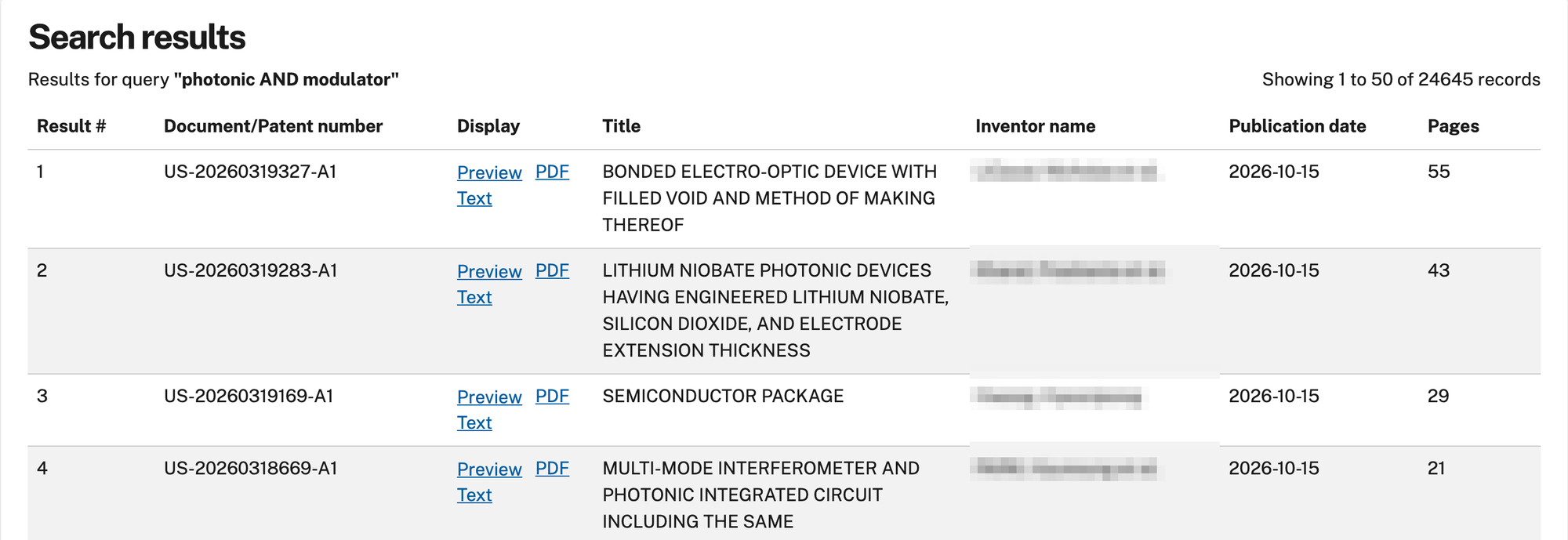
Patent Public Search is the USPTO’s free search of issued U.S. patents and published applications.
In Basic Search, search by assignee name to see the filings listed under one company, or by inventor name to see one person’s U.S. filings. Results come back newest first, each with its inventor names and publication date.
Use Advanced Search to search on a classification code or download your results. Write the code with no spaces and add “.cpc.” after it, as in G02F1/025.cpc. Advanced Search doesn’t support Safari or mobile devices, so use another browser on a computer.
It has no access to foreign patent databases, so it misses work filed only in other countries.
Key features:
- Basic Search: Pick a field, such as assignee or inventor, from a drop-down menu.
- Results download: Get a spreadsheet of your results from Advanced Search.
Best for: Recruiters who only need U.S. filings and want them in a spreadsheet.
Pricing: Free. You’ll need a USPTO.gov account to sign in from November 7, 2026.
5. Assignment Search: Best for following a patent after a company is bought.
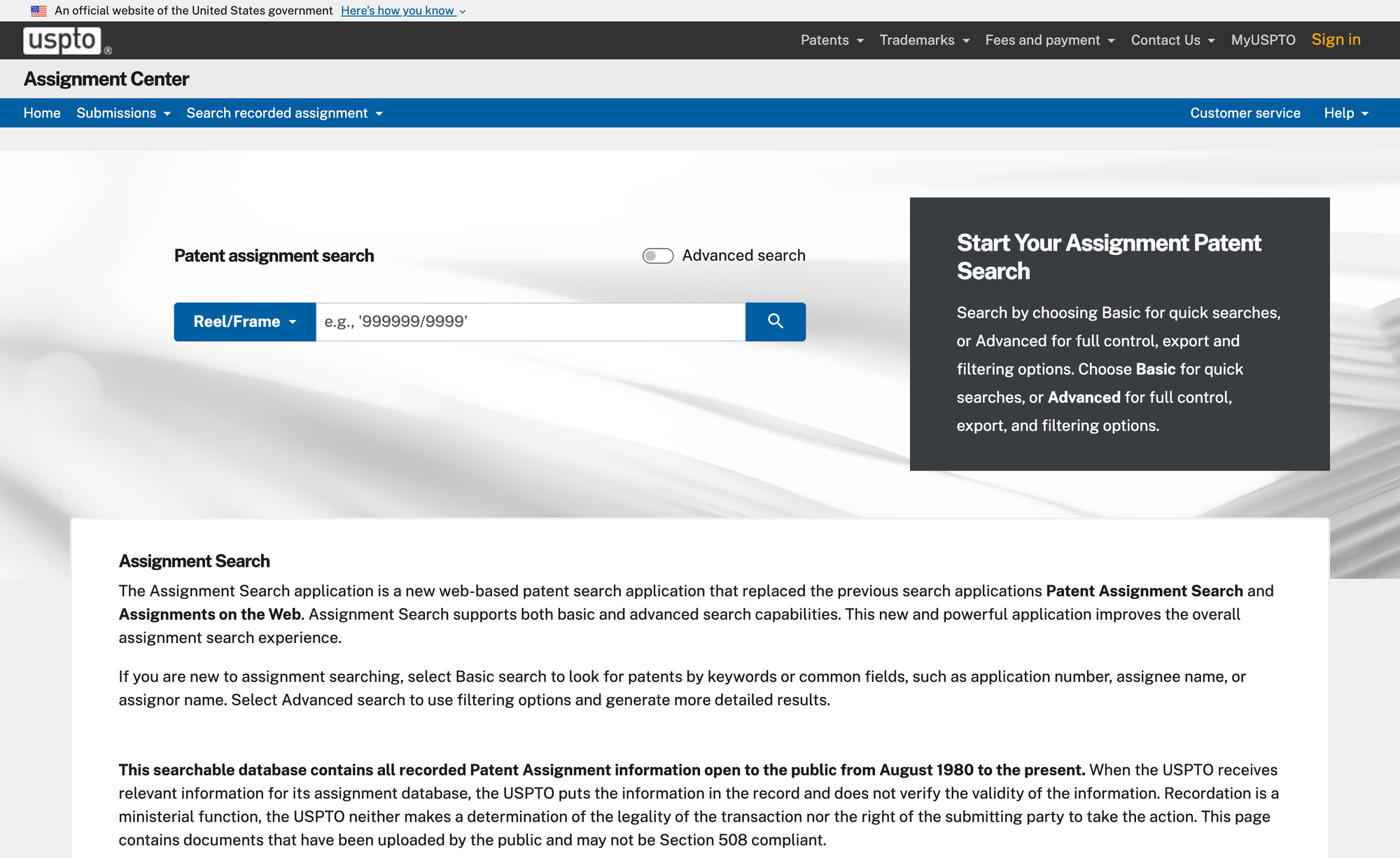
Assignment Search is the USPTO’s free record of U.S. patents changing hands.
Use it when the company on a filing has been bought or closed. Search the company as assignor, meaning the party that gave up the rights, to see where its patents went. Check each record’s type, because some are loans against a patent rather than sales. Then search the company that received the patents, because the team may have moved with them.
It shows only the transfers someone recorded, and the USPTO doesn’t check them. A transfer also tracks the patent rather than the people, so confirm where each engineer went on a professional network such as LinkedIn.
Key features:
- Search by name or number: Look up a patent by application number, assignee name, or assignor name.
- Advanced search: Use more filters and export your results.
Best for: Tracing a team’s work after an acquisition.
Pricing: Free.
Where Metaview fits after a patent search.
After a patent search, you have inventors to check and a list of companies working on the technology. You don’t have the people the filings leave out, such as the engineers who built and tested the work.
Give Metaview AI Sourcing one prompt in plain language that names the technology and those companies. It searches the web and your connected applicant tracking system, then returns candidates with the reasoning for each.
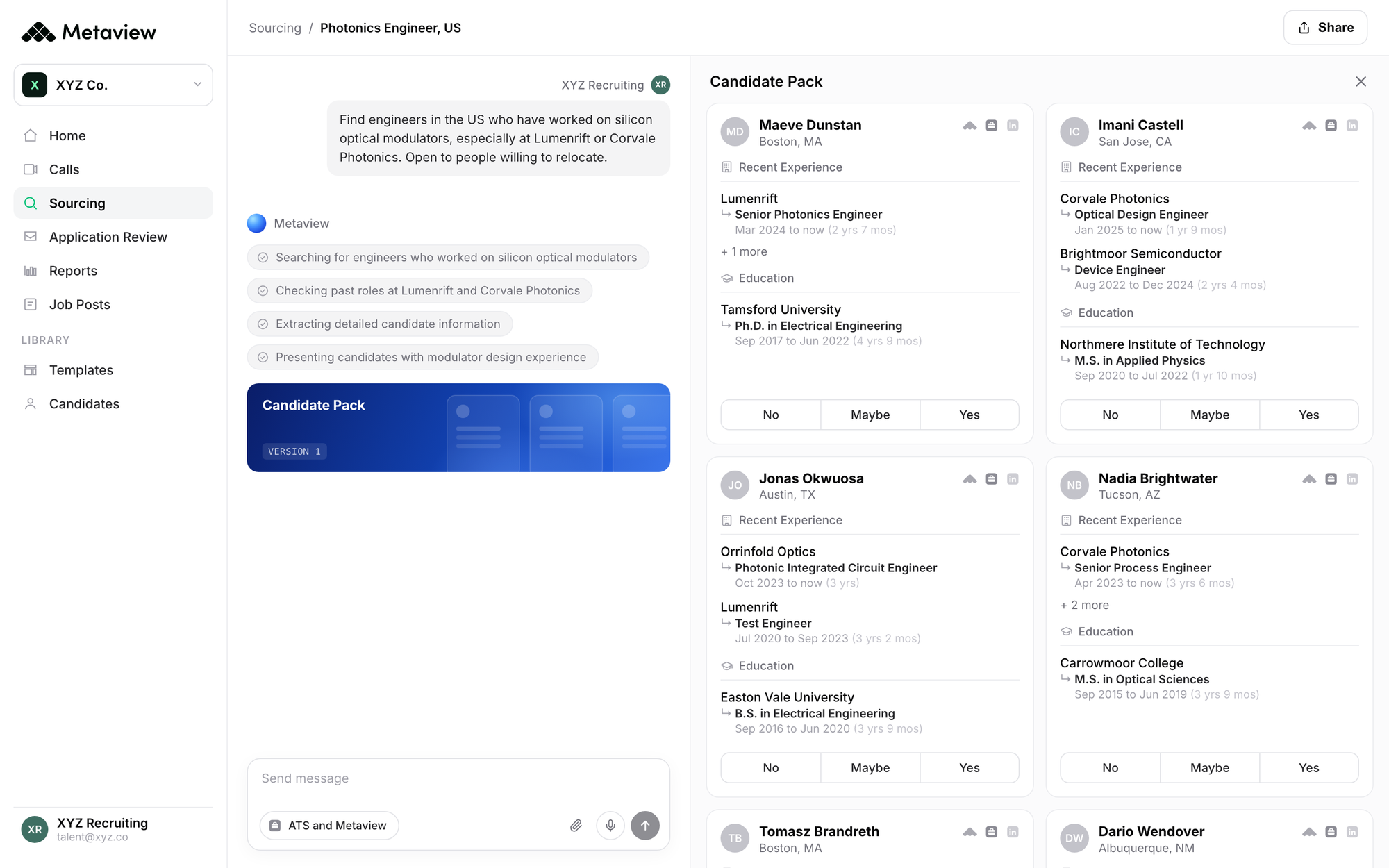
Read that reasoning against the technology you agreed on, so you aren’t taking a list of names on trust.
If results aren’t reliable, AI doesn’t reduce work. It just moves it, and recruiters end up validating, correcting, and second-guessing the output.”

Once an engineer agrees to a first call, and everyone on it agrees to recording, the Metaview Notetaker captures every spoken word. The hiring manager can then read what the engineer said, instead of your summary of it.
Which patent search tool should you choose?
Here’s the tool I’d pick for each search:
- Choose Espacenet if you have a technology and need a code you and the hiring manager agree on.
- Choose Google Patents if the engineers you want may have filed in another language.
- Choose The Lens if you want to check research papers as well as patents, and you have a license for work use.
- Choose Patent Public Search if you only need U.S. filings and want them in a spreadsheet.
- Choose Assignment Search if the company on a filing was later bought.
If I could open only one tool for a new hardware role, I’d start with Espacenet’s classification search. Once you and the hiring manager have agreed on the technology, your searches are easier to run, and the engineers you find are easier to judge.
See what comes after the patent search.
Book a demo to see Metaview AI Sourcing work from one plain-language prompt.
Frequently asked.
How do I find where an inventor works now?
Run a separate search, because a filing won’t tell you and its company may be years out of date. Look up the inventor’s name on a professional network such as LinkedIn, with the technology and the company on the filing. Then check the dates, because two people can share a name.
Can a patent search find everyone who worked on a technology?
No. Engineers who only built or tested the work can be missing. Some applications stay hidden until a patent is granted, such as those filed with a request not to publish. Provisional applications are never published, and some companies keep their work out of patents altogether.
What if the hiring manager can’t name the technology?
Ask for a product or a company whose work they admire. Find that company’s recent filings in Google Patents or Patent Public Search, and read the classification codes listed on them.
Do I need a paid platform to search patents for recruiting?
No. Four of the five tools on this list are free, and they cover every step in this article.
