
The interviews your team ran last quarter are a database. Most teams treat them like an archive. Notes get filed, interview transcripts get backed up, and patterns across hundreds of conversations stay invisible until someone goes hunting for them in a folder no one opens.
Reading them one by one was always the work. Querying them as a corpus is the lift.
This post walks the four query patterns a recruiting leader can run on captured interviews today. Each one is a move on the same captured signal: talk-time audits, market intel, historical-pipeline sourcing, and theme extraction at scale.
Each move pairs with a 3-to-5 minute video where Siadhal walks the exact filter on the actual surface. The masterclass is the playbook.
Why interviews work as a database.
The first move isn't a new note-taking habit. It's recognizing that the captured calls already on disk are a corpus, not a backup.
Every panel debrief draws on the same kind of memory. Someone remembers a candidate's answer better than the others, the room agrees, and the agreement becomes a hiring decision.
Multiply that by 80 conversations a quarter and you have a research-grade dataset sitting in storage that no one queries.
The masterclass is the un-hide. The corpus has been queryable the entire time, ever since the team turned on capture in Notetaker.
The 4 query patterns.
Below are the four moves. Each one runs on the same captured interviews. Each one pairs with a 3-to-5 minute video where Siadhal walks the exact filter on the actual surface.
1. Audit talk-time to surface rogue interviewers.
The classic failure mode looks like this. A hiring manager spends seven minutes on company history, the candidate gets two questions in twenty-five minutes, and the scorecard scores the candidate on signal that was never collected.
Multiply that across a panel and the gap between a great candidate and a missed one shrinks to talk-time alone.
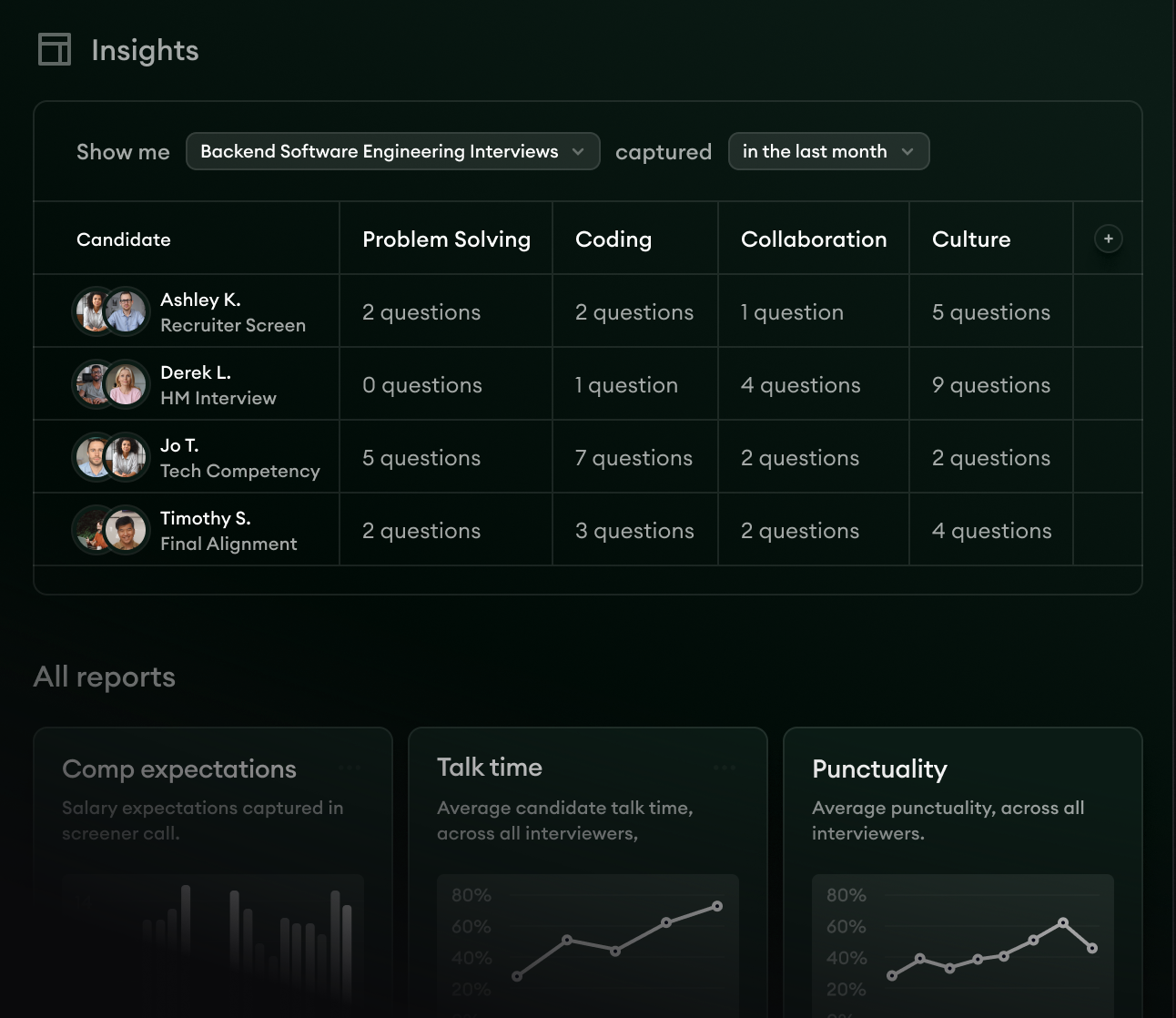
The view Siadhal demos in Reports lets you pick a specific filter. For example, <45% talk time in US sales interviews. The view surfaces every conversation that matches.
Above that, you can trend the metric across quarters and subscribe to alerts so the next rogue interviewer surfaces before the next debrief, not after it.
2. Pull competitive market intel from candidate conversations.
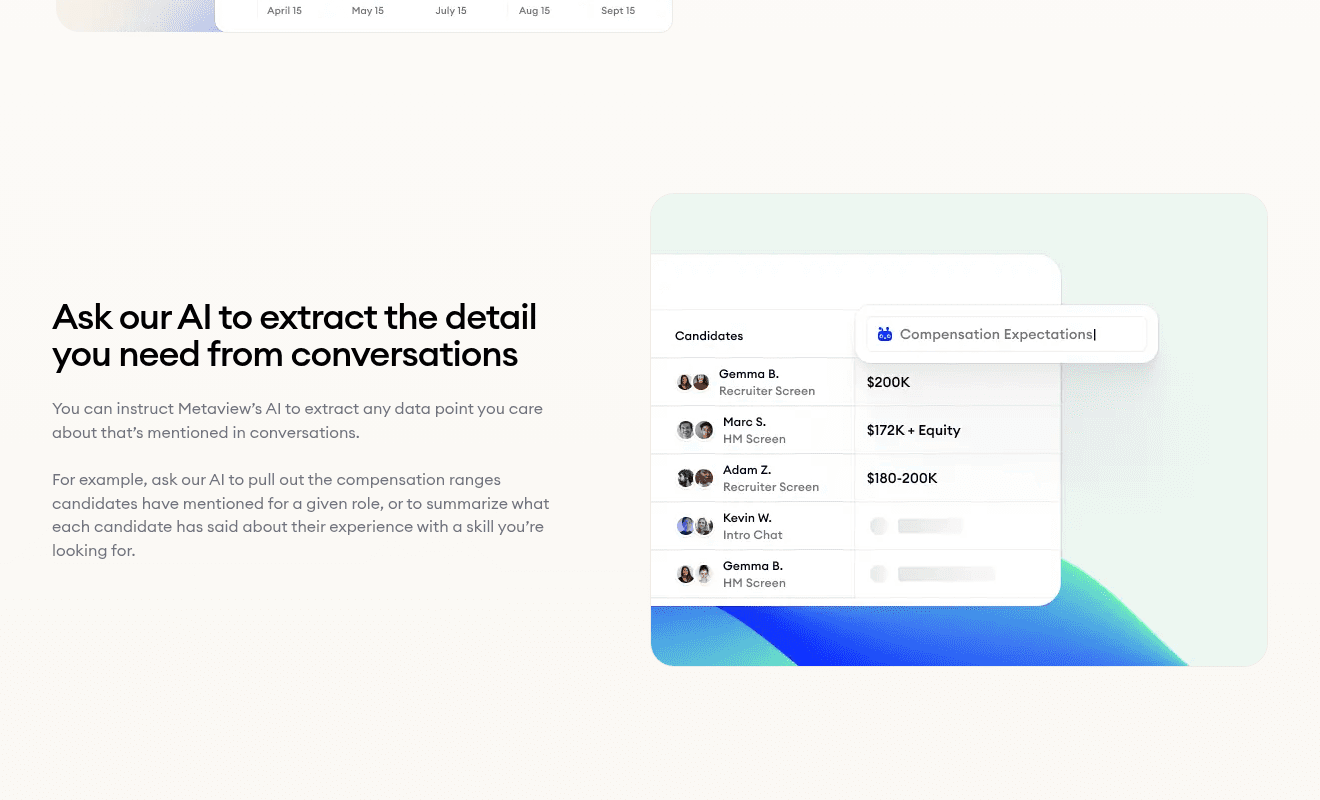
Compensation data leaks into your interviews every week. So does intel about which competitors are interviewing your candidate, what stage they're at, and what offer ranges look like in your market this quarter.
Most teams collect that signal informally and let it die in someone's note-taking app.
The query Siadhal demos pulls two answers from the same corpus. First, who's interviewing where, by surfacing every conversation where the candidate mentioned an active process at another company.
Second, what compensation looks like in your market this quarter, based on what candidates have said in your calls. No external comp tool required. The data is already on tape.
3. Source from your historical pipeline.
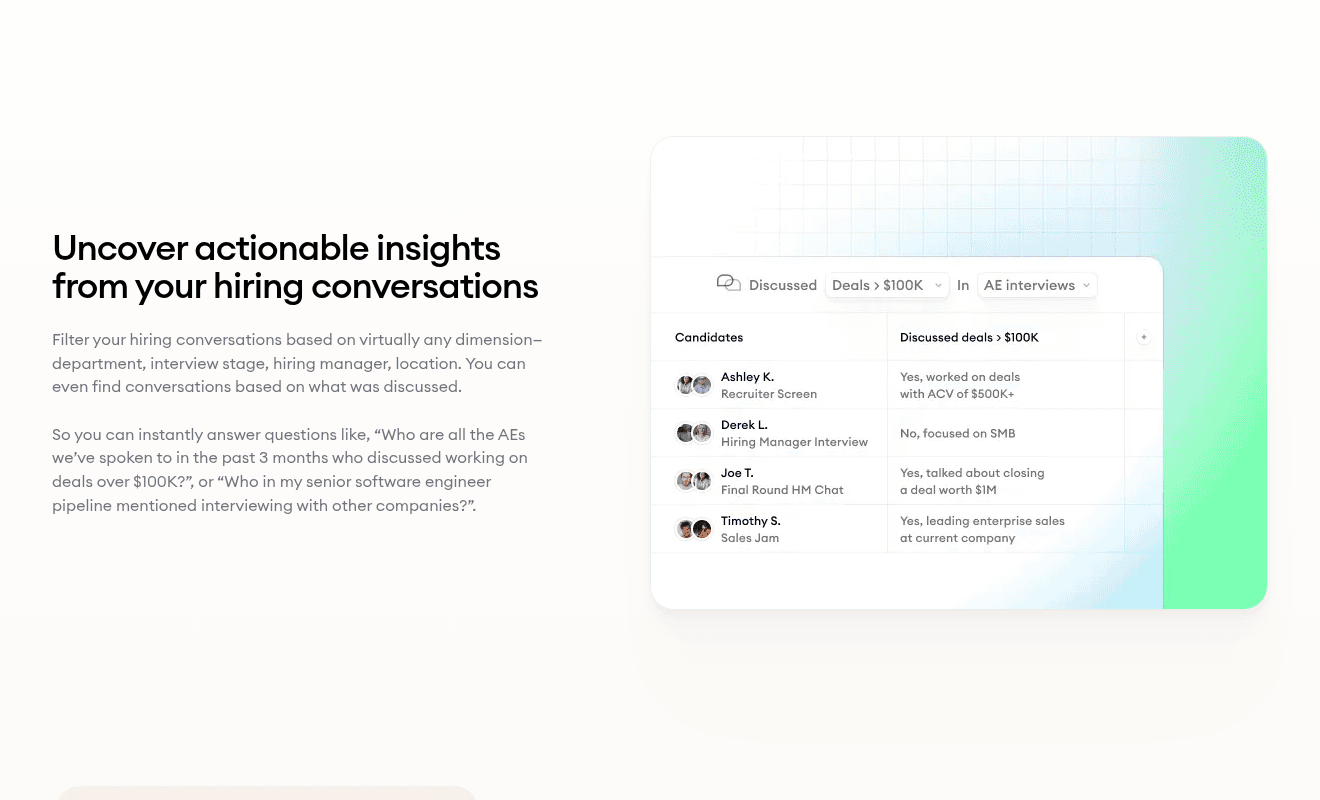
The other side of the candidate database is the interview signal you've already collected on those candidates. Every past conversation is a tagged document, not just a name in your ATS.
Siadhal pulls candidates by experience the team is hunting for now (in the demo, candidates with large Sales-deal history). The same query also surfaces those candidates' current and previous employers, which becomes the seed list for net-new outbound.
The corpus does two jobs at once. It surfaces the warm pool and inspires the cold list. The cold list then feeds into AI Sourcing for the outbound campaigns that follow.
4. Ask questions across hiring conversations at scale.
Patterns aren't visible at the call level. They show up when you aggregate. The question "What do candidates ask at final stage?" doesn't have an answer in any single transcript. It has an answer across two hundred of them.
Siadhal asks the AI Filters assistant to surface key themes across final-stage interviews and to flag interviewers who could use 1:1 training on specific question types.
One query, one answer. The training program builds from the corpus.
What customers do with the corpus.
Pattern queries against captured interviews aren't theoretical. Customer teams have been running them at scale, and the time savings show.
Over the past year, we've saved over 1,000 hours for our interviewers and recruiting team. Beyond that, Metaview has allowed me as a talent leader to gain insights across meta themes like compensation or common candidate questions. It lets me be really proactive in my approach, versus reactive with problems that might come up.”
The Brex pattern carries across customers. Teams that capture consistently see the same return. Every interview captured today is a row in the corpus the recruiter will mine next quarter.
Metaview's 2026 AI Hiring Alignment Report (surveying 505 recruiting leaders and hiring managers across North America and EMEA) puts a number on the gap between teams using AI in hiring and teams that aren't.
The gap comes down to whether your interviews exist as a queryable corpus or as a file system your team eventually loses.
Capture is the unlock. Query is the lift. Same corpus, four queries. Every move runs on the same captured interviews, and the value grows with every interview added.
Bring Metaview into your hiring stack.
Live notes, structured scorecards, and ATS sync - set up in under 10 minutes.
Frequently asked.
What's the difference between Reports and AI Filters in Metaview?
Reports is the surface where you build saved views and filters that your team uses on repeat, such as talk-time trends, calibration drift, and capture rates. AI Filters is the natural-language query interface for one-off exploratory questions, for example, "show me every Sales interview where the candidate mentioned a competing offer." Reports for repeat motions, AI Filters for the questions you haven't planned yet.
Do I need to set up data hygiene before I can run these queries?
The minimum prerequisites are calendar integration enabled so meetings auto-detect, an ATS connected for candidate-record context, and around 30 days of capture so trending views have something to trend on. The first three queries (talk-time, market intel, theme extraction) work from day one of capture. Trend lines need a few weeks of history before they're meaningful. Setup happens through Integrations.
Can I share these views with my hiring managers?
Yes. Saved views in Reports are shareable by link, and you can subscribe stakeholders to email or Slack alerts when a metric crosses a threshold you define. Hiring managers don't need full Metaview seats to read a shared view. Admin permissions are configurable from Settings > Permissions.
How does the talk-time benchmark change for technical interviews?
For sales screens, the threshold the demo uses is the candidate holding the floor 45% of the time or more. For technical or coding interviews, the target shifts higher because the interviewer is presenting problems and the candidate is reacting. Aim for the candidate at 60% during problem-solving rounds. Recalibrate per interview type, not per interviewer.
What if my team isn't running structured interviews yet?
Start with talk-time and transcript review. Both work on any captured call without requiring scorecards or structured questions. Once the team's capture habit is steady, layer in scorecards and competency tagging so the historical-pipeline and theme-extraction queries get sharper signal to work with.
