
You know what great looks like, and you can find the person who has it. What you can’t find is time.
Time to fill and time to hire stretch out. Meanwhile the first call with your strongest candidate sits in an email thread, waiting on a slot that won’t land.
You’ve probably blamed the calendar. And you’re right.
But AI has gotten a lot better, fast. Booking a call was the easy part to automate. Now AI can take real work off your plate, including the screening call itself.
This guide walks through both: getting calls booked without the back-and-forth, and handing the first screening call to an AI agent.
By the end of it, you’ll know which of your calls still need a time on the calendar, which don’t need one at all, and what to fix before you buy anything. You won’t need an engineer for any of it.
What is AI scheduling, really?
AI scheduling is software that arranges hiring calls for you and, in its newer form, runs the screening call itself so there’s no slot to find.
Most AI scheduling does the first job. It takes over the back-and-forth of finding a time, so your team doesn’t have to trade emails to get a call on the calendar.
The newer form goes a step further. Instead of finding a time for the first screening call, an AI agent runs that call, and the candidate takes it whenever it suits them. We’ll get to that after the booking basics.
Start with booking, because that part is solved. Getting someone to book a call with you is as easy as sending a link. You probably have one already.
Booking tools come in three shapes:
- A booking link: The candidate picks a time from the slots you make available.
- A multi-calendar scheduler: It reads several people’s calendars at once and finds a window they share.
- An email assistant: It reads the thread, works out what everyone said, and turns it into a booking.
Only the email assistant is AI in any real sense. The other two are plain automation. So when a demo calls a booking link AI, you’ll know what you’re looking at.
Test an email assistant on your own reqs before you believe anything about it. If you want to compare booking tools by name, we keep a rundown of scheduling tools on the blog.
Fix booking first, before you buy anything.
You can do all of this with the ATS and calendars you already have. None of it needs new software.
Fix the three things that break bookings.
Fix these before you look at any tool.
- A clear go-ahead point: Scheduling before the hiring manager’s go/no-go sets you up for cancellations. Add an ATS stage called “ready to schedule” and send nothing until the candidate is in it.
- Calendars that match the week: Any tool that reads a calendar inherits what’s in it, including hours that look open until the interviewer declines. Ask interviewers to block what’s really taken, and give hard-to-reach managers a standing weekly interview block.
- One named cancellation owner: Decide who finds the replacement when an interviewer drops out. Try this rule: the interviewer who cancels finds their own replacement. Get leadership behind it so it sticks.
Set the booking up so it holds.
Get these right in the tool you already book with.
- One link per candidate: A shared link gets forwarded and reaches people who were never in your ATS. Send each candidate their own, and check each booking against the ATS record before the call.
- A complete invitation: An automated scheduling email can read as spam or a scam. Send it from a name the candidate will recognize, and say who you are, what the role is, who they’re meeting, and what the call is for. The invitation is a piece of candidate experience you control completely, so write it like a person sent it.
- A short gap: Offer the soonest slots you have, so the booking and the call sit close together.
- A plan for panels: When a panel interview won’t land, split it into one-on-ones, or record the session for the stakeholder who can’t attend.
Where does Metaview fit? We work alongside the calendar and scheduling tools on our integrations page, and we don’t book or schedule interviews ourselves. The booking stays with the tools you already have.
Any booking tool will get you a time on the calendar. A hiring manager needs more than that.
Even the smartest booking tool still leaves you taking the call to find out whether the person was worth your time.
AI can take that first call off your plate now.
AI scheduling 2.0: only take the calls worth your time.
AI scheduling 2.0 is screening. An AI agent runs the first conversation for you, and the calls you book afterward are with people the evidence already points to.
This is the version we get excited about.
Metaview Screening runs the screening call. The agent asks your questions and probes when an answer is thin. It covers the ground you’d cover on a phone screen anyway: communication ability, motivation, reliability, situational judgment, problem-solving, and knockout criteria.
There’s no slot to agree on, so the back-and-forth never starts. Candidates open the link and take the call whenever it suits them. It works on desktop or mobile, with no login or account.
What comes back to you is an assessed fit for each candidate and the reason behind it.
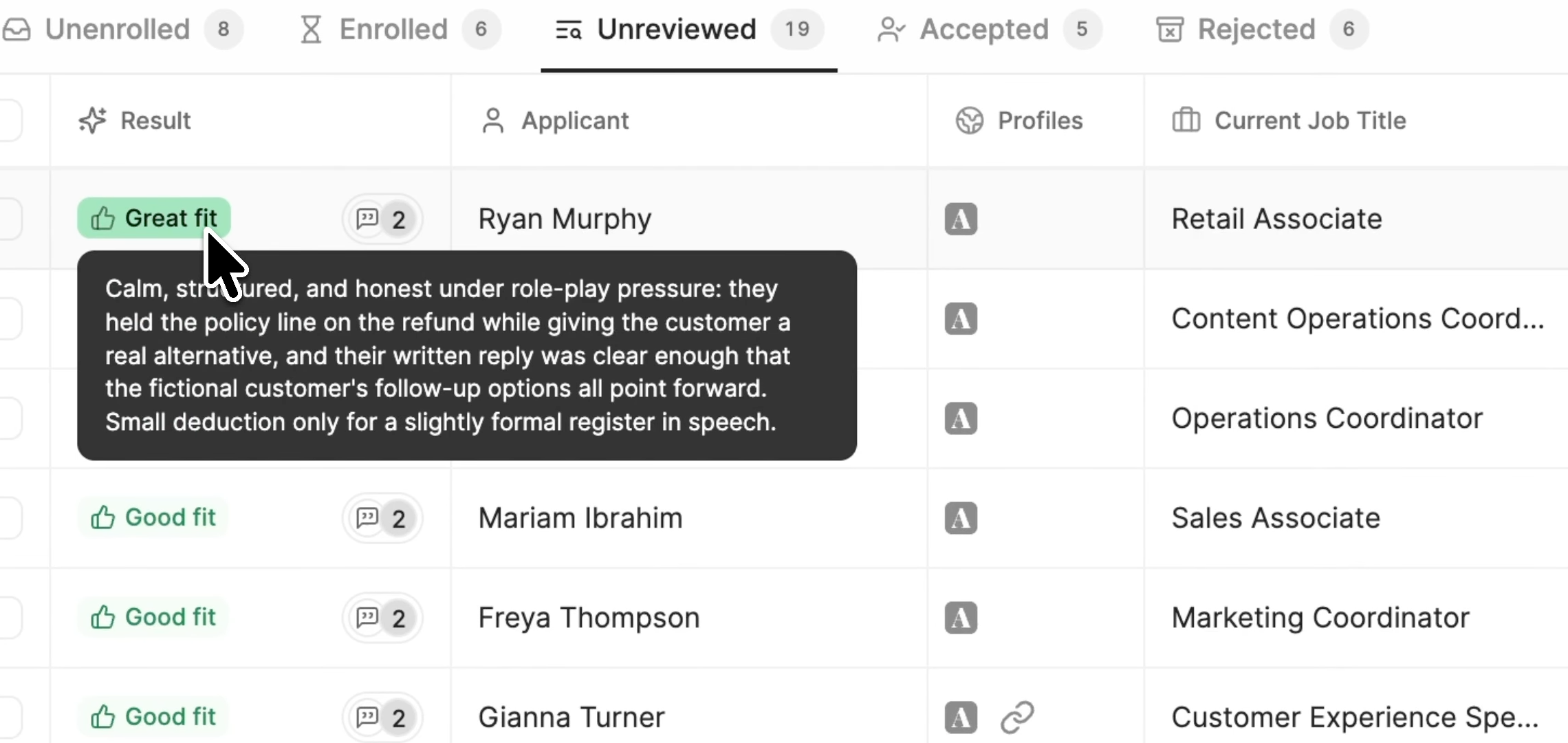
The agent scores each response against the question’s rubric. Then you review the assessed fit and decide who moves forward. So when you do book time with someone, you’ve already seen the evidence behind their rating.
Metaview Screening is built for roles with high inbound application volume and standardized job descriptions. It isn’t for executive search or highly bespoke assessment loops. For those, keep the first call human and fix the booking.
Can you trust AI with the first conversation?
We know what you’re probably thinking. Reading a candidate on a first call is a big part of what makes you good at this, and handing it to an agent feels like a lot.
Does this work? Will it replace me? And what on earth is it going to say to my candidates?
Take a breath. You write the questions, and you still decide who moves forward.
Does it work?
Screening is new, so the deepest data we have comes from our application review, which rates applications on the same great, good, okay, and poor scale. Of the applications a recruiter decided on, this is how often each rating advanced.
The higher the rating, the more often recruiters chose to advance: 5.6% of poor fits, 7.8% of okay fits, 12.1% of good fits, and 17.2% of great fits.
The ratings line up with the calls recruiters go on to make. A great-fit application was about three times as likely to move forward as a poor fit.
That’s what makes the rating useful day to day. Start your review with the applications rated a great fit, and your first hour goes to the candidates you’re most likely to move forward.
Workleap uses Metaview for Application Review and Interview Notes. “It’s reduced my screening time by up to 50%,” says Johnny Drexhage, a senior recruiter there.
Will it replace me?
No. For every completed call, a recruiter decides who moves forward, and Metaview does not make that decision.
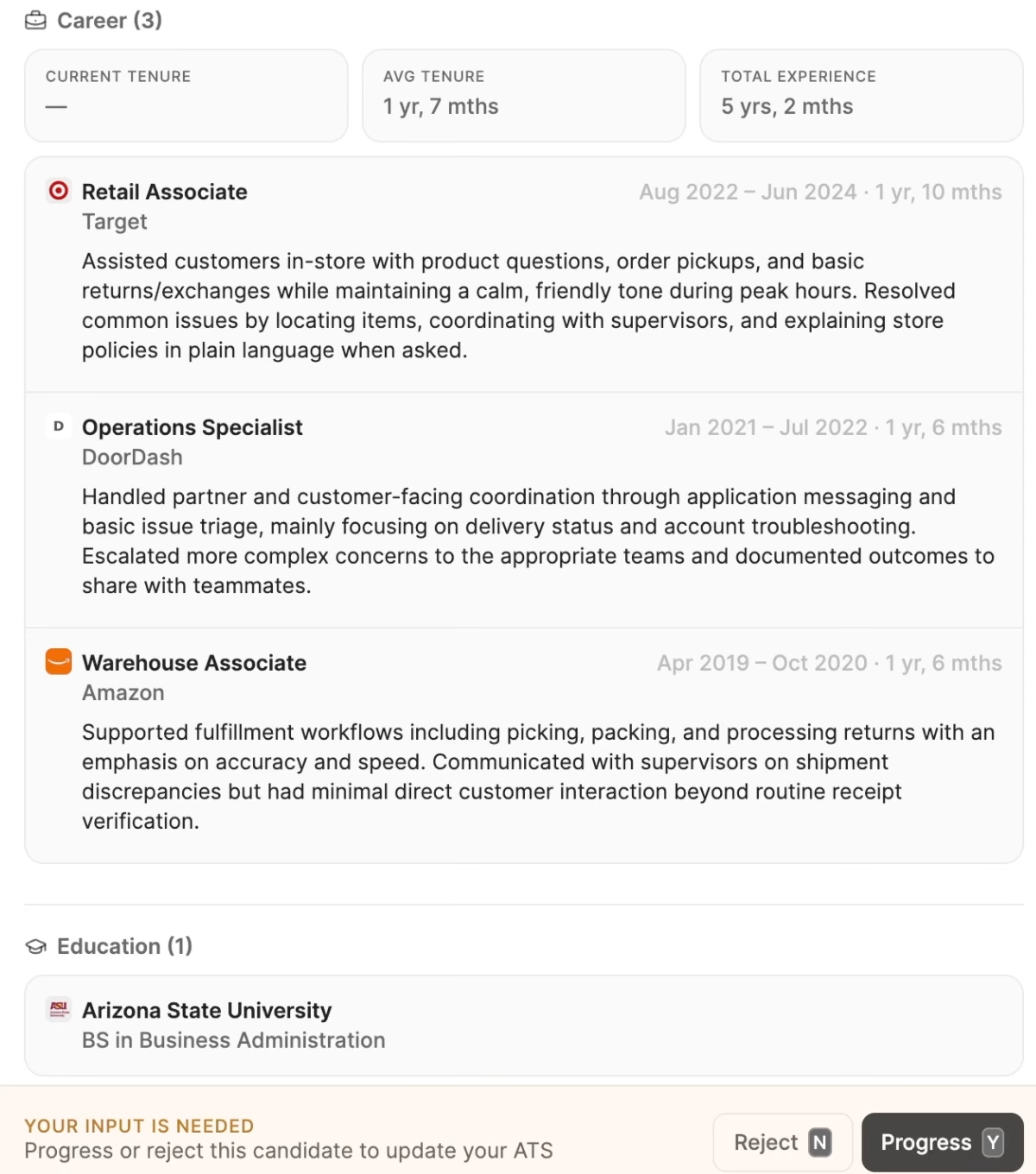
Screening moves your time off the phone and onto what comes back. You still read it, and you still decide who gets a call.
If you want the longer version, read our piece on AI and human recruiters.
What is it going to say to my candidates?
Whatever you tell it to. Every question comes with your instructions for how the agent should probe, and a rubric that spells out what earns each grade.
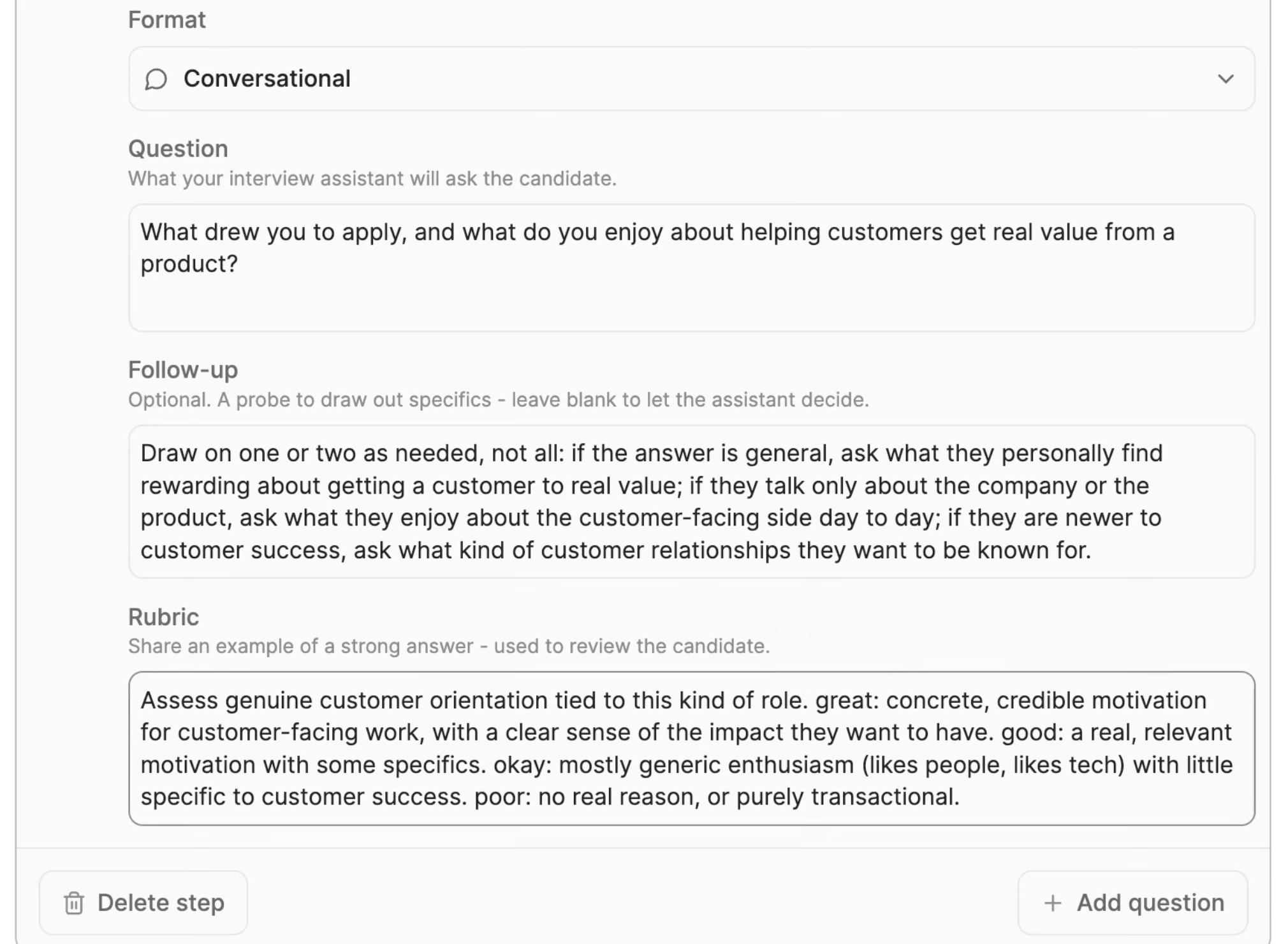
It’s a two-way conversation, too. Candidates can ask their own questions and get answers.
If you wouldn’t ask a question on a phone screen, rewrite it.
What will candidates think of it?
That comes down to the experience you give them, and it starts with this screen.
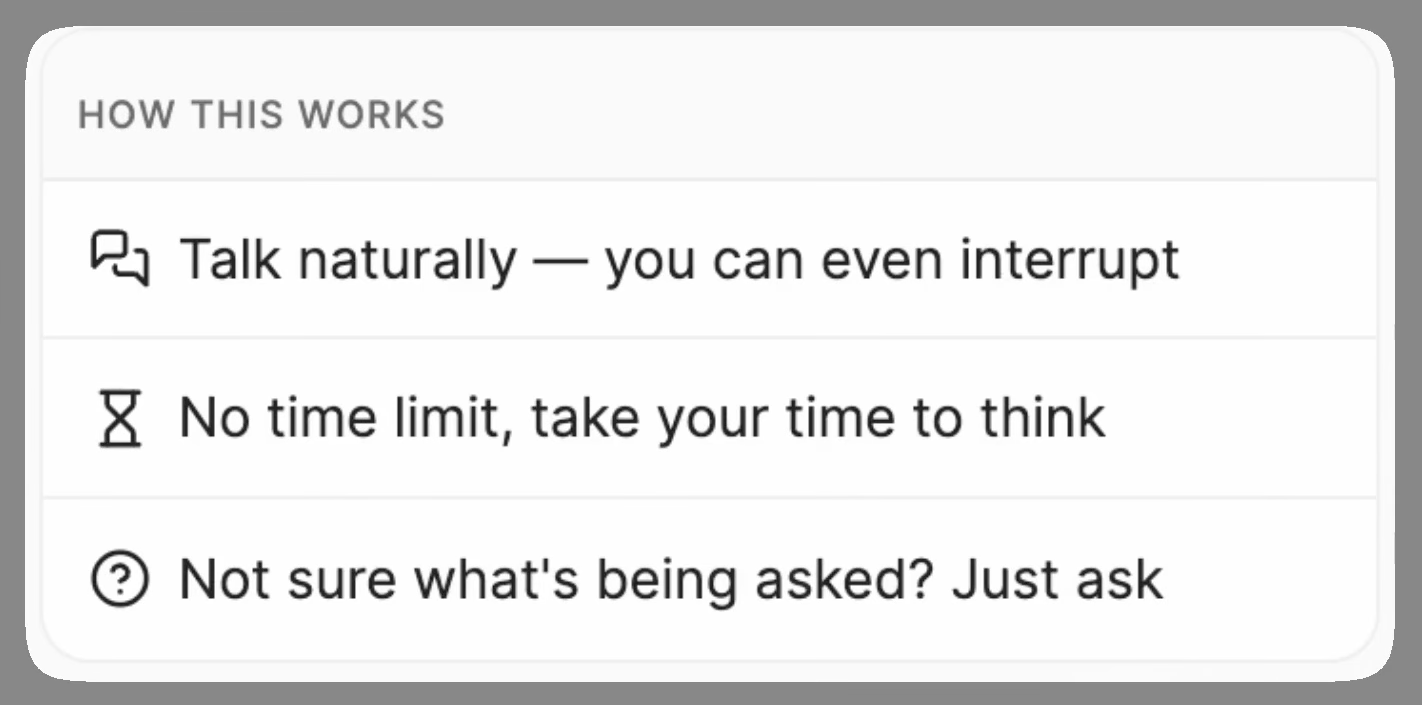
One candidate described their Metaview screening call like this in our Screening launch post: “It went great. I love the idea of this and feeling the pressure removed from an interview.”
There’s no point designing an incredibly efficient hiring system that candidates hate using.”
See it for yourself in the launch film.
How to set up AI scheduling, step by step.
With the booking side working, here’s the order we’d go in.
Step 1: decide which calls need a booking and which need a screen.
Open a req and go down its stages. For each call, ask one question: do both people have to be there at the same time?
If they do, the call needs a booked slot that holds, which is what the fixes above are for. If they don’t, and the role is high-volume with a standardized job description, that first screening call can go to the agent.
| Call | Both people there at once? | What it needs |
|---|---|---|
| Hiring manager’s first call | Yes | A booked slot |
| Panel, loop, or pairing session | Yes | A booked slot |
| Screening call on a high-volume role with a standardized job description | No | An AI screening call |
| Screening call for a highly bespoke assessment loop | Yes | A booked slot |
| Executive conversation | Yes | A conversation, sometimes through their assistant |
Make the decision once, when the req opens. Note it next to each stage, wherever your hiring team already works.
Step 2: switch on screening for your high-volume roles.
Take the calls you marked for an AI screening call in Step 1. Before the first invitation goes out, settle two decisions as a team.
First, the opt-out. You can offer an opt-out link in the invitation, so decide whether yours will carry one.
Second, the deadline. Teams decide in advance what happens to candidates who don’t take the call by the deadline, so agree on your rule before anyone misses it.
For the setup itself, start with our guide to where AI screening fits in your hiring process.
Step 3: make every call leave a record.
Decide what each call leaves behind for the next person in the loop.
For the calls that still need a slot, the Metaview Notetaker joins the video call as a visible participant, records it, and turns the conversation into structured notes.
Metaview drafts a scorecard from the conversation, and the interviewer reviews and submits it. In 120,000 interviews captured on Metaview, the scorecards Metaview drafted were submitted 50.3% of the time, against 28.6% for ones written by hand.
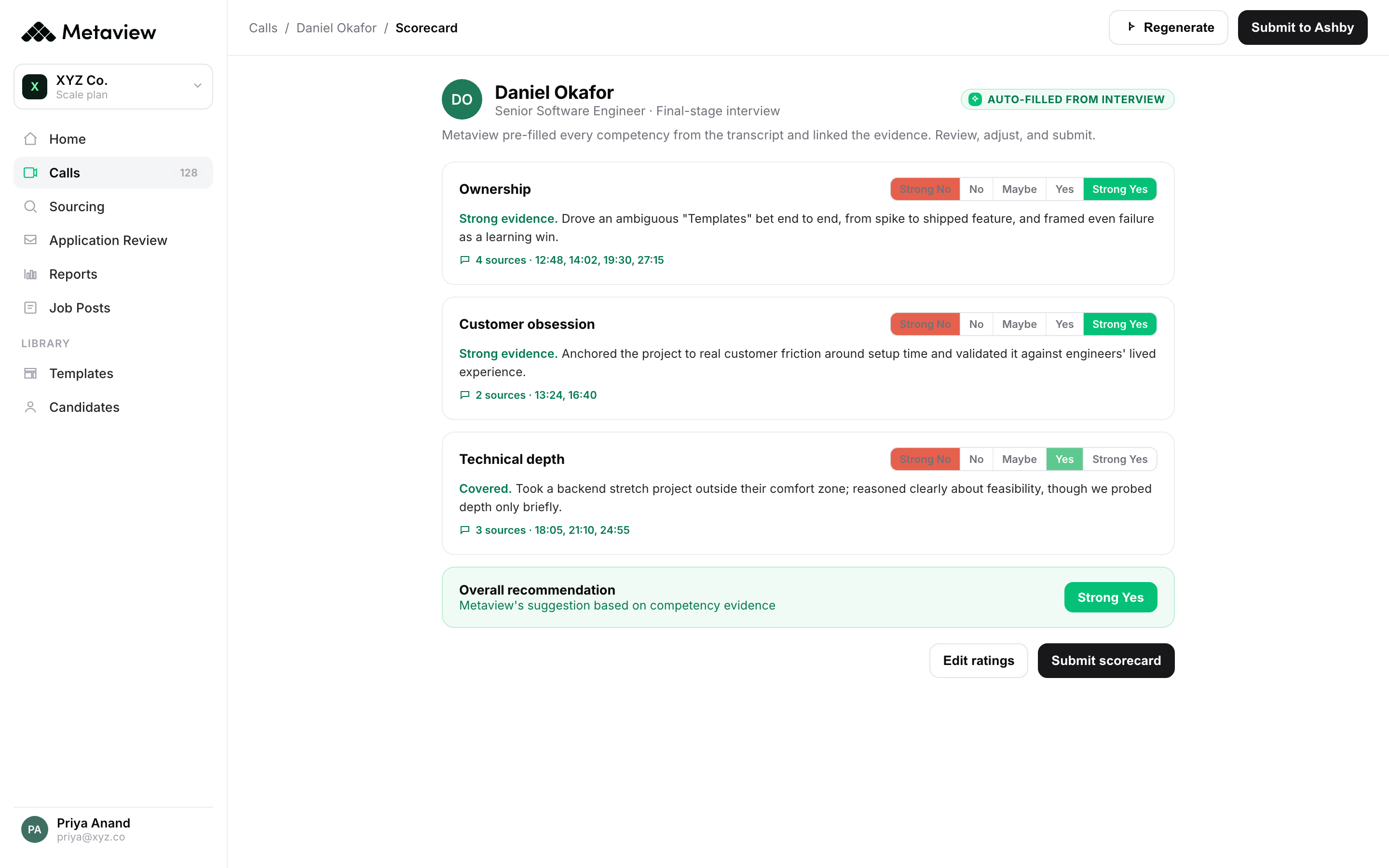
- 1The badge marks content pre-filled from the interview transcript.
- 2Each competency links its evidence to moments in the interview.
- 3The interviewer edits the ratings and submits the scorecard.
Pick the note format before the first call, and agree with the hiring manager what they need to see in it. If you don’t have a format yet, our interview notes template is a good place to start.
Telling candidates about recording is your team’s job. Metaview’s integrations FAQ says candidates are told about Metaview through touchpoints the hiring team controls and configures, and can opt out of recording at any time.
Agree on the wording and who says it before the next invitation goes out. If the team is still debating whether to record at all, read our case for recording interviews.
How to tell it’s working.
You’ll want to know whether any of this helped before the next req opens. You can check each of these in the tools you already use:
- Time from go-ahead to booked slot: If the go-ahead point was the problem, this is where you’ll see the change.
- Booked slots that move: A slot that keeps moving points back to calendars that don’t match the week.
- Starts and finishes on screens: Check how many of the candidates you invite to an AI screening call start it, and how many finish.
- What the hiring manager notices: Ask whether the candidates reaching their calendar are the ones they want to meet.
Write down where each one sits today, so you have something to compare against. Then change one thing at a time, so you can tell which fix moved which number.
What to do when it isn’t working.
Work from the cheapest fix down, and leave the tool for last.
For booked calls, check these in order:
- The go-ahead point: Is interview scheduling still starting before the go/no-go on some reqs, or with some managers?
- The calendars: Pull up a few interviewers’ weeks and check whether the open hours are real.
- The cancellation owner: Is the rule holding, or has the job slid back to the coordinator?
- The invitation: Read it as a candidate would. Is it clear who sent it and what the call is for?
- The gap: Check how long candidates wait between the booking and the call.
- The size of the loop: If it’s bigger than the week allows, shrink the loop before you change the tool.
For screens, start with the job description the questions came from. If it’s thin, fix that first.
Then find the questions getting vague answers and rewrite them. Reread what a good recruiter phone screen tests for on that role, and make sure your questions ask for it.
If fewer candidates start or finish than you expected, check the invitation and the deadline before you touch a single question.
If the pool itself is weak, talk to the hiring manager about sourcing.
Find the hiring signals only a conversation can reveal.
Screening is the voice agent that speaks with every candidate and scores each call against your rubric. For every completed call, a recruiter decides who moves forward.
Frequently asked.
What is AI scheduling?
AI scheduling is software that gets hiring calls onto the calendar for you, from booking links and shared-calendar tools to assistants that read email threads. Its newer form is the AI screening call, where an agent runs the first conversation and the candidate takes it on their own time, so there’s nothing to arrange.
Can AI replace recruiters for screening calls?
No. An AI agent can run the screening conversation, but with Metaview Screening a recruiter reviews the assessed fit and decides who moves forward. The recruiter’s time shifts from taking each call to judging what came back.
Do I need technical skills to set up AI scheduling?
No. The groundwork is process: a go-ahead stage in your ATS, calendars that show the real week, and one person who owns cancellations. None of it needs an engineer.
What do candidates think of AI screening calls?
It comes down to the experience you give them. One candidate who took a Metaview screening call said it removed the pressure of an interview. Explain how the call works up front, and leave room for their own questions.
Does AI scheduling work for panel interviews?
Yes, for booking. The hard part of a panel is finding a window several people share, and booking tools help with that. The AI screening call is built for the first conversation on high-volume roles, so it doesn’t apply to panels.
