
Most recruiting teams already have a transcription layer sitting inside their video tool. They're just not using it for hiring.
The recruiter wraps a Zoom call. The transcript sits in the cloud. Three days later the scorecard gets written from memory anyway, because raw text doesn't land where the hiring work happens.
Hiring lives in the scorecard, the ATS, and the cross-candidate read the panel runs at end of loop. A chronological .vtt file lands in none of those. This guide is about the choice teams keep dodging: where to capture, and what to layer on top of Zoom.
What Zoom transcription does.
Zoom ships two transcription modes, and most TA teams use neither well. The first runs during the call. The second runs after it. They cover different needs, and the difference matters for any recruiter deciding what their hiring capture stack should look like.
The table below lays out the side-by-side, scoped to the hiring use-case rather than to the generic meeting use-case Zoom's docs cover.
| Dimension | Zoom live transcription | Zoom cloud transcript |
|---|---|---|
| Purpose | Real-time accessibility and in-call comprehension | Post-meeting review and reference |
| When it fires | During the meeting, once enabled in Settings | After the call ends, only if cloud recording was on |
| Output format | On-screen captions, not saved by default | Downloadable .vtt file in the cloud recordings tab |
| Hiring use | Reduces in-call typing pressure on the recruiter | Reference for scorecards, sharing with hiring managers |
| Where it stops | Not retained, no structure, no per-speaker labels | Chronological text only, no rubric or scorecard mapping |
Both modes are useful as a floor. Neither is the ceiling for a hiring team, and that is where most Zoom-using TA teams under-spec what they need from the capture layer. The next section walks the specific places Zoom's own transcription falls short.
Where Zoom transcription stops being enough for hiring.
Zoom transcription is useful, but limited. Once you move beyond casual meetings and into structured processes like hiring interview transcripts, those limits become more obvious quickly.
Three gaps show up consistently. Each one is the reason the recruiter ends up rewriting the scorecard from memory anyway.
The implication is direct. For a generic business meeting, none of this matters much. For a hiring decision, where a single example or phrasing can swing a panel, the format is the bottleneck. The fix is not better transcription. It is a different shape of output.
The three tiers of capture for Zoom interviews.
Zoom-using TA teams typically end up with one of three capture stacks, and the choice plays out in how much downstream rework the recruiter does after every call.
Tier one is Zoom-native: live captions plus cloud transcripts, free with your plan, useful as a floor. Tier two is a generic AI notetaker bolted on top of Zoom: better summaries than the raw transcript, but still general-meeting-shaped rather than hiring-shaped.
Tier three is an interview-specific platform that joins the call, structures the capture against your rubric, and routes the output into the ATS. The meaningful jump is between tier one and tier three, because that is where the real shift in workflow happens.
- Chronological wall of text, no per-competency structure
- No scorecard mapping; recruiter pastes into the rubric by hand
- No ATS sync; the .vtt file lives on a desktop somewhere
- No cross-candidate view; comparisons happen in a spreadsheet
- Consent and retention left to manual setup per workspace
- Structured notes mapped to your interview rubric
- Scorecards auto-write from the captured signal
- Native sync into Greenhouse, Ashby, Lever, Workday
- Cross-interview view across every candidate in the loop
- In-call consent prompt and workspace-level retention controls
The middle tier closes some of these gaps, but rarely the ATS-sync or scorecard-mapping ones. For a Zoom-using TA team, the lift is from raw transcripts to a hiring-built capture layer that owns the routing problem end to end.
What changes when the capture layer is built for hiring.
This is what the same Zoom call looks like once the layer-on-top is in place. The recruiter still runs the interview. The candidate still gets the same conversation. The difference shows up in what lands against the scorecard.
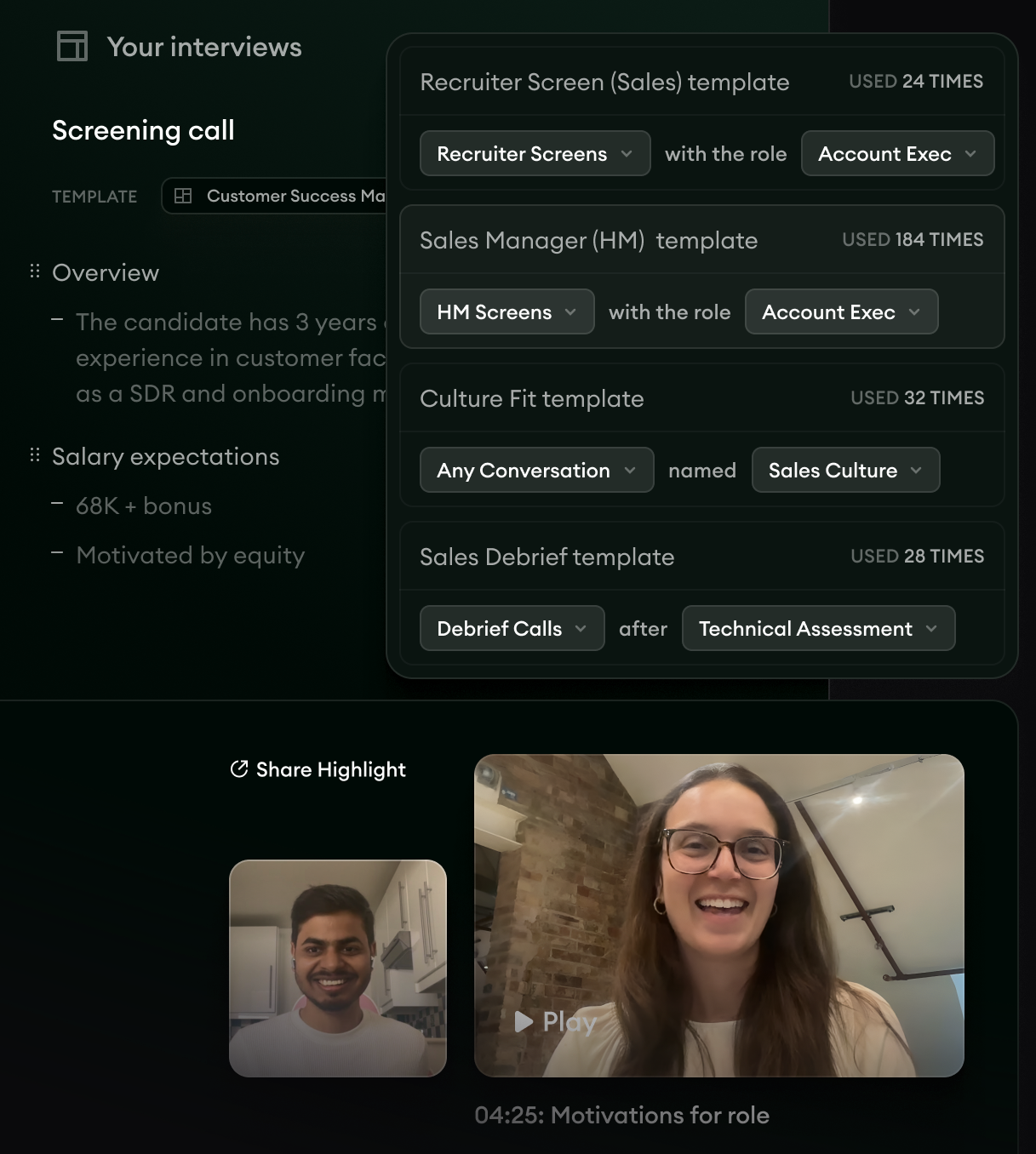
- 1The Notetaker joins the Zoom call from the calendar invite, captures audio independently, and structures notes against your interview rubric in real time.
- 2Highlights surface in the right rail so the recruiter can pull the moments that mattered without re-listening to the recording.
- 3Auto-generated summaries route into the shared interview record without manual write-up time after the call.
The downstream effect runs into Application Review. When the same candidate's application sits in the inbound stack, the capture from their Zoom interview informs the next-stage triage.
The reasoning trail attached to the score makes the panel's first-look decision faster, and the candidate's own language from the interview travels with them through the loop.
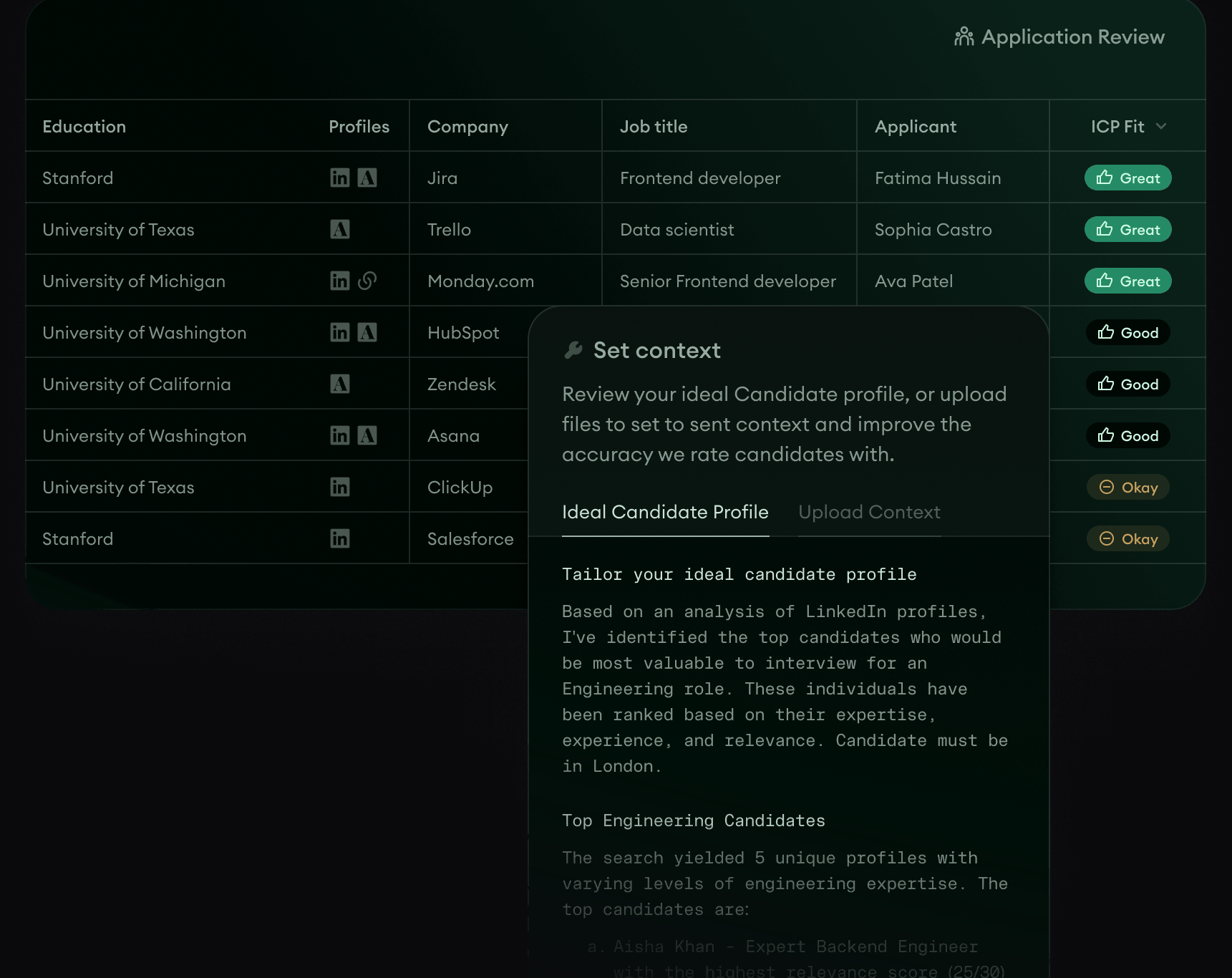
- 1Application Review sorts inbound candidates against the ICP context you set, with the Zoom-call capture feeding back into the next-stage triage.
- 2Reasoning trail attached to every fit score so the recruiter or hiring manager can audit why a candidate ranked where they did.
- 3Fraud and AI-generated patterns flagged automatically so the warm list stays clean.
The hours-back math is the tell. Teams running Metaview on top of their Zoom interviews put a number on it.
The most clear impact is the time saved. Recruiters save 20 minutes per interview from wrangling notes and submitting scorecards. Per month, that's 53 hours saved in total.”

The third surface is where pattern-level signal lives. Reports aggregates the capture across every Zoom interview in your account.
The recruiter writing next quarter's calibration update sees what your strongest hires said and which themes keep showing up at the top of the funnel.
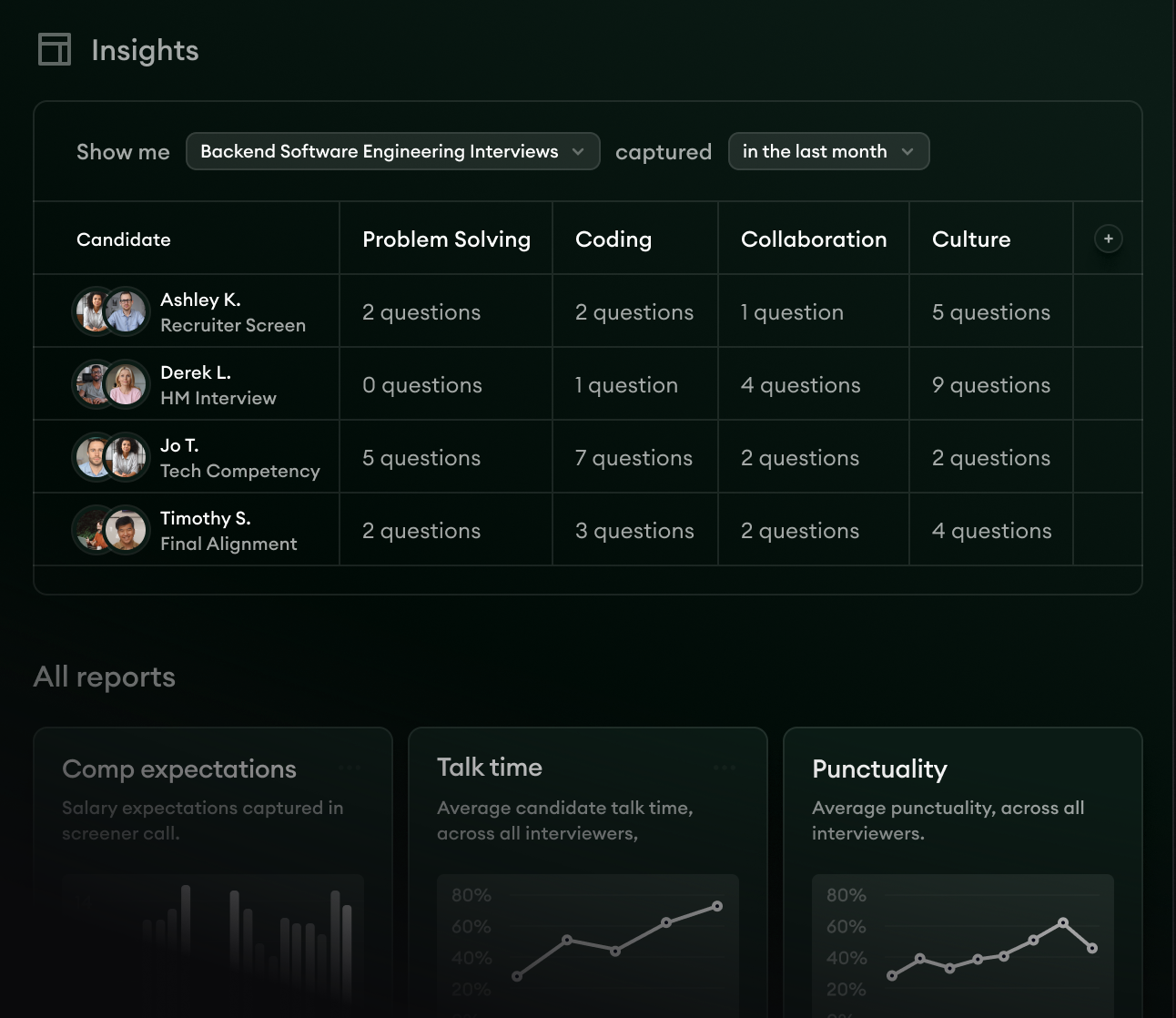
- 1Per-competency capture rates show which themes your strongest hires consistently raise across Zoom interviews.
- 2Filter by role family or time window to pull the cross-candidate signal that maps to the panel's open decisions.
- 3Export themes into the next calibration session without manual cross-interview analysis.
Three surfaces, one capture. The Zoom call goes in. The structured notes, the application-stage triage, and the cross-candidate signal come out. That is the work the .vtt file cannot do.
It is also the work the recruiter ends up doing manually if the capture layer stops at raw transcripts.
Zoom transcription is a useful starting point. For a TA team running back-to-back interviews on Zoom, it is the floor, not the ceiling. The work that turns the call into a hiring decision sits on top of it.
That work either happens manually after every interview or runs natively in the layer that joins the call.
Pick the tier that matches the work you do. If the scorecard, the ATS, and the cross-candidate read are where your hiring lives, the platform built for hiring earns its place above the raw transcript.
The next Zoom interview is the test. The .vtt file does not have to be the artifact you keep.
Bring Metaview into your hiring stack.
Live notes, structured scorecards, and ATS sync - set up in under 10 minutes.
Frequently asked.
Does Metaview replace Zoom's own transcription, or sit on top of it?
Metaview joins the Zoom call directly via the calendar integration and captures audio independently. You do not need Zoom's cloud recording turned on for Metaview to work, and the structured notes that come out the other side are the artifact, not the .vtt file.
What about consent and recording disclosure on Zoom interviews?
Metaview shows an in-call consent prompt so the candidate sees and acknowledges the capture before the interview starts. Retention windows are configurable per workspace, and the consent script integrates with your standard recording disclosure. See interview recording done right for the broader consent framework.
Does Metaview transcribe Microsoft Teams and Google Meet, or only Zoom?
The Notetaker captures Zoom, Microsoft Teams, and Google Meet from the same calendar integration. It also covers phone screens over PSTN, so the same hiring capture layer runs across every interview mode your team uses, not just video.
Which ATSes does Metaview sync the structured notes into?
Ashby, Greenhouse, Lever, Workday, SmartRecruiters, and Bullhorn are the most common. New integrations ship regularly, so the live integrations page is the source of truth. If your ATS is not on there yet, ask your Metaview contact about the roadmap.
What happens if the recruiter has back-to-back Zoom interviews?
Concurrent meetings are handled through the calendar integration, so the Notetaker joins every booked interview without manual setup. Auto-template detection picks up the meeting type per call, and the recruiter sees the structured notes per candidate without context-switching across tools.
