
Recruiting software can get expensive fast. But depending on your hiring volume, you can now cover a surprising amount of the recruiting process without paying anything.
The best free recruiting tools can help you manage applicants, source candidates, assess skills, schedule interviews, and handle everyday recruiting admin. And free AI tools for recruitment add another layer, helping with everything from job descriptions and intake prep to candidate research.
The catch is that “free” can mean very different things. Some recruitment tools are free indefinitely but limit jobs, users, or usage. Others advertise a free trial before requiring a paid subscription.
We've focused our main list on tools with genuinely useful, ongoing free functionality. We'll also look at when free recruiting software is enough—and when paying for automation can actually be the cheaper option.
| Tool | Best for | Free offering |
|---|---|---|
| Zoho Recruit | Free recruiting software | Core ATS and candidate management |
| ChatGPT | General recruiting assistance | Free general-purpose AI assistant |
| Pin | AI candidate sourcing | Free AI sourcing and candidate matching |
| Breezy HR | Collaborative applicant tracking | Free ATS for one active position |
| TestGorilla | Candidate assessment | Free skills tests and screening functionality |
| Calendly | Interview scheduling | Free scheduling plan |
| Grammarly | Recruiting communications\ | Free writing assistance |
| Wellfound | Startup and tech hiring | Free job posting and candidate discovery |
| Indeed | Reaching active candidates | Free job posting and applicant management |
| Google Gemini | Google Workspace recruiting teams | Free AI assistant integrated into Google's ecosystem |
What are free recruiting tools?
Free recruiting tools are software products you can use to support part of the hiring process without paying a subscription. They range from dedicated recruiting platforms such as applicant tracking systems (ATSs) and sourcing tools to general-purpose products that happen to solve common recruiting problems particularly well.
For example, a small recruiting team might use a free ATS to manage candidates, Pin to source potential hires, Calendly to schedule interviews, and ChatGPT or Gemini to help with everyday research and writing. Gemini is particularly convenient for teams already working in Google Workspace, because Google's AI is increasingly built into the same ecosystem recruiters use for Gmail, Docs, Drive, and other everyday work.
The important distinction is between a free plan and a free trial:
- A free plan gives you ongoing access without paying, although there will usually be limits on usage or functionality.
- A free trial gives you temporary access to a paid product before you need to subscribe.
For the main list below, we've prioritized tools that recruiters can continue using for free. Later, we'll also look at why a paid recruiting platform can make economic sense once saving recruiter time becomes more valuable than minimizing software spend.
What can free recruiting tools actually help with?
You don't necessarily need one platform to cover every part of recruiting. Free tools can be particularly effective when you identify a specific bottleneck and choose software to remove it.
- Planning: General-purpose AI tools can help prepare intake questions, draft job descriptions, build interview plans, and turn rough hiring criteria into something more structured.
- Sourcing: Free sourcing tools and job platforms can help recruiters discover passive talent or attract more active candidates without immediately paying for another sourcing seat.
- Management: Free recruiting software can give smaller teams a central place to organize jobs, applications, candidate information, and basic hiring workflows.
- Assessments: Skills tests and screening tools can give you more evidence about candidates before taking up recruiter or hiring manager time.
- Coordinating: Free scheduling tools can remove the back-and-forth involved in arranging interviews, letting candidates and hiring teams find suitable times more easily.
- Communicating: Writing and AI tools can help recruiters draft clearer job descriptions, improve outreach, polish candidate emails, and communicate consistently throughout the hiring process.
The more you hire, however, the more important the gaps between these individual tools become. We'll come back to when it makes sense to move from a collection of free tools to recruiting automation later.
1. Zoho Recruit: Best free ATS.
Best for: Small businesses and recruiting teams that need a basic applicant tracking system without adding another software bill.
Zoho Recruit is a dedicated recruiting platform with a free plan that gives smaller teams the basics they need to organize a hiring process. Manage candidates and job openings in one place, rather than relying on spreadsheets, inboxes, and disconnected documents.
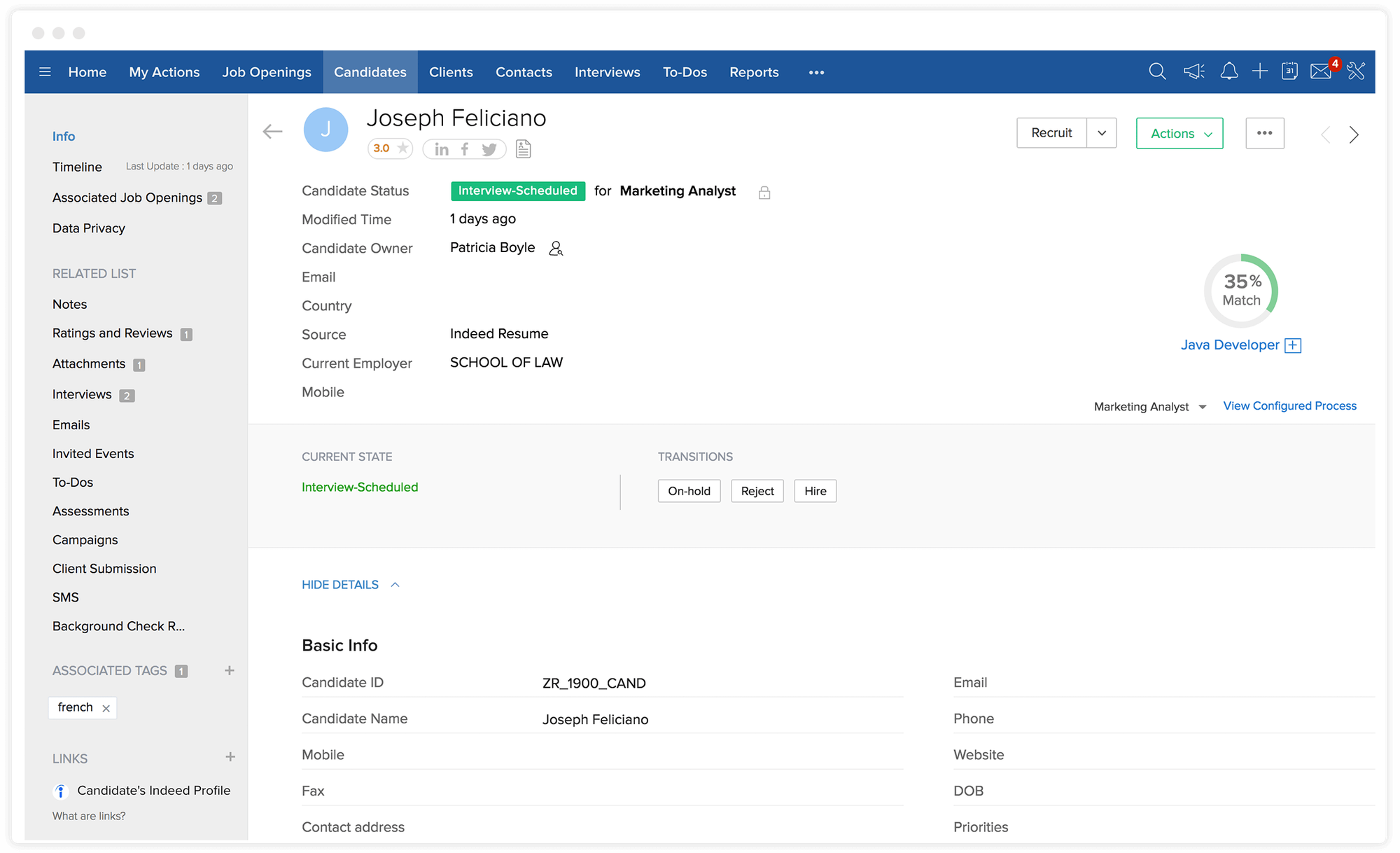
The biggest advantage is that you get actual recruiting infrastructure for free. Zoho Recruit is built around jobs, candidates, interviews, and hiring workflows, making it a natural foundation for recruiting.
Its free edition is deliberately limited, so growing teams will quickly encounter functionality reserved for paid plans. But if you hire occasionally or simply need a lightweight system to keep candidate information organized, it's a useful place to start.
Free features include:
- Candidate and contact management
- Job opening management
- Interview scheduling
- Email management
- Basic candidate search
- Careers page functionality
Main limitation: The free edition is designed for relatively simple hiring needs. Teams running multiple searches or needing more advanced automation, customization, integrations, and reporting will need to move to a paid plan.
2. ChatGPT: Best free AI assistant for recruiters.
Best for: A flexible AI assistant for everyday research, writing, and planning.
ChatGPT isn't recruiting software, but it can speed up plenty of routine hiring tasks. Recruiters use the free version to draft job descriptions, prepare intake questions, brainstorm interview questions, build Boolean searches, research unfamiliar roles, and improve candidate communications.
Flexibility is the main advantage. Give ChatGPT context and instructions for whatever you're working on. Just be careful about entering confidential company or candidate information, particularly when working with personal data.
Free features include:
- Writing and editing assistance
- Research and brainstorming
- Job description drafting
- Interview and intake question generation
- Boolean search assistance
- Candidate outreach ideas
Main limitation: ChatGPT is a general-purpose AI assistant rather than a recruiting platform. It doesn't inherently understand your hiring process, connect your recruiting workflows, or replace dedicated sourcing, screening, and applicant tracking software.
3. Pin: Best free AI candidate sourcing tool.
Best for: Recruiters who want to experiment with AI sourcing tools without immediately paying for another sourcing platform.
Pin helps recruiters search for candidates and evaluate how closely they match a role. Recruiters describe who they're looking for, and AI identifies the most relevant profiles.
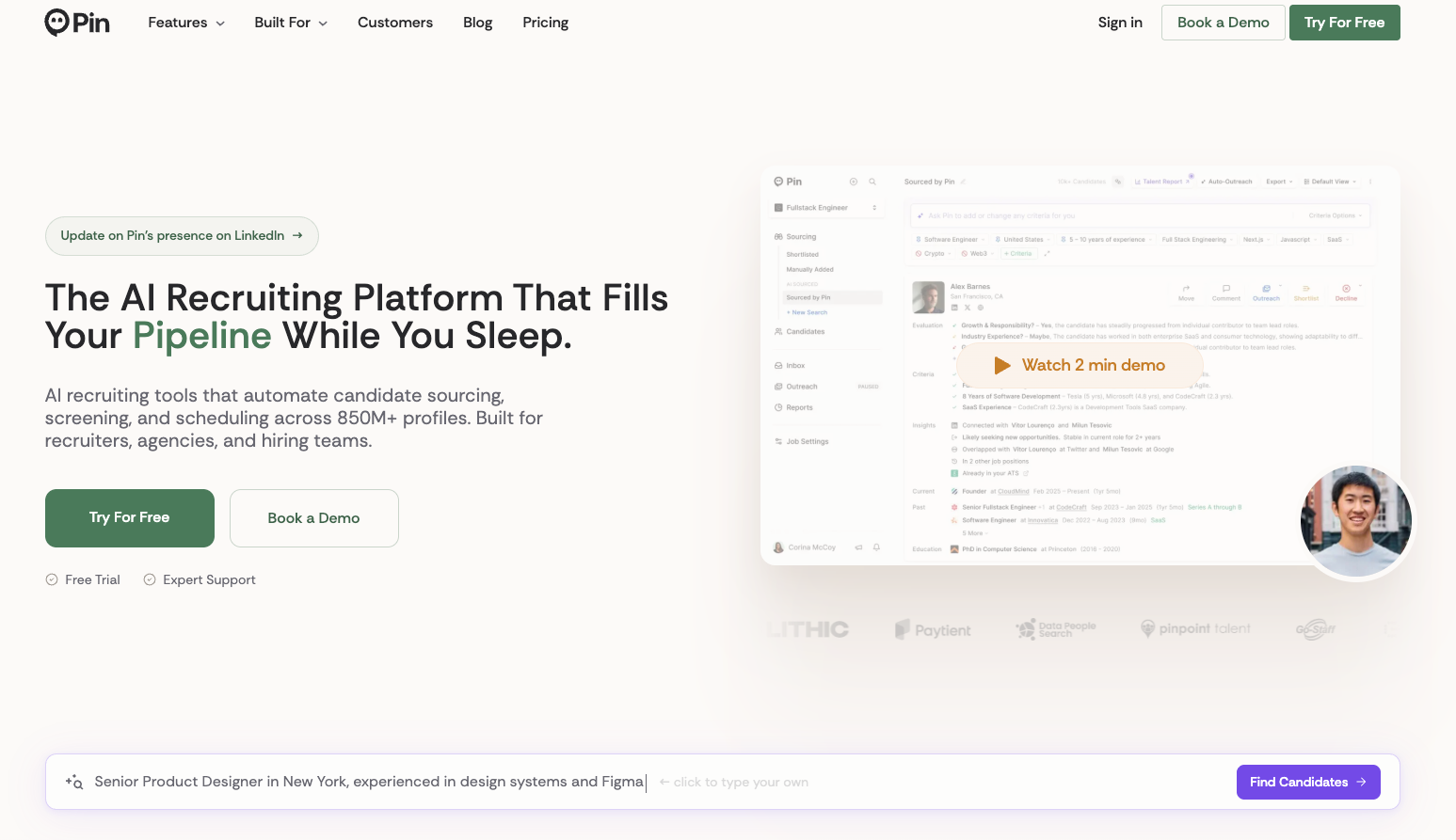
Its free offering makes it particularly useful for recruiters who want to test how AI changes the sourcing process before committing to a paid platform. Pin can also run candidate outreach, helping bridge the gap between finding someone and starting a conversation.
Free features include:
- AI-powered candidate search
- Candidate matching and evaluation
- Access to candidate profiles
- AI-assisted sourcing
- Email sequencing
- Limited daily searches
Main limitation: The free plan limits sourcing activity, so it works better for occasional searches and experimentation than high-volume outbound recruiting.
4. Breezy HR: Best free collaborative applicant tracker.
Best for: Small teams that want a simple applicant tracking system with multiple people involved in hiring.
Breezy HR's free Bootstrap plan gives small companies a straightforward way to manage candidates without paying per user. That’s great when founders, hiring managers, and other teammates all need visibility into the hiring process.
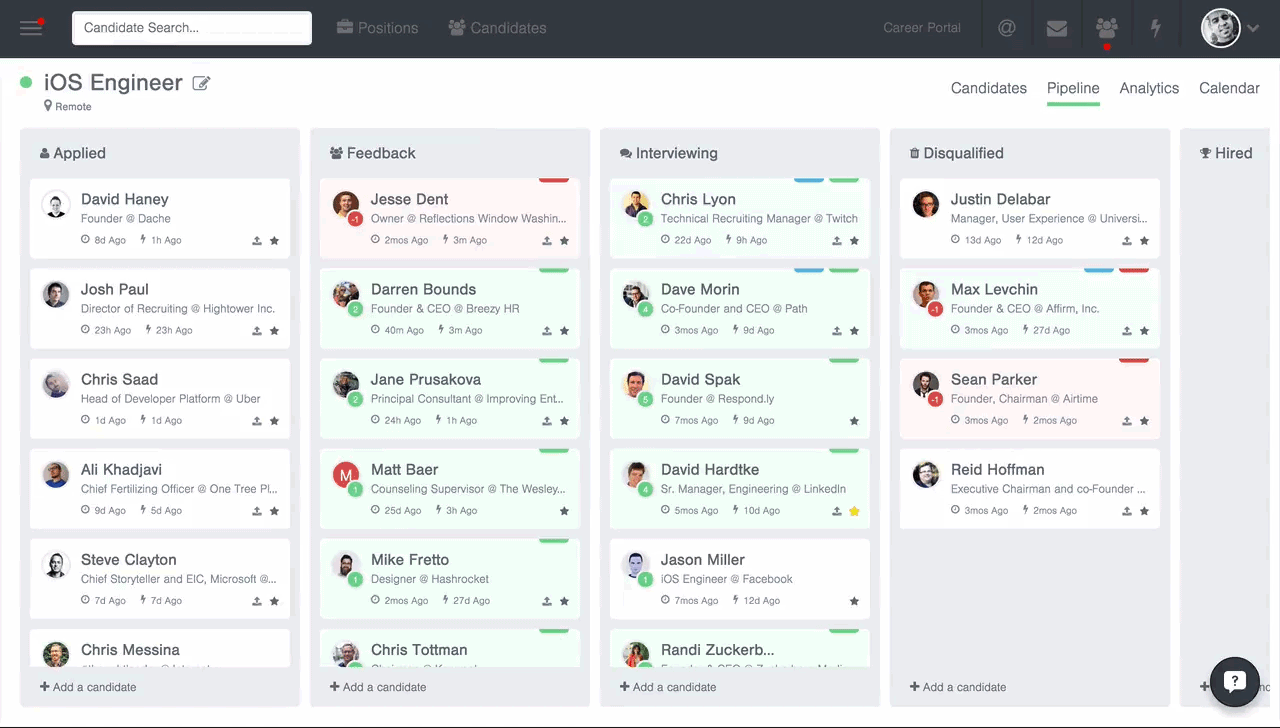
Advertise a role, collect applications, and move candidates through a structured pipeline rather than coordinating everything through email and spreadsheets. The biggest restriction: the free plan only allows for one active role. So it's better suited to occasional hiring than a busy recruiting function.
Free features include:
- One active position
- Unlimited users
- Candidate management
- Branded careers site
- Candidate pipeline
- Job distribution
- Basic collaboration tools
Main limitation: One active role is a significant constraint for growing companies. You'll likely need a paid plan or a more scalable recruiting platform.
5. TestGorilla: Best free candidate assessment tool.
Best for: Recruiting teams that want candidates to demonstrate relevant skills before committing interviewer time.
TestGorilla helps recruiters assess candidates based on what they can actually do. Its free plan includes a selection of skills tests alongside screening functionality.
This can be particularly useful when a role attracts plenty of seemingly similar applicants. An assessment can help identify stronger candidates before recruiters and hiring managers invest time in interviews.
Free features include:
- Essential skills tests
- Resume scoring
- Qualifying questions
- Limited AI interview functionality
- Candidate assessment tools
- Monthly assessment credits
Main limitation: The free plan only gives you just a taste of TestGorilla's broader assessment library and functionality.
6. Calendly: Best free interview scheduling tool.
Best for: Recruiters who want to eliminate the back-and-forth involved in scheduling interviews.
Calendly is one of the simplest ways to remove a surprisingly persistent piece of recruiting admin. Recruiters connect their calendar, share their availability, and let candidates choose a suitable interview time without exchanging multiple emails.
The free plan is enough for straightforward recruiter screens and other simple interview scheduling. It's especially useful for individual recruiters who don't need complex panel scheduling, routing, or recruiting-specific scheduling workflows.
Free features include:
- One-on-one scheduling
- Calendar connections
- Custom booking pages
- Automated booking confirmations
- Video conferencing integrations
- Basic availability controls
Main limitation: Complex hiring processes quickly exceed Calendly's free plan. Advanced scheduling automation, multiple event types, routing, and team functionality require paid plans.
7. Grammarly: Best free tool for recruiting communications.
Best for: Recruiters who want clearer, more polished candidate-facing communication.
Recruiters write constantly. Job descriptions, sourcing messages, candidate emails, interview instructions, and internal updates all benefit from being clear and easy to understand. Grammarly can catch common writing problems as you work.
The free version offers a lightweight editing layer across everyday recruiting communications. It won't write or run your recruiting process for you, but it can make the messages your team already sends more polished and consistent.
Free features include:
- Grammar checking
- Spelling corrections
- Tone visibility
- Writing suggestions
- Browser-based assistance
- Support across common writing tools
Main limitation: More advanced rewriting, generative AI features, and broader writing assistance are reserved for paid plans.
8. Wellfound: Best free recruiting tool for startup hiring.
Best for: Startups and tech companies looking for candidates who are looking for high-growth environments.
Wellfound is a recruiting platform built around the startup ecosystem. Companies create profiles, post jobs, and connect with candidates looking specifically for startup and tech opportunities. It’s much more targeted than a general-purpose job board.
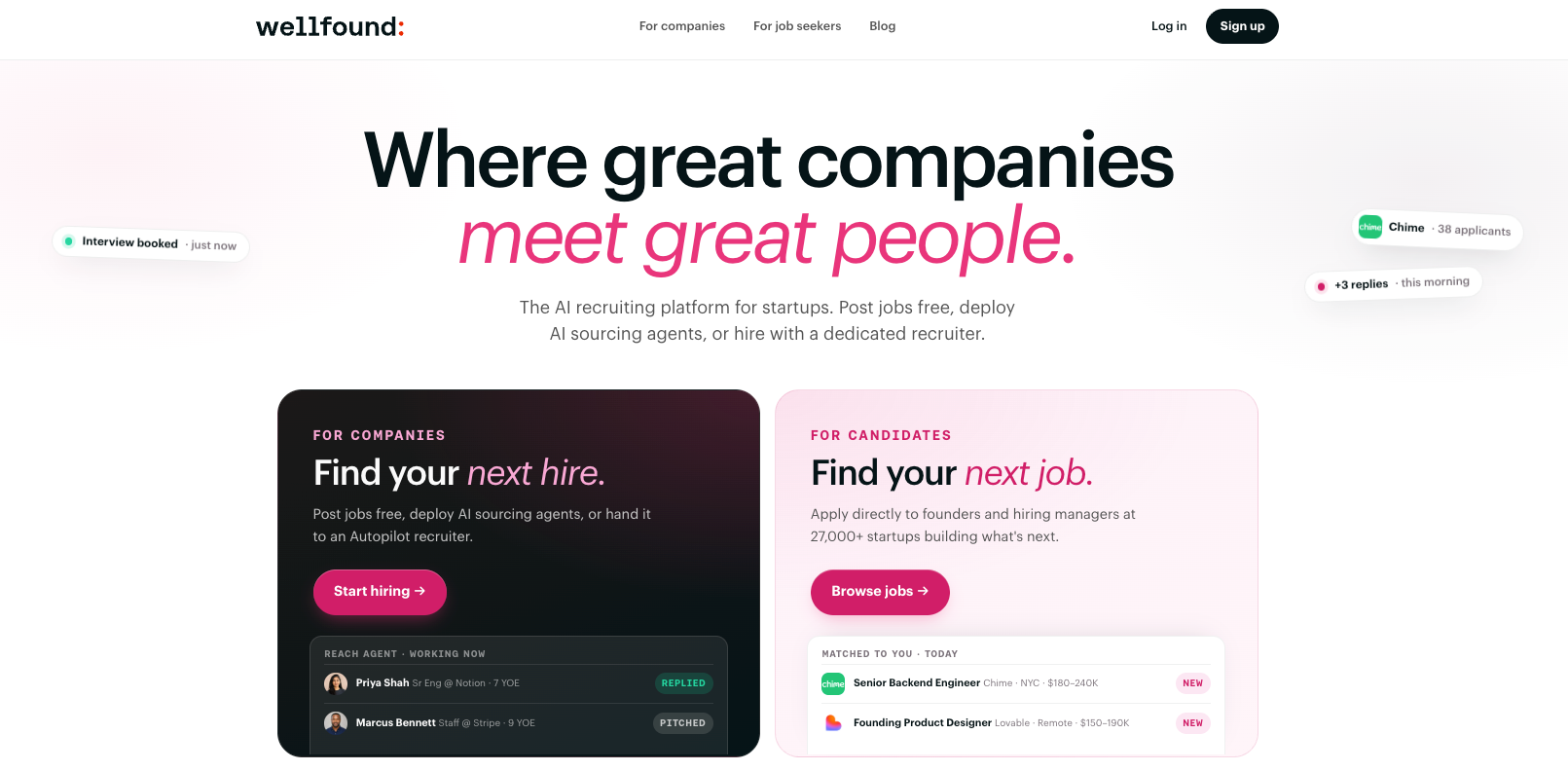
Instead of simply putting another vacancy in front of a huge audience, Wellfound helps startups reach candidates who are more likely to understand and actively want the startup experience.
Free features include:
- Job posting
- Company profiles
- Candidate search and discovery
- Applicant management
- Direct candidate connections
- Startup-focused talent marketplace
Main limitation: Wellfound is useful for startups and tech companies, but less compelling for employers hiring across industries or looking for candidates who aren't concentrated in the startup ecosystem.
9. Indeed: Best free recruiting tool to reach active candidates.
Best for: Employers that want to advertise open roles to a large pool of active job seekers.
Indeed remains one of the simplest ways to get an open role in front of candidates without paying upfront. Employers can post eligible jobs for free, receive applications, and manage candidates through Indeed's employer tools.
Indeed’s scale makes it particularly useful for roles where there is already a healthy pool of active job seekers. Employers can also choose to sponsor jobs for greater visibility, but that's an optional step rather than a requirement for every posting.
Free features include:
- Free job postings for eligible roles
- Candidate applications
- Employer profiles
- Basic applicant management
- Candidate messaging
- Access to a large active-job-seeker audience
Main limitation: Free postings don't receive the same visibility as sponsored jobs, and not every role or posting is necessarily eligible for free distribution. For harder-to-fill roles, recruiters may need more proactive sourcing.
10. Google Gemini: Best free AI recruiting tool for Google Workspace users.
Best for: Recruiting teams already working in Google's ecosystem who want AI assistance close to their everyday tools.
Gemini is another general-purpose AI assistant. Recruiters can use the free version to research unfamiliar roles, draft job descriptions, prepare interview questions, brainstorm outreach, and work through hiring problems.
Gemini is Google's native AI layer, with deeper integrations available across tools such as Gmail, Docs, Drive, and Meet. So teams using Google's ecosystem can keep more AI-assisted work within a familiar environment.
Free features include:
- General AI chat and assistance
- Research and brainstorming
- Writing and editing
- Job description support
- Interview question generation
- Help analyzing and structuring information
Main limitation: Like ChatGPT, Gemini isn't a recruiting system. It can assist with individual tasks, but it doesn't inherently manage candidates or automate sourcing, application review, screening, and other recruiting workflows.
Free recruiting tools are useful. But recruiter time isn't free.
Free recruiting software makes sense when your hiring needs are relatively simple. But software price is only one part of the cost of recruiting.
A free sourcing tool isn't necessarily cheaper if recruiters still spend hours searching profiles. The same applies to manually reviewing hundreds of applications, conducting every first-round screen, or taking notes throughout every interview.
That's where Metaview comes in. You can try Metaview for free, with affordable plans for teams ready to go further.
Metaview’s AI agents take substantial recruiting work off your team's plate:
- Source: Find, research, and evaluate excellent-fit candidates without hours of manual searching.
- Review: Evaluate every application against your hiring criteria and surface the candidates who deserve attention.
- Screen: Conduct personalized screening conversations and gather evidence without filling recruiter calendars with repetitive calls.
- Interview: Automatically capture conversations and turn them into structured notes and scorecards.
And much more.Together, these workflows help recruiting teams handle more hiring without increasing recruiter workload at the same rate.
When is free recruiting software enough?
Free recruiting tools can take you surprisingly far. Whether they're enough depends less on company size than on how much hiring you're doing and how much manual work your team can reasonably absorb.
Stick with free recruiting tools when:
- You only hire occasionally.
- Candidate volumes are manageable.
- You need to solve one specific recruiting problem.
- Your existing processes don't require much manual work.
- You want to experiment with a new workflow before investing in software.
Consider paid recruiting automation when:
- Recruiters spend significant time manually sourcing candidates.
- Application volume creates a review backlog.
- First-round screening calls consume large parts of recruiter calendars.
- Hiring volume is increasing faster than recruiting headcount.
- Recruiters are constantly copying information between disconnected tools.
- Free-plan limits are creating more work than they're saving.
Free software minimizes software spend. But the right recruiting platform can minimize the total cost of hiring.
Build the recruiting stack that fits your hiring volume.
There's more useful free recruiting software available than ever. Small teams can combine free tools for applicant tracking, sourcing, assessments, scheduling, job advertising, and AI assistance to build a surprisingly capable recruiting stack.
But don't optimize for free software at the expense of recruiter time. As hiring volume grows, look at how many hours a tool can remove from sourcing, reviewing, screening, and interviewing—and what your team could accomplish with that capacity back.
Metaview is built for that next stage. Start with a free trial, then choose the plan that fits your hiring needs as you put AI agents to work across more of the recruiting process.
Bring Metaview into your hiring stack.
Live notes, structured scorecards, and ATS sync - set up in under 10 minutes.
Free recruiting tools FAQs
What are the best free recruiting tools?
The best free recruiting tools depend on what you need to accomplish. Zoho Recruit and Breezy HR provide free applicant tracking, Pin supports AI candidate sourcing, TestGorilla helps assess candidates, Calendly handles scheduling, and Wellfound and Indeed can help attract applicants.
General-purpose tools can also play an important role. ChatGPT and Gemini can support research, planning, and writing, while Grammarly can improve everyday candidate communications.
What is the best free AI tool for recruitment?
For general recruiting tasks, ChatGPT and Google Gemini are two of the most flexible free AI tools available. They can help with job descriptions, intake preparation, interview questions, research, outreach, and other everyday work.
For more specialized recruiting tasks, look for purpose-built tools instead. Pin, for example, applies AI specifically to candidate sourcing and matching.
Is there completely free recruiting software?
Yes. Several recruiting platforms offer ongoing free plans rather than simply free trials. Zoho Recruit and Breezy HR are two examples, although both restrict functionality compared with their paid plans.
Always check exactly what “free” means before choosing software. Limits on active jobs, users, candidates, credits, integrations, or automation can make a free plan less practical as your hiring volume grows.
What is the best free ATS?
Zoho Recruit is one of the strongest options for teams looking for a free ATS with core candidate and job management functionality. Breezy HR is another good choice, particularly for small teams that want multiple colleagues to collaborate on an occasional hire.
Neither free plan is designed for a large or complex recruiting operation. The right choice depends on how many roles you're hiring for and which ATS features you actually need.
Can you source candidates for free?
Yes. Free sourcing tools such as Pin can help recruiters search for and evaluate potential candidates, while platforms such as Wellfound provide access to candidates interested in particular kinds of opportunities.
Free sourcing plans typically place limits on searches, outreach, or other usage. They're therefore most useful for occasional hiring or for testing a sourcing workflow before investing in a more scalable platform.
Can you use AI for recruitment for free?
Yes. Free AI tools can help recruiters write job descriptions, prepare intake questions, research roles, build searches, assess candidates, and improve communications.
The biggest limitation is that free general-purpose AI tools don't run the recruiting process for you. As hiring scales, dedicated recruiting AI becomes more valuable because it can work directly across sourcing, application review, screening, interviews, and other workflows.
What's the difference between a free plan and a free trial?
A free plan lets you continue using a product without paying, usually with limits on features or usage. A free trial gives you access to a paid product for a limited period so you can evaluate it before deciding whether to subscribe.
Both can be useful. But if your goal is to build a recruiting stack with no ongoing software cost, look specifically for free plans rather than trials.
When is it worth paying for recruiting software?
Paid recruiting software becomes worthwhile when the cost of manual work starts exceeding the cost of the technology.
If recruiters are spending hours searching for candidates, reviewing applications, conducting repetitive screening calls, scheduling interviews, or documenting conversations, automation can create substantially more capacity. At that point, optimizing for recruiter time and hiring output is often more valuable than keeping every software subscription at $0.
