
A free sourcing tool that only searches leaves recruiters on a small team with a list of names and no way to reach them. The tools worth trying first cover the whole job: finding candidates, getting their contact details, and sending the first message. A free contact finder is enough only when you already have the names.
I recommend running your pick on one live role and paying for the first limit you hit. Each of the six tools below lets you sign up yourself, with no sales call and no enterprise contract.
The six tools compared: what each free plan includes.
Here’s what each tool covers, what you get for free, and what moves to a paid plan. The allowances are the ones on each company’s pricing page in November 2026.
| Tool | What it covers | On the free plan | On paid plans |
|---|---|---|---|
| Metaview | Candidate search from a plain-language description, contact details, and automated email sequences | 100 profiles of filtered search and 100 of agentic search, plus sequences that are free to send | Larger sourcing allowances, set out on the pricing page |
| Pin | Candidate search, contact lookup, and email sequences | 1 AI agent, 3 candidate searches a day, 5 contact lookup credits a week, and email-only sequences | Multi-channel sequences and CSV export |
| Wellfound | Job posts to a startup audience, and sourcing agents that send from your inbox | Unlimited job listings with a built-in ATS, plus 20 contact reveals a month and 3 active sourcing agents | More contact reveals and unlimited sourcing agents |
| Apollo.io | A business contact database, browser extensions, and email sequences | 900 credits a year for each seat (given out monthly), 2 sequences, a connected mailbox, and 250 emails a day | Unlimited sequences and any email provider |
| Hunter | Work emails from a name and company domain, and email sequences | 50 credits a month, 1 connected email account, and 500 recipients per sequence | On Starter, 2,000 credits a month, 3 connected email accounts, and 2,500 recipients per sequence, with more on the Growth and Scale plans |
| Kaspr | Emails and phone numbers revealed from LinkedIn profiles in a Chrome extension | 5 phone credits and 5 personal email credits a month, work email credits, 3 lead lists, and a monthly export cap | More credits, use on Sales Navigator, and LinkedIn Recruiter Lite on higher plans |
Already have a list of names? Skip to Hunter and Kaspr, the last two tools.
1. Metaview: best for seeing why each candidate was picked.
Metaview is the Agentic Recruiting Platform, and it has a free plan. Its sourcing agent finds candidates, and Metaview Outreach sends them email sequences (a first email and its follow-ups). Those sequences are free to send.
It’s first here for two reasons: it shows why it picked each candidate, and it fetches contact details that are already in your connected ATS.
You can sign up for the free plan with your work email. It gives you 100 profiles of filtered search, where you edit the search filters yourself, and 100 of agentic search, where the agent searches on your behalf. When you reach that limit, you move to a paid Sourcing plan. The pricing page sets out what each Sourcing plan includes.
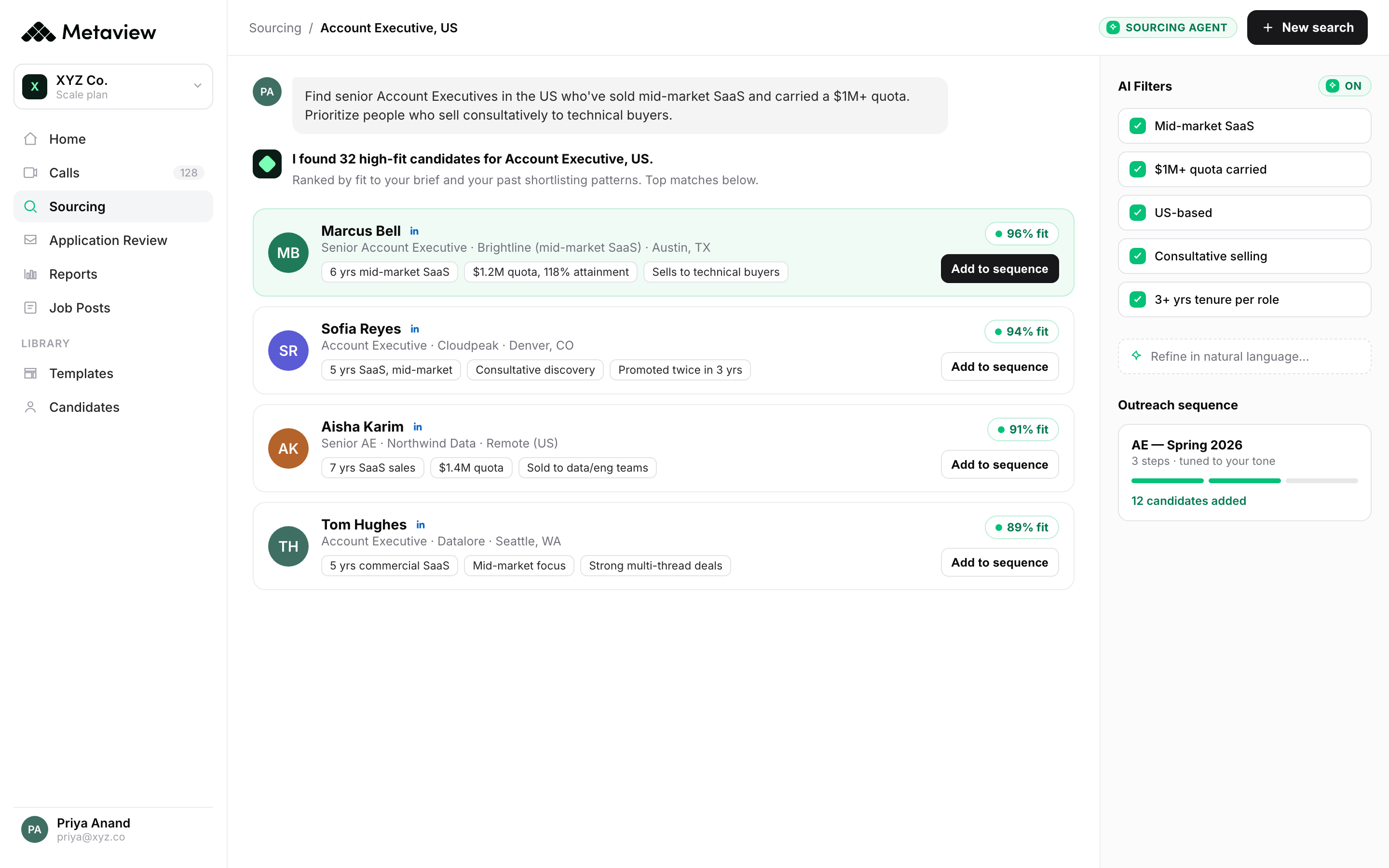
The sourcing agent works from a brief, which is a description of who you’re looking for, in your own words. A job description or a few sample resumes work too. From there, it searches the web for people who match and lists its reasons for each one.
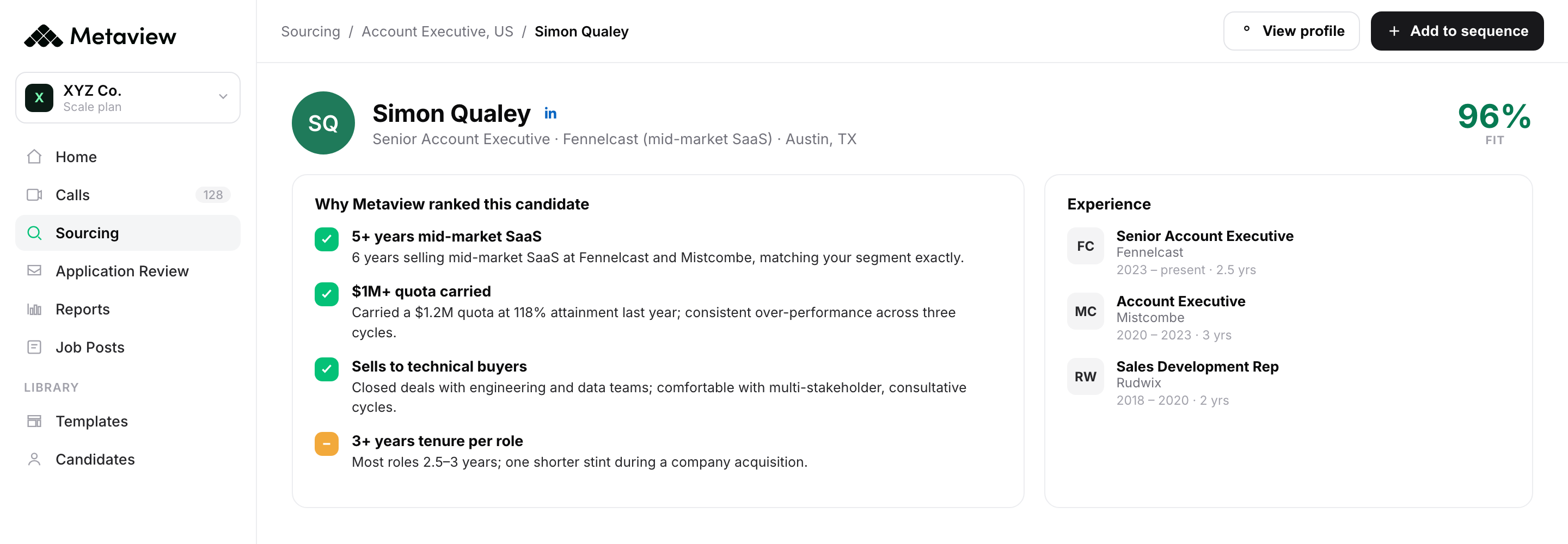
I’d read those reasons for every candidate before anyone gets a message, because a name with no reason attached gives you less to go on. Siadhal Magos, Metaview’s co-founder and chief executive officer, wrote this in a post on AI screening, and I think it holds for sourcing too:
I don’t think the answer to an information problem is making decisions with even less information.”

The sourcing agent doesn’t contact anyone. You choose which candidates go into a sequence in Metaview Outreach, which finds verified emails and phone numbers for them and sends automated email sequences.
To hear more about searching from a plain-language request, watch Siadhal talk it through on this episode of 10x Recruiting.
One tip for writing the brief: if the Metaview Notetaker records your intake call with the hiring manager, it captures every spoken word of that call. Then you can write the brief from what the hiring manager said rather than from memory. Recording only happens if consent is given, and the consent process belongs to your team.
2. Pin: best for recruiters filling one role at a time.
Pin is an AI recruiting tool that does candidate search, contact lookup, email sequences, and interview notes in one account. You start from a job description.
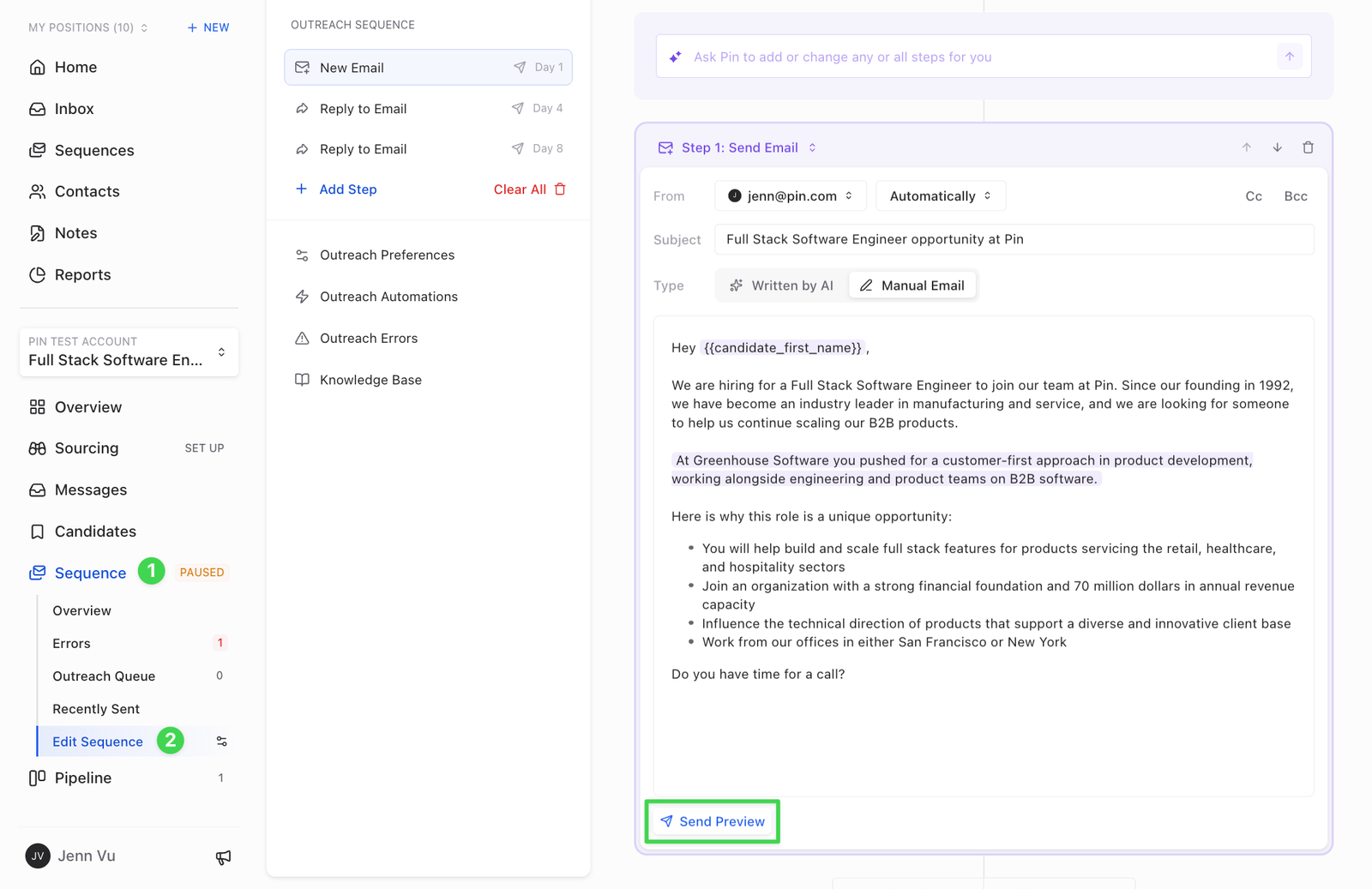
Pin’s free plan gives you 1 AI agent, 3 candidate searches a day, 5 contact lookup credits a week, and email-only sequences sent from the email account you connect. Looking up a personal or work email uses 1 credit, and phone number lookups aren’t part of the free plan.
At 5 credits a week, there’s enough for a short list rather than a full search. CSV export and ATS integration are on paid plans.
3. Wellfound: best for startups that want applicants and sourced candidates together.
Wellfound is a hiring marketplace for startups, and you can use it for free in two ways:
- Job posts: listings show up in Wellfound’s search, its email alerts to candidates, and its weekly newsletter, and you manage applicants in its built-in ATS.
- Reach: it runs AI sourcing agents that find candidates, write outreach, and send it from your own Gmail account.
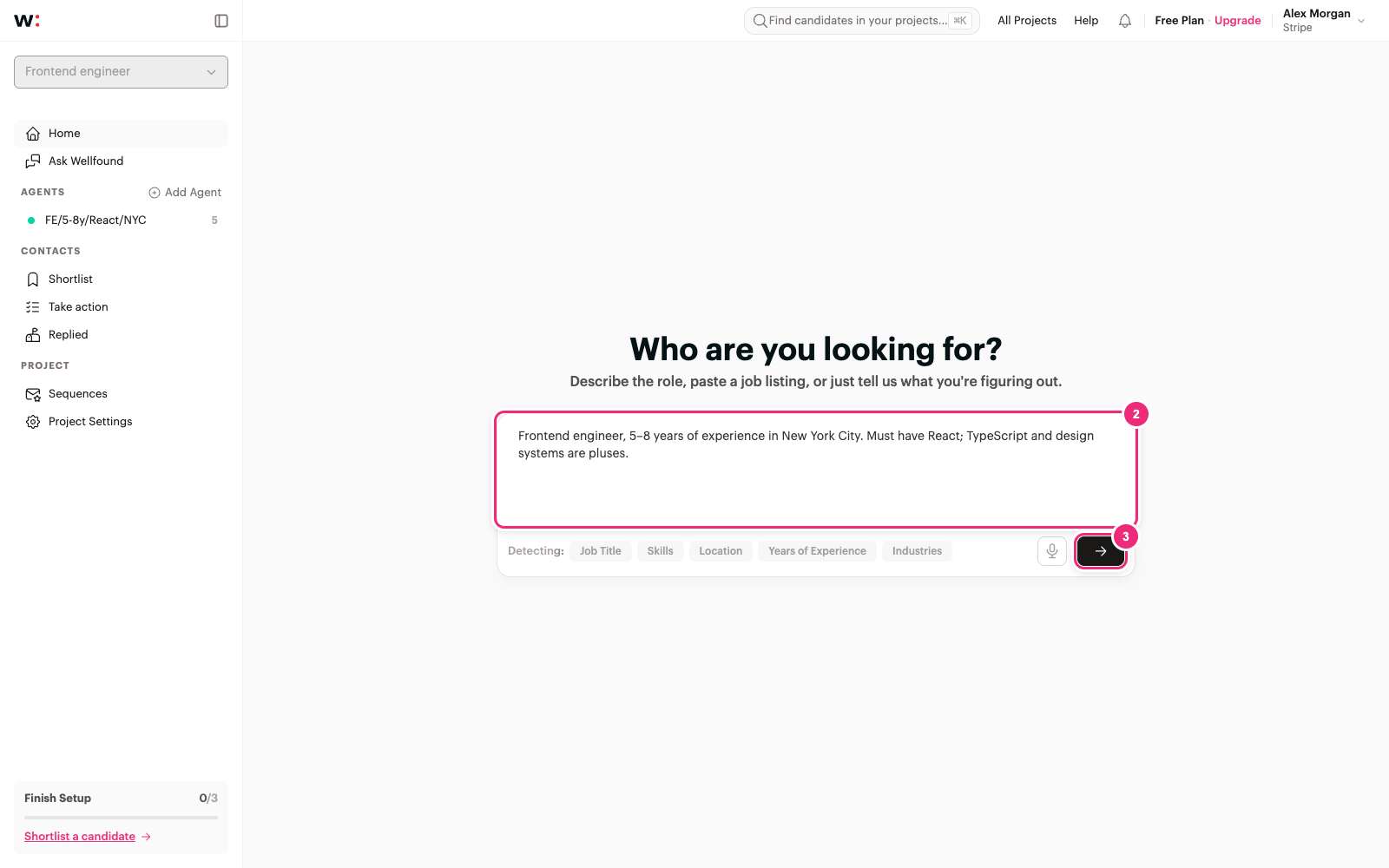
There’s no limit on free job listings, and paid job ads give a listing better placement. Reach’s free plan gives you 20 contact reveals a month and 3 active agents, and paid Reach plans add more of both.
The job post brings in applicants while the agents look for people who won’t apply. Those 20 reveals a month are where free outreach stops.
4. Apollo.io: best for startups that already use it for sales.
Apollo.io is a sales platform with a business contact database, browser extensions, and email sequences.
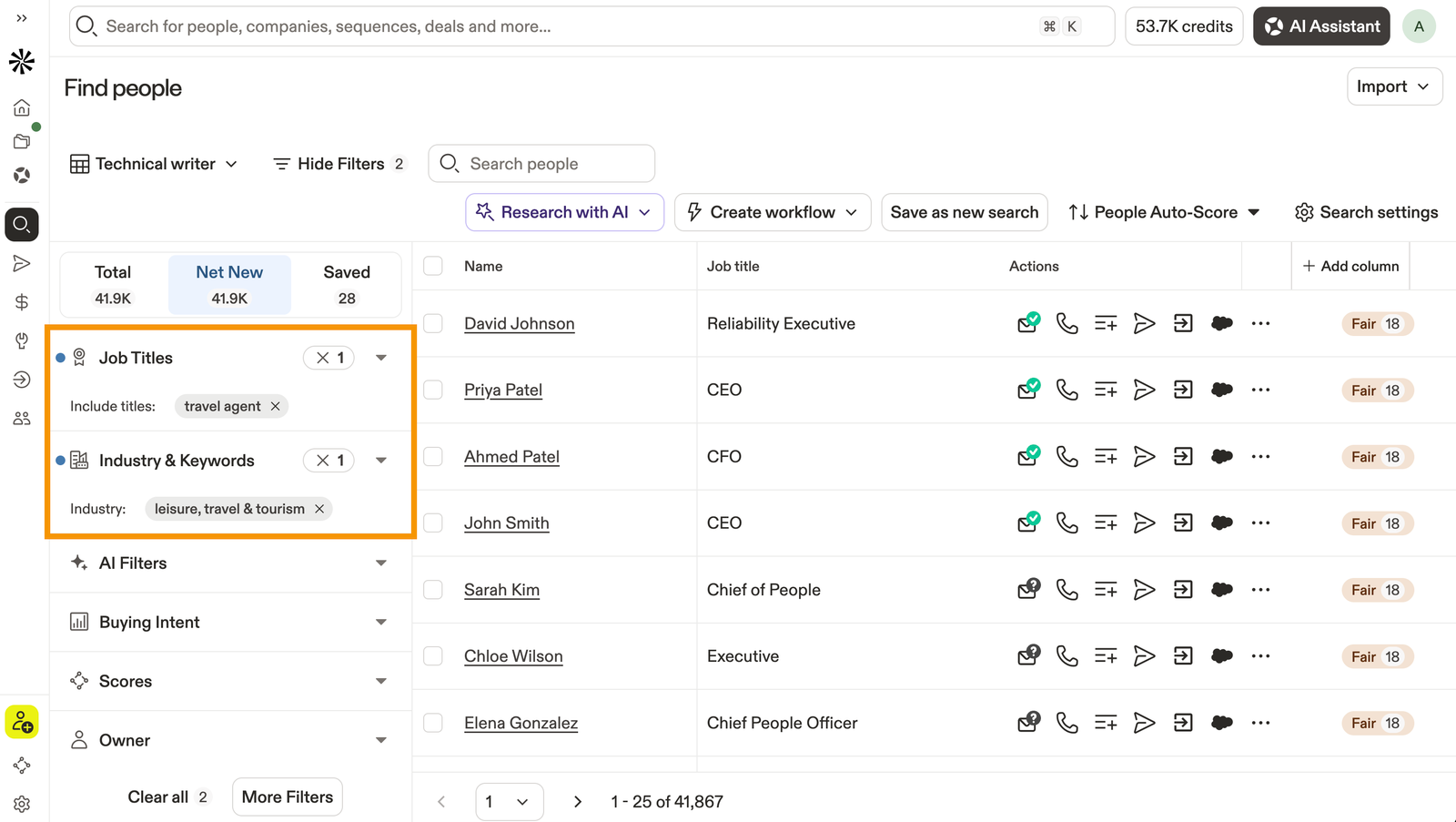
Apollo.io’s free plan comes with 900 credits a year for each seat, given out monthly. It also includes 2 sequences and up to 250 emails a day from a connected mailbox.
Revealing an email address costs 1 credit, and a phone number costs 8. Paid plans add unlimited sequences and work with any email provider.
Two sequences cover one or two open roles at a time, with a sequence for each. Founders who already find customers in Apollo.io can run hiring outreach from the same account.
5. Hunter: best for finding work emails when you already have the names.
Hunter finds someone’s work email from their name and their company’s website domain, and checks whether the address is valid. It also has a business database called Discover and its own email sequences.
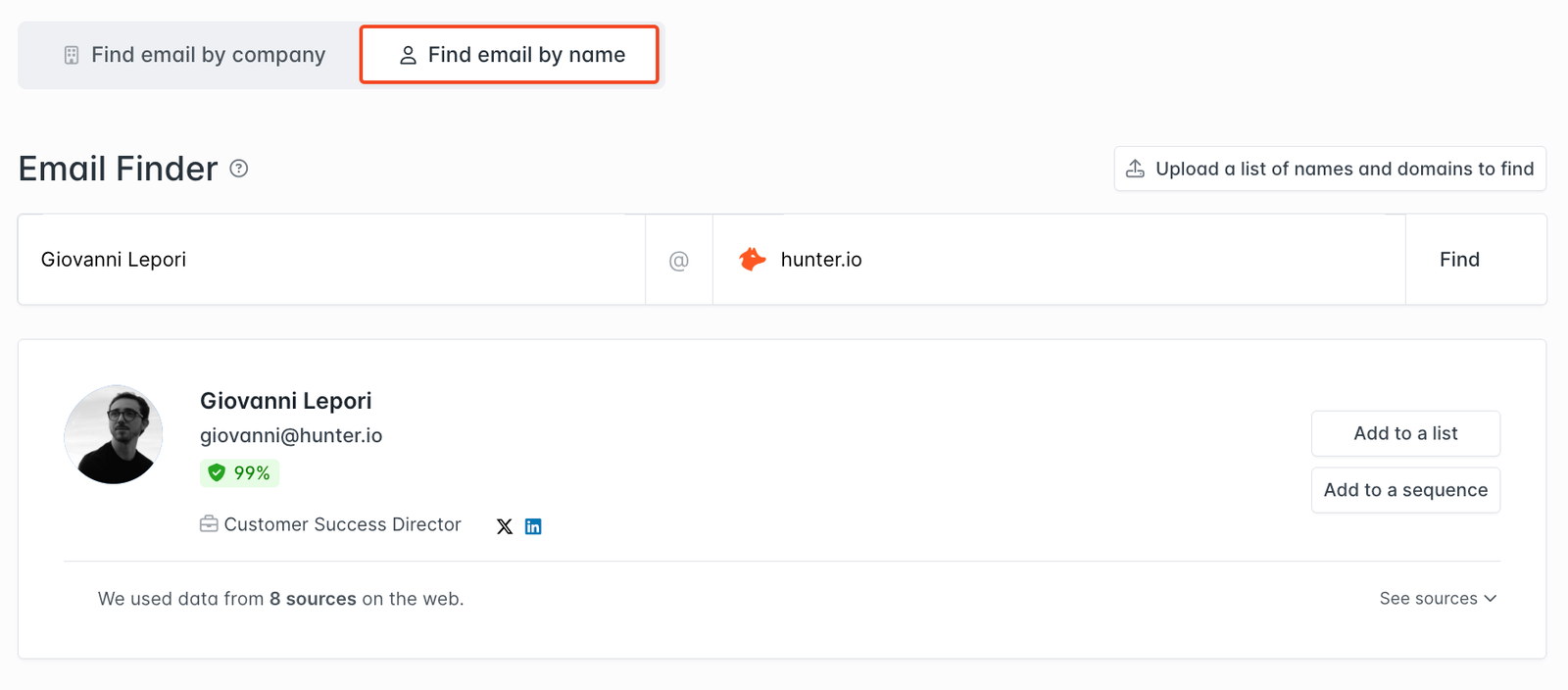
The free plan includes 50 credits a month, 1 connected email account, and 500 recipients per sequence. Any number of team members can share the credits. Finding an email uses 1 credit, and a search that finds nothing uses none.
I’d use Hunter on names you already have: a list of referrals, conference attendees, or people you found on LinkedIn. You can send the first sequence from the same account.
6. Kaspr: best for contact details from LinkedIn profiles.
Kaspr is a Chrome extension that shows emails and phone numbers on LinkedIn profiles. It can also reveal them in bulk from LinkedIn searches, groups, and events. The people you reveal go into a list in Kaspr, where you can add notes and export them.
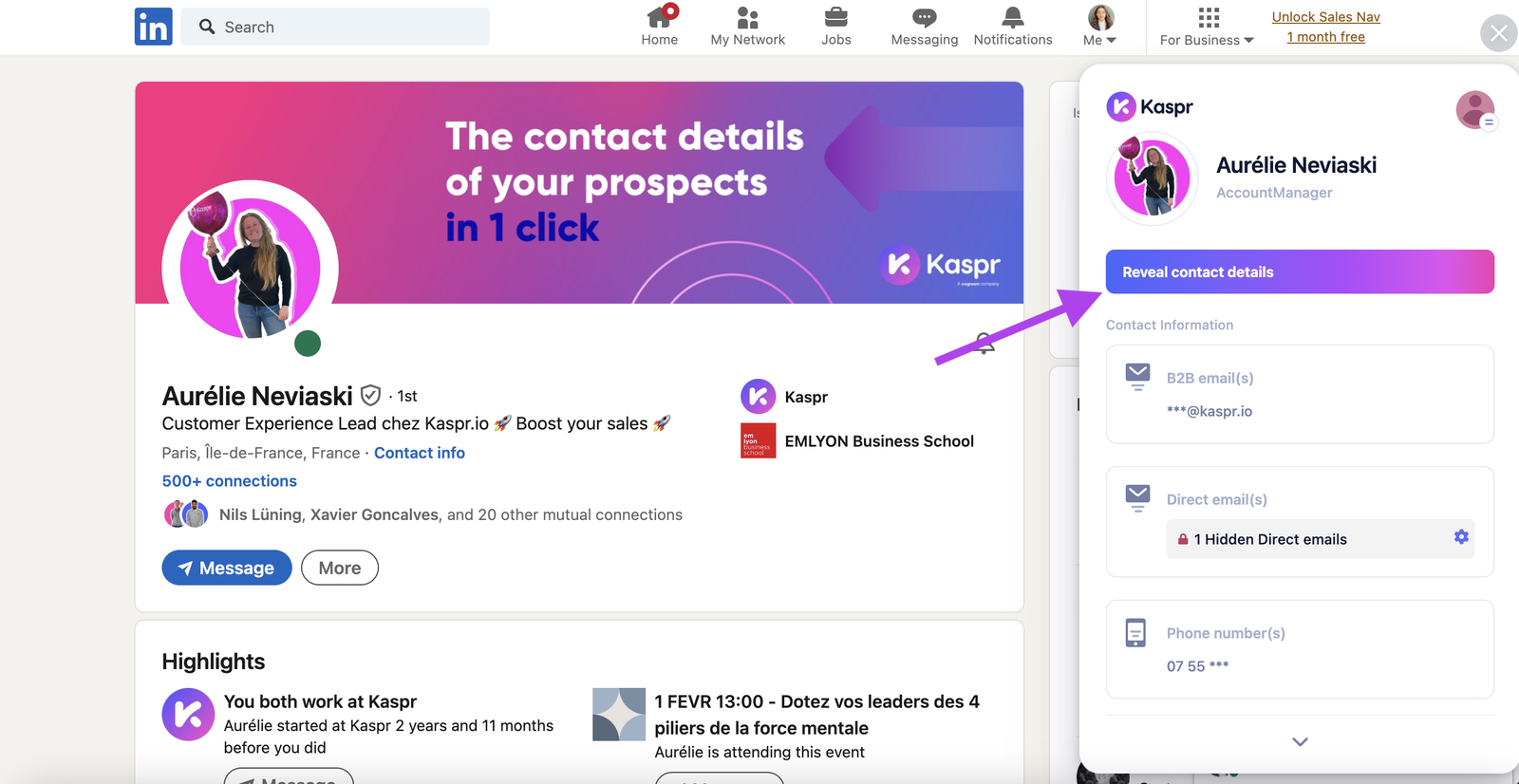
The free plan gives you 5 phone credits and 5 personal email credits a month, plus work email credits and 3 lead lists. It also caps how many contacts you can export each month, so check that limit before you plan to move a list out of Kaspr. Paid plans add credits and let you use the extension in Sales Navigator. Higher paid plans also let you use it in LinkedIn Recruiter Lite.
To email the people on your list, export it to a tool Kaspr connects to, such as Lemlist, HubSpot, or Brevo, or write to them from your own inbox. It fits when you need a phone number or email for a few people a month.
Match free sourcing tools for recruiters to how your team hires today.
Here’s how I’d match a tool to the way your team hires:
- If you need candidates you don’t know yet and a way to reach them, use Metaview, Pin, or Wellfound, which each search for candidates, look up contact details, and send email.
- If your startup wants applicants as well as sourced candidates, post the role on Wellfound for free and use its Reach agents for the people who won’t apply.
- If your founders already sell from Apollo.io, use the same account for hiring outreach rather than adding a tool.
- If you already have the names, use Hunter for work emails from a company domain, or Kaspr for contact details on a LinkedIn profile.
One more thing before you send anything: most of these tools return phone numbers as well as email addresses, so settle two questions with your team first.
Once you’ve picked, run it on one live role. Before you look anyone up, check whether their contact details are already in your ATS. Note the limit you reach first, whether that’s searches, reveals, or sends, and pay for that limit when the next role opens.
Sourcing and outreach for a small team, in one place.
See how the Metaview sourcing agent finds candidates from a plain-language brief and Outreach sends them automated email sequences, with the recruiter deciding who gets one.
Frequently asked.
How were these six tools chosen?
Each one has a free plan you sign up for yourself, with no sales call, and publishes its paid plans. The plan details for Pin, Wellfound, Apollo.io, Hunter, and Kaspr come from each company’s pricing page and help center, read in November 2026. I left out tools sold only through a demo, and tools whose free access is a time-limited trial.
What is the difference between a free plan and a free trial?
A free plan lets you keep using a tool without paying, inside its limits. A free trial gives you a paid plan for a set number of days, then asks you to pay or stop. Every tool on this page has a free plan, so you can keep the account through a month when you aren’t hiring.
What do free sourcing plans usually limit?
Most limit one or more of three things: how many searches you run, how many contact details you reveal, or how many sequences or emails you send. Some also limit jobs or AI agents. Check what a plan limits before you start, because its limits decide how much of one open role you can cover for free.
When should a small team pay for a sourcing tool?
Pay for the limit you hit on your first role when the next role opens. Pay sooner if working around it takes longer than the search itself, for example when you’re copying candidates between tools. Upgrade the tool you already use, starting with one person’s account, before you add a second tool. That keeps your candidates in one place.
Which free tools cover the rest of hiring?
For the rest of hiring, there’s a separate guide to free recruiting tools across the whole hiring process.
