
An application meets four of your five screening criteria. It misses the one the hiring manager called “non-negotiable.” On paper, it still looks strong, because four good matches add up to a convincing candidate. The gap can stay hidden until a recruiter gets the person on a call.
That’s a conflicting signal: an application that’s strong on some criteria and weak on one that counts. This guide is for whoever writes the Ideal Candidate Profile, the written brief that artificial intelligence (AI) application review compares each application with. It answers one question: how should AI weigh candidate screening criteria when they pull in different directions?
The answer shapes a lot of decisions. Across applications reviewed on Metaview, 17.2% of those rated a great fit advanced, against 5.6% of those rated a poor fit.¹ That means a great-fit rating went with about three times the chance of moving on. So it’s worth knowing what each rating rests on.
My answer is simple: stop weighing criteria against each other. Before the review starts, label each criterion as a “must-have,” a “preference,” or a “red flag.” Then decide in writing what happens when two labels clash. Below are the three labels and the four rules that settle their clashes. Then come three checks to run on your own pipeline.
How should AI weigh candidate screening criteria?
With written rules, agreed before a review starts and applied the same way to every application. Weights are the problem from the opening. A weight turns a missing must-have into a small deduction, and four strong preferences can outvote it.
A rule settles that clash once and in advance. It works the same way for the first application of the week and the last.
Two terms come up throughout this guide. AI application review is software that reads each application against the role’s requirements and sorts it, so recruiters start from a rated list. The Ideal Candidate Profile is the written description of who the role needs. AI reads every application against it, so whoever writes it is setting the screening rules.
I’d go a step further. If other criteria can outweigh one, your team hasn’t decided whether the role needs it. A weighted score hides that from everyone who reads it. The rules below are ones your recruiters write and apply, and Metaview never rejects an application on its own.
Label every criterion before the first application arrives.
Each criterion gets one of three labels. The label changes how you write the criterion down:
| Label | What it means | How to write it |
|---|---|---|
| Must-have | Something no one can do the job without | As proof an application can show. You can check “has shipped production code in Python.” You can’t check “strong Python.” |
| Preference | Something that makes a strong application stronger | As a tiebreaker between otherwise equal applications. Never as a way in. |
| Red flag | Something a person must look at before anything else | As a fact that would have to be true, like two full-time jobs with overlapping dates. Never as a judgment of the person. |
Must-haves need the most care. Written as an adjective, one is met by anyone who uses the adjective, so “strong communicator” lets in every application that says it. You can only check the evidence behind it.
Write one rule for each conflict inside an application.
Three labels create four kinds of conflict inside one application. Here’s the rule for each, and what goes wrong without it:
| When an application has | The rule | What goes wrong without it |
|---|---|---|
| Strong preferences, but a missing must-have | Preferences never make up for it. | Nice-to-haves outvote the one thing the role needs. The gap shows up on the first call. |
| A non-negotiable it doesn’t mention either way | Mark it unknown. A recruiter checks it, or asks about it on the screening call. It never counts as a fail. | Silence reads as a no, and the team screens out good people. |
| A red flag on a strong fit | A person checks the flag first. The flag and the fit never cancel each other out. | Either the fit excuses the flag, or the flag sinks a strong application before anyone looks. |
| A proxy, such as a job title, an employer, or years of experience | A proxy counts only when it proves a must-have. | A title that sounds close to what the role needs gets treated as proof of it. |
A proxy is a detail that stands in for the thing you care about. A job title, for example, stands in for the work someone did. The proxy rule is the easiest one to break, because titles and big-name employers are quick to read and feel like evidence.
Workleap, a people management platform, shows what that looks like in practice. Its recruiters were getting hundreds of applications per role. Its case study quotes the old approach: “We were often relying on quick keyword-based judgments, which can sometimes miss strong candidates.” A keyword is a proxy at its barest: it shows a word appeared, and nothing more.
After Workleap moved to Metaview’s Application Review, Senior Recruiter, Johnny Drexhage, said, “It’s reduced my screening time by up to 50%.” That result is Workleap’s own, from its published case study.
Talent leaders who hire at the top end make the same point about proxies. In this episode of 10x Recruiting, Dan McCarthy, a talent partner at a venture capital firm, explains why what makes a candidate good isn’t what’s on their resume.
Proxies are also where bias gets into a screen, and the guide to catching screening bias covers that in detail. These rules settle only the first read of an application. The “hire or no-hire” decision at the end of the process has rules of its own.
Send the unknowns to a person.
An unknown is a key element the application says nothing about. Teams resist marking it that way, because a fail feels tidier. But silence tells you nothing, and counting it as a no screens people out for what they left off the page.
So a recruiter closes every unknown. First, they look again at everything the candidate sent. If that doesn’t settle it, it becomes a question on the screening call. Either way, the recruiter writes down what settled it.
Resumes alone often can’t settle it. Metaview’s Co-Founder and Chief Executive, Siadhal Magos, has said why: “A resume was never a complete representation of a person. Now that AI can help anyone create an immaculate application, the resume is becoming an even weaker signal when it stands on its own.”
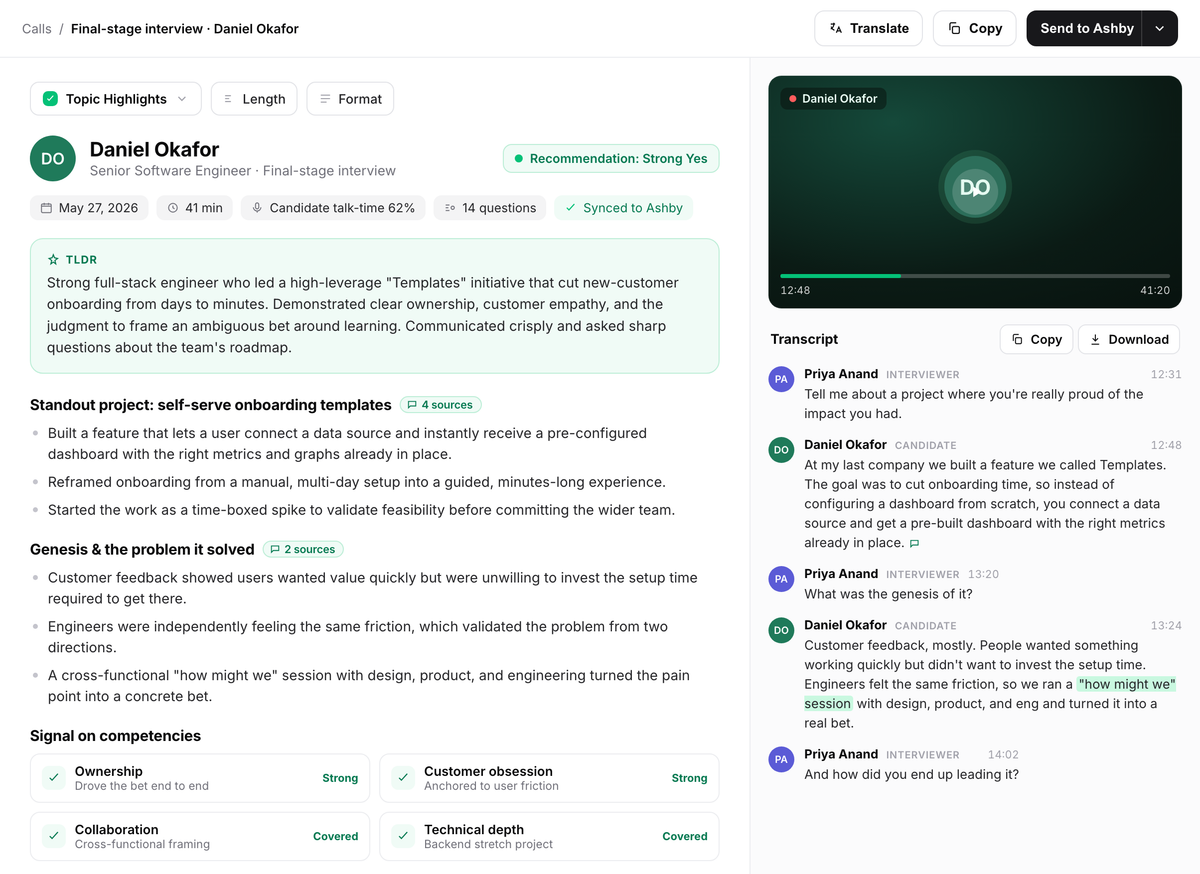
When the screening call is recorded with Metaview, Metaview captures every spoken word. The candidate’s answer sits in the transcript, in their own words, and in the notes built from it. The recruiter then decides on what the candidate said.
Read each rating against the rules you wrote.
Metaview’s Application Review reads every application against the Ideal Candidate Profile your team approves. It gives each one a fit rating of “Great,” “Good,” “Okay,” or “Poor,” with the reasoning behind it. A recruiter makes every “accept” and “reject” call.
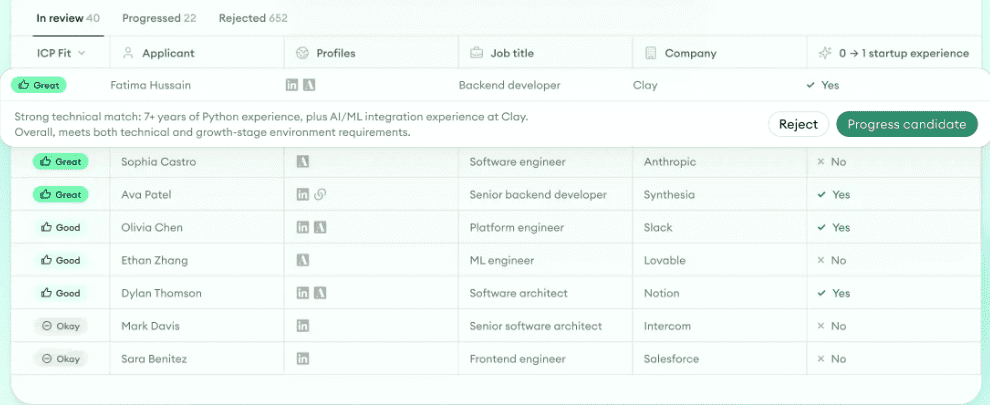
That reasoning is where your written rules come in. Read it against them. Slow down on three kinds of reasoning, because each is where one of the four rules applies:
- Reasoning that leans on a proxy, such as years of experience. Check that it proves what the role needs.
- Reasoning that treats silence as a miss. That’s an unknown, so it goes to a person.
- A strong rating on an application with a red flag. Check the flag first.
When the reasoning and a written rule disagree, the recruiter applies the rule. Do this check early in a search, before the rated list gets long. The share of applications that advanced drops at every step down the ratings. “Good” sits at 12.1% and “Okay” at 7.8%, between the two ends:¹
The better the rating, the more often recruiters moved the application on. That doesn’t prove the rating caused the decision. Recruiters read the same applications, and the profile learns from their past “accepts” and “rejects,” so the two will move together to some degree.
It does mean a rating built on a weak proxy can shape a lot of decisions, which is why the check above comes first.
Application Review also checks every application for identity deception and application automation. A flagged application comes with a risk level and a plain-language explanation. Of 905,562 applications screened, 28.59% were flagged as medium or high risk by Metaview’s fraud-detection model.²
For a recruiter, that means flags are common, so the red flag rule has to stay quick. Read the flag’s explanation, then decide whether the application needs a closer look.
Why read every application at all? Metaview’s chief executive calls the usual alternative unfair.
Right now, the system’s not fair. When a human recruiter decides to review applications, they appear chronologically. Once they’ve gotten through enough and reached out to enough, they don’t look at the rest. That’s unfair to the people who didn’t get seen.”

When a recruiter keeps making the same overrides, that’s the best sign a rule is missing. Reading every application only helps when the rules behind it are ones your team would defend.
Check the rules against your own pipeline.
Run these three checks. Each one tells you what to fix first:
- Read the reasoning on ten applications your team rejected. Is a missing must-have the reason on most of them? If not, a preference may be doing the job of one. Check that one first.
- Count the unknowns that reached a screening call this month. If there were none, your “essentials” may be too vague to ever go missing. Rewrite the first one as evidence.
- Find every red flag on an application rated “Great” last month. Did one advance without a person’s note? Then the rule only exists on paper. Give the flag its own step, before anyone reads the rating.
I’d run these checks at the end of the first week of any new role. Conflicts will keep coming. The difference is that each one arrives with its answer already written, and the ratings your team reads rest on rules it would defend.
Sources.
¹ Aggregated and anonymized Metaview application review data: the rate at which applications advanced, by fit rating.
² Fraud-detection flags in aggregated and anonymized Metaview application review data: applications flagged as medium or high risk, of 905,562 screened.
Keep every hiring decision with your team.
Application Review reads every application against the profile your team approves, and you make every call.
Frequently asked.
Does Application Review reject applications on its own?
No. It rates every application and explains why. The recruiter makes every “accept” and “reject” call.
What happens to the ratings when the profile changes mid-search?
The list is evaluated again against the updated profile.
Is a fraud flag a reason to reject?
Not on its own. A flag comes with a risk level and a plain-language explanation of what the model saw. It’s the model’s assessment, and it doesn’t confirm fraud. Treat it as a red flag: a person looks at the application before its fit rating counts.
Should an indispensable factor become a knockout question on the application form?
Only when a “yes” or “no” settles it and the question can’t be misread, like work authorization. Most need more evidence than a checkbox can hold.
Should years of experience ever be a non-negotiable?
Rarely on their own. Years show how long someone held a job, and nothing about what they did in it. Write down the work they’d need to have done instead. Keep years only when the requirement itself is stated in years.
Does the profile learn from the team’s decisions?
Yes. As your team accepts and rejects applications, the profile updates from those decisions. That’s one more reason to keep your rules written where everyone can read them.
