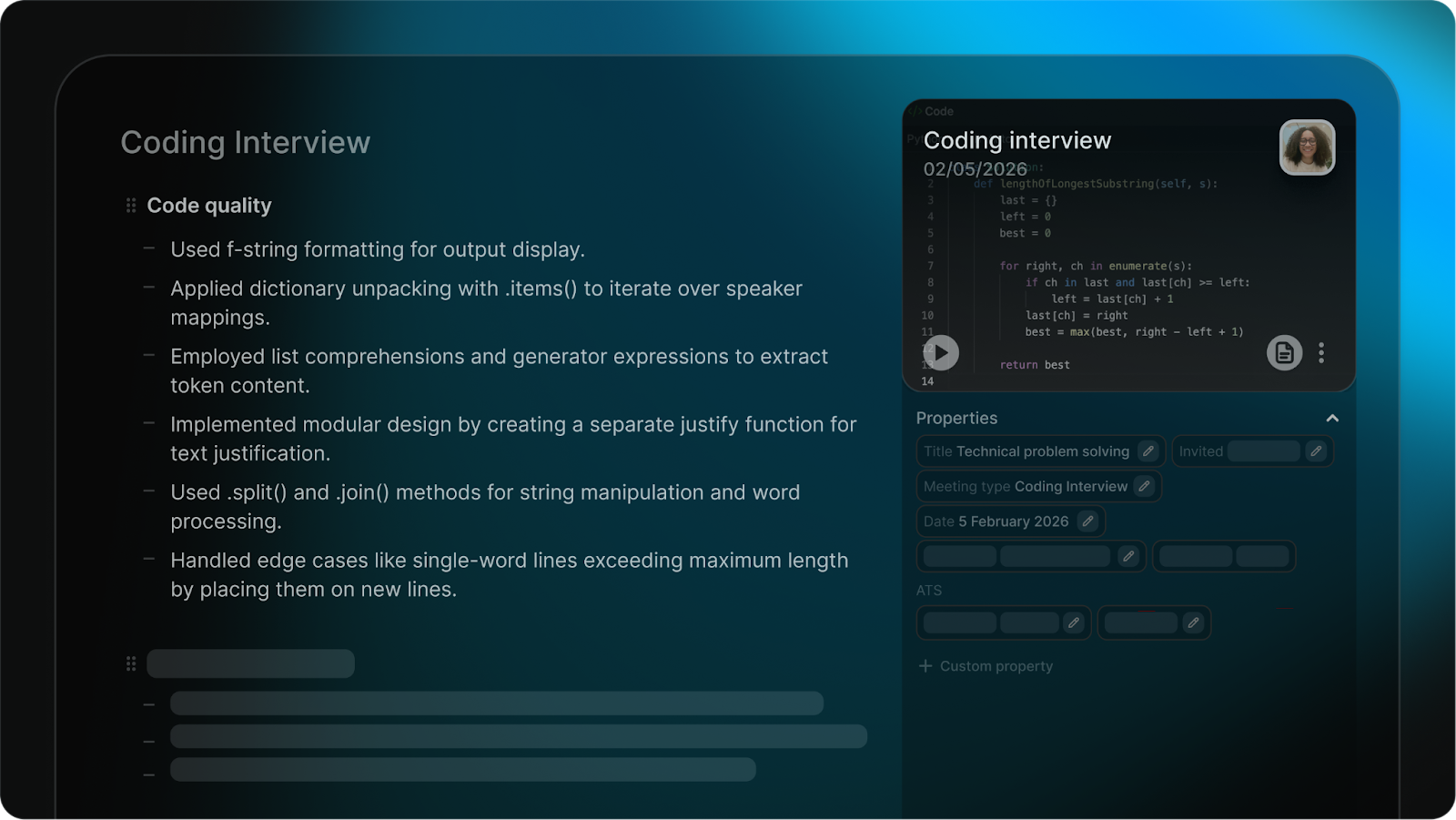
Technical interviews don't look like other meetings. The work happens on screen: code in shared editors, line-by-line debugging, architecture sketches on virtual whiteboards.
Most AI notetakers treat coding and system design rounds as audio-only conversations. The artifacts the candidate produced, code, debugging trail, architecture diagram, get lost. Whoever runs the debrief rebuilds the document from memory.
So we upgraded our AI Notes to understand the screen, not just the audio. Coding and system design interviews now auto-detect, route to purpose-built templates, and use what's on screen to inform the summary.
How technical interviews are detected
Conversation type is the first thing the notetaker decides.
A 30-minute behavioral round needs a different summary anatomy than a 90-minute system design round. Get the routing wrong, and every summary on the workspace is one register off.
So we built the detection step into the calendar layer. When the meeting joins, the conversation type resolves automatically from the title, the agenda, and the participants.
Coding rounds and system design rounds each route to a purpose-built note template with the right prompts for that format. Behavioral, screening, and panel rounds keep the templates they already use.

If the auto-detection misses, the interviewer can manually flip the conversation type from the meeting settings before or during the call.
Most teams won't touch it. In our own usage, the calendar metadata gets the routing right the overwhelming majority of the time.
What screen-aware summaries include
For coding and system design rounds with screen share on, what's on screen during the call feeds into the model that generates the summary.
Screenshots aren't embedded in the notes themselves. They sit in the generation context, so the summary can describe the artifacts the candidate produced even though the rendered notes are still clean prose.
Practically, the AI Notes summary now describes:
- The problem being solved and the candidate's approach to it.
- Code written during the round, including changes made while debugging.
- Architecture sketches and whiteboard diagrams from system design rounds.
- The trade-offs the candidate weighed when explaining their design.
The shift is subtle but the impact compounds.
A standard transcript would have a recruiter writing "candidate refactored the helper function to handle the edge case" after watching the call back.
With screen-aware generation, the summary already says it, anchored to the moment in the conversation when the change happened on screen.
This is the same direction we extended further into Reports a few weeks later. AI columns can now reason about anything captured visually during a call, not just the transcript text.
The technical-interview upgrade was the first place we landed the pattern.
What changes for the engineering panel
The biggest shift is what the panel debriefs from.
Before, the post-interview re-write was a real piece of work. Whoever ran the call would write a separate document, paste in code from the shared editor, paraphrase the candidate's reasoning from memory, and reconstruct the debugging path by re-watching the recording.
The summary AI Notes produced was useful for screening rounds but felt thin for technical ones.
Now the summary is the document the panel works from.
- Audio transcript captures the conversation. Code and diagrams are missing from the summary entirely.
- Whoever ran the call writes a separate debrief doc and pastes in code by hand.
- Panel reviewers read the spoken transcript and rebuild the candidate's reasoning trail from memory.
- Summary describes the code written, the debugging steps, and the architecture decisions made on screen.
- Reasoning stays attached to the artifacts that prompted it, in the same document.
- Panel reviewers walk into the debrief with the summary as the working document and the call recording as backup.
For the recruiter, the win is one less rebuild step per technical round. For the panel, it's a debrief that starts from a real document instead of a transcript with gaps.
For the candidate, it's the assurance that the work they actually did in the room is what gets reviewed against the scorecard.
Get the upgraded notetaker on your next coding round
The upgraded notetaker is live for every Metaview workspace already running coding or system design interviews.
If your team has screen share and video on for technical rounds, your next coding call will produce a screen-aware summary with no action needed at the workspace level.
If you're not yet running Metaview on your coding rounds, spin up a free Metaview workspace and connect the calendar integration.
Your next technical round on the calendar will pick up the new conversation-type detection automatically. For a structured walkthrough of how the AI Notes anatomy maps to the rest of the Notetaker workflow, book a demo with the team.
Frequently asked
Which interview types does the technical detection cover?
Coding rounds (live coding in a shared editor or sandbox), system design rounds (architecture-driven whiteboarding), and mixed-format rounds that combine the two. Behavioral, screening, and panel rounds keep their existing templates untouched. If the auto-detection misses for a mixed or non-standard format, the interviewer can flip the conversation type manually from the meeting settings.
Do I need to turn on screen capture, or does Metaview do it automatically?
Automatic for coding and system design rounds wherever screen share is active and Metaview video is enabled at the workspace level. Works across Zoom, Google Meet, and Microsoft Teams. If screen share doesn't happen during the call, the audio summary still runs as usual. If video is disabled at the workspace level, the screen-aware layer doesn't activate.
Will the AI Notes summary include screenshots of the candidate's code?
No. Screenshots aren't embedded in the customer-facing notes. They sit in the model's generation context so the summary can describe the code, the debugging steps, and the architecture diagrams in prose. The rendered notes stay clean and scannable. If you need to review the raw artifacts, the call recording is the source of truth.
Does this work for non-coding technical rounds like data architecture or ML system design?
The system design template covers any whiteboard-driven round, including ML architecture, data pipeline design, and infrastructure flow. The coding template covers any IDE-shared coding round, whether the candidate is in CoderPad, HackerRank, or pair-programming on a shared editor. If a round format doesn't map to either template, your Metaview contact can flag the template gap to the team.
Does this change anything for non-technical interviews we already have running on Metaview?
No. Screening, behavioral, and panel templates run exactly as they did before. The screen-aware generation layer only activates when the conversation type auto-resolves to coding or system design, so nothing about your existing rounds or summaries shifts under you.
Bring Metaview into your hiring stack.
Live notes, structured scorecards, and ATS sync - set up in under 10 minutes.