
You're four calls into Tuesday's screening block. The candidate said something at 14 minutes that you can't pin down by 20, and the post-call summary you'll type in the next 6 minutes will be the only record this conversation ever existed.
Most teams treat the phone interview as a chat before the real interviews. That's where the signal leaks.
The phone interview is the data layer for screening. Audio-only forces structure. Run it well and the screen/no-screen decision holds up at debrief two weeks later, even when memory has stopped doing the work.
The phone interview is the data layer.
Audio-only changes everything. There's no body language to read, no shared screen to anchor a question, no Slack handoff after the call. The only artifact is the conversation itself, and if no one's listening for it, the signal goes with it.
Most phone interview processes produce notes, not decisions. The recruiter types while the candidate talks, summarizes in the 6 minutes before the next call, then asks the hiring manager to take the summary on faith. That's not a screen. That's a memory game.
Run the call like the call is the record. Use the audio to capture, the rubric to score, and the ATS sync to close the loop before the next interview lands. The call is the artifact, so make it the cleanest one in the funnel.
The 5-step phone interview playbook.
You don't need a different process. You need a tighter one.
The five moves below are what high-volume teams run on every call, regardless of role or region. Short enough to fit in 25 minutes, structured enough to land a defensible screen/no-screen call before the candidate finishes their next conversation.
1. Lock the 25-minute frame and the 4-question signal set.
The phone interview has one job: confirm baseline role fit, motivation, availability, and a real example of work the candidate has done. Anything else is later-stage territory. Lock the 25-minute frame and the same 4-question set runs on every call:
- "Walk me through your last 18 months. What were you optimizing for, and what changed?"
- "What's pulling you toward a new role right now?"
- "Tell me about the most recent project where you owned the outcome end to end."
- "What does your start date and comp band look like?"
Same 4 questions every time gives you something to compare across candidates and recruiters. Same 25 minutes, with the last 5 reserved for the candidate's questions, keeps the call from drifting into on-site territory.
In our app, the meeting type auto-detects from the calendar invite and pulls in the screening-call template before the call starts.
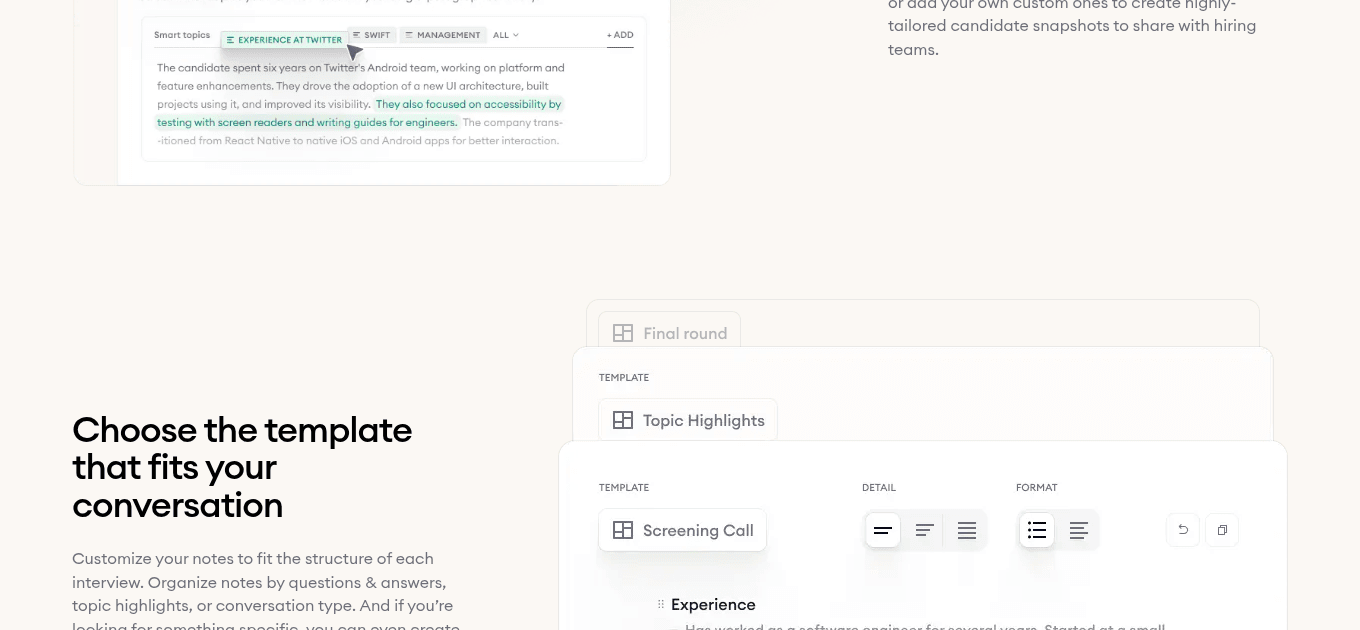
- 1Meeting type auto-detected from the calendar invite.
- 2Screening Call template applied with the 4-question signal set.
- 325-minute time block locked, last 5 minutes reserved for candidate questions.
2. Get consent and record in 20 seconds.
Recording is what turns the call from a chat into a defensible artifact. Most regions require explicit consent before the recording starts. Read the script once at the top of every call, and you're covered for the rest of it.
Consent on the recording itself isn't optional in many regions. Two-party consent states in the US (California, Florida, Pennsylvania) require it, GDPR-region candidates need it, and skipping the script saves 20 seconds at the cost of the entire artifact.
3. Stop typing during the call. Let AI capture.
Recruiters who type during the call lose the candidate's last sentence to the next sentence's keystroke. The candidate hears the typing. The interviewer hears the typing instead of the candidate. Listening is the job.
According to Metaview's 2026 AI & Hiring Alignment Report, surveying 505 recruiting leaders and hiring managers across North America and EMEA, 67% of teams lose qualified candidates to faster-moving competitors every month.
Time spent re-typing what the audio already captured is time the next interview doesn't get.
Our AI Notes runs on the call audio in real time and writes the structured screening note the moment you hang up. Rubric-scored signals, candidate quotes verbatim, screen/no-screen recommendation. Nothing for the recruiter to type.
4. Score in the call against the rubric.
The rubric has 4 cells: yes, leaning yes, leaning no, no. Each maps to one of the 4 signal questions. You decide while the voice is fresh, not while you're typing the summary 6 minutes later when memory has already started to drift.
Calibration improves when every recruiter scores against the same 4 cells. Score in the call and the post-call decision is just the call's decision, written down.
5. Sync structured notes to the ATS the moment the call ends.
The screen/no-screen decision needs to land in the ATS before the candidate finishes their next interview elsewhere. Before the next interview is the SLA.
By the time the candidate has had their next conversation, the recruiter who screened them either has the structured artifact in Greenhouse, Ashby, or Lever, or they don't. The screen is the artifact, not the post-call typing session.
Once the call ends, our AI Notes produces the structured post-meeting view that gets pushed straight to the ATS via the integration.
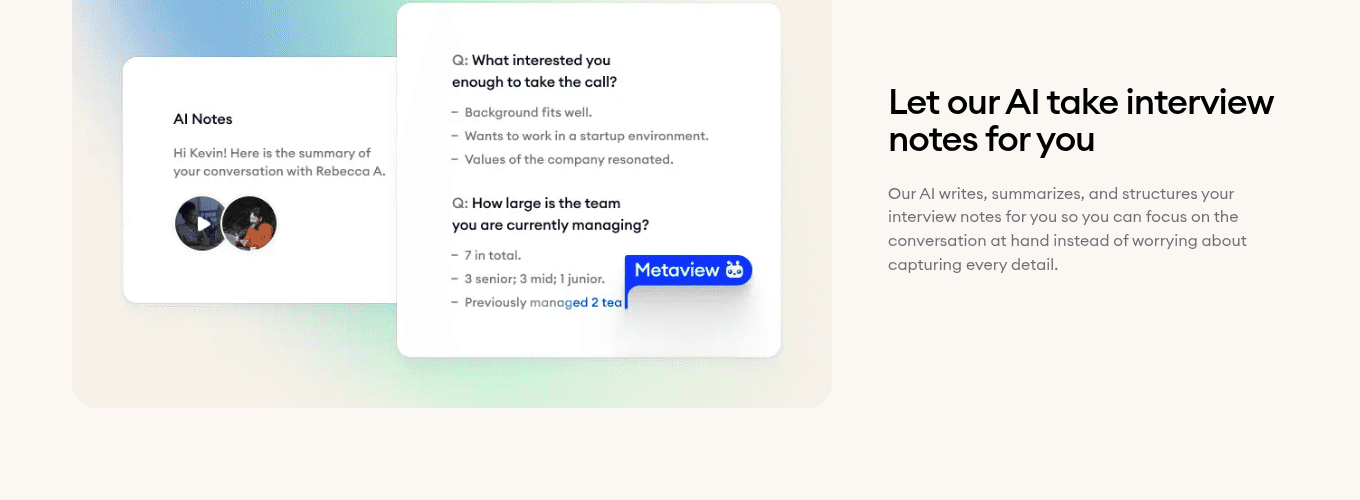
- 1Topic chips mapped to the 4 signal questions.
- 2Candidate quotes verbatim, ready for the hiring manager.
- 3Screen/no-screen recommendation plus ATS-ready summary, pushed on save.
The proof.
Elara Caring runs high-volume healthcare hiring across regional teams. Before our AI Notes, they spent an hour or more per phone interview on documentation. Recruiters typed during the call, scrambled to summarize after, then reconstructed it again at debrief two weeks later.
Most recruiters said that it saves them about 50% of the time on their phone screens.”
That's not unusual. Half the time saved is the documented impact at Elara.
The broader 67% from Metaview's 2026 AI & Hiring Alignment Report is what's at stake on the other side: the candidate Elara's recruiter screened on Monday is the candidate a faster-moving competitor moved to offer by Thursday.
How Metaview accelerates phone interviews.
Phone interview capture spans three product surfaces: AI Notes for the call, meeting auto-detection for the template, and ATS integrations for the close. The workflow shift is binary, because most AI notetakers can't do any of this on a phone call.
- Recruiter types during the call, candidate hears the keystrokes
- Six-minute scramble to summarize between back-to-back calls
- Memory-based debrief two weeks later, signal already drifted
- Recruiter listens; the audio is the capture
- Structured screening note ready the moment the call ends
- ATS sync before the next interviewer joins the funnel
Phone interview capture works through Settings > Integrations, where you connect Twilio, Aircall, or your direct-dial system the same way you'd connect Zoom or Teams.
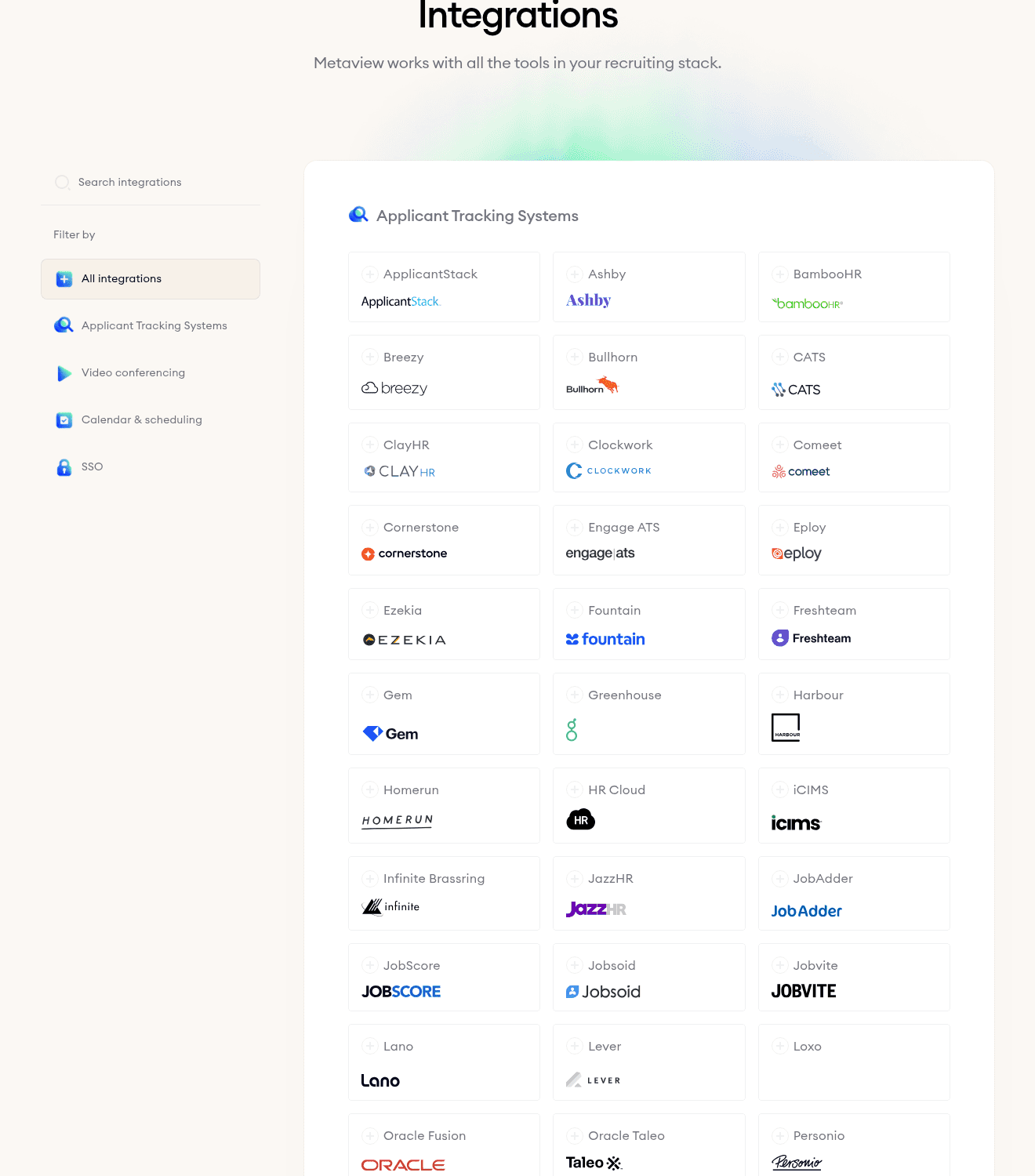
- 1Calendar providers (Google, Microsoft) hand off the meeting invite.
- 2Video platforms (Zoom, Teams, Meet) auto-attach for video screens.
- 3Call platforms (Twilio, Aircall, Ringover) auto-attach for direct-dial phone interviews.
Frequently asked.
Why do phone interviews still matter when video is so easy?
Three places they win on speed and reach: passive candidates without scheduling overhead, candidates in low-bandwidth regions where video drops, and recruiter load-balancing across 50+ open reqs where video adds friction without adding signal. Phone interviews are still the highest-throughput tool at the top of the funnel.
How long should a phone interview really be?
25 minutes total, broken into a 90-second intro, four signal-set questions at about 4.5 minutes each, 5 minutes for the candidate's questions, and a 90-second close. Anything past 30 minutes is on-site territory that phone interviews are supposed to filter into, not duplicate.
What if the candidate declines being recorded?
Our AI Notes generates the same structured screening note from the live call without saving audio. The declined-consent flag is logged on the candidate record, the screening note still lands in the ATS, and the screen/no-screen decision has a defensible artifact that respects the candidate's preference.
What does a Metaview-generated phone interview note look like?
Rubric-scored signals against the 4 signal questions, candidate quotes verbatim for the top 2 or 3 strongest answers, screen/no-screen recommendation, and an ATS-ready summary with role-fit, motivation, availability, and one work example pulled from the call. The recruiter edits before pushing if anything needs context.
Why don't most AI notetakers work for phone interviews?
Most attach to Zoom, Teams, or Meet via the calendar invite. A direct-dial phone interview has no calendar handle, so the AI never joins. We support phone interview capture through Twilio, Aircall, and Ringover integrations alongside the calendar-attached video platforms, which is why high-volume teams that screen on phone use Metaview.
You can run a phone interview the way you always have, typing during the call, summarizing after, hoping memory holds for the debrief. Or you can let the audio do the work and spend the 25 minutes listening.
The call is the artifact. Run it well and the screen/no-screen decision is already written by the time the candidate hangs up. Start free to put it on your next screening block.
Bring Metaview into your hiring stack.
Live notes, structured scorecards, and ATS sync - set up in under 10 minutes.
